

Understanding voting patterns helps you see how your event is performing beyond just total votes.
When you study transaction records properly, you can identify peak voting periods, popular contestants, and how voters behave over time.
This insight helps you plan better events, respond to concerns confidently, and maintain transparency.
On VoteNaija, the Transactions page on your computer gives you all the data you need to spot these patterns clearly. This guide explains how to use that page to gain meaningful insights from your voting activity.
Log Into Your VoteNaija Account
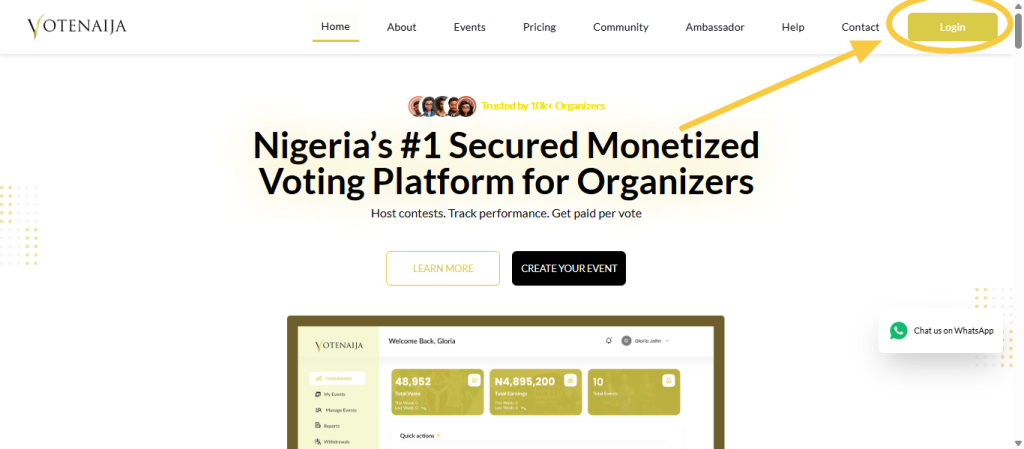
Start by logging in to your VoteNaija account using your computer browser. Once logged in, you will be taken to your dashboard where all management tools are available.
From the dashboard menu, click on Transactions. This opens the Transactions page where all voting activities across your events are displayed in one place.
Understand What the Transactions Data Shows
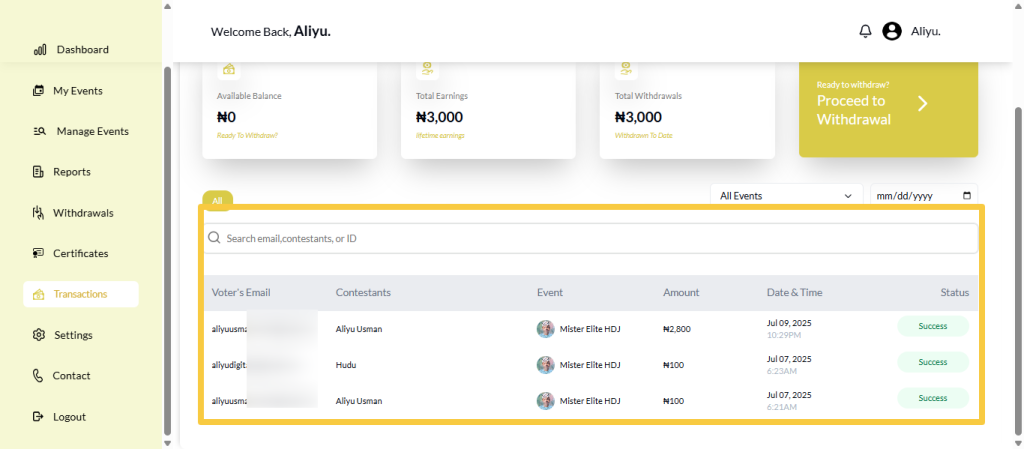
Each transaction on the page is displayed in a structured row with key details. These include the voter’s email, the contestant supported, the event name, the amount spent, the date and time of the vote, and the transaction status.
This layout allows you to compare votes easily and observe trends as you scroll through the list.
Identify High Activity Voting Periods
One of the first patterns to look for is timing. By paying attention to the date and time column, you can see when most votes were made.
You may notice spikes during certain hours, days, or after specific announcements or promotions. This helps you understand when voters are most active and what triggers engagement.
Observe Popular Contestants
The contestant column helps you see which contestants receive the most support. As you scroll through transactions, repeated appearances of certain names indicate strong popularity.
By combining this observation with amounts spent, you can also see which contestants attract higher spending from voters.
Analyze Spending Behavior
The amount column gives insight into how much voters are willing to spend. Some voters may make small one time purchases, while others may vote multiple times or spend higher amounts.
Recognizing these patterns helps you understand voter commitment and the financial performance of your event.
Use Filters to Focus on Specific Patterns
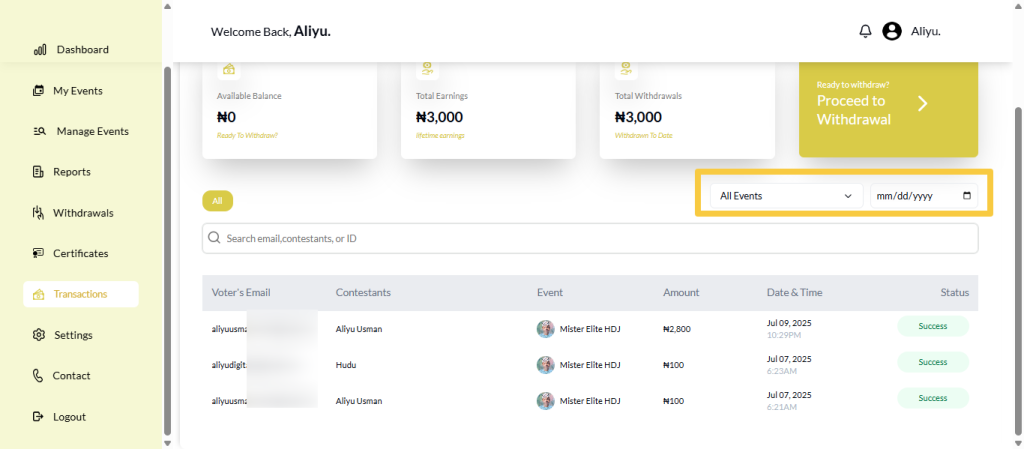
To make analysis easier, you can use the event filter to focus on one event at a time. You can also use the date filter to review activity on specific days.
Using these filters helps you isolate patterns without being distracted by unrelated data.
Check Transaction Status for Irregularities
The status column helps you spot unsuccessful or failed votes. If you notice repeated unsuccessful transactions around the same time or event, this may indicate payment issues or user difficulties.
Catching this early allows you to address concerns before they escalate.
Combine Observations for Better Insights
True insights come from combining multiple data points. For example, you can observe which contestants perform best during peak hours, or which days generate the highest revenue.
Looking at transactions as a whole rather than individually gives you a clearer picture of event performance.
Final Words
Spotting voting patterns on VoteNaija using your computer is about paying attention to details and using the Transactions page effectively.
By reviewing timing, contestant popularity, spending habits, and transaction status, you gain valuable insight into how your event is performing.
These insights help you stay informed, improve future events, and manage your voting process with confidence and clarity.
Get started on VoteNaija with these guides:
- How to Edit or Update an Ongoing Event on a PC
- How to Edit Event Details While It’s Still in Draft Mode (On PC)
- Why You Can’t Edit an Event After It Goes Live ( And What to Do Instead) – on a PC
- Can I Still Add Contestants After the Event Starts? Here’s What to Know (on a PC)
- How to Avoid Auto-Publishing Before You Finish Setting Up Your Event (On Your PC)