

Understanding voting patterns on mobile helps you stay informed even when you are not on your computer.
By reviewing transaction data on your phone, you can still identify popular contestants, peak voting periods, and spending behaviour without missing important details.
VoteNaija’s mobile Transactions page is structured to give you access to the same information in a layout that fits smaller screens. This guide explains how to spot useful voting insights using your phone.
Log Into Your VoteNaija Account
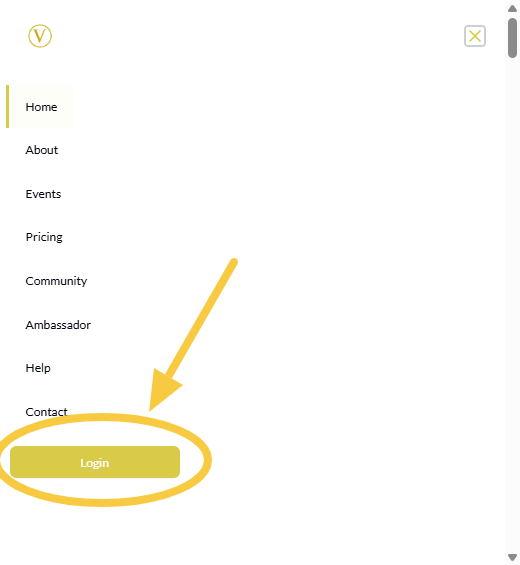
Open your browser on your phone and log in to your VoteNaija account. Once logged in, tap the menu icon at the top of the screen to open the navigation menu.
From the menu, tap Transactions. This takes you to the Transactions page where all voting activities are listed.
Understand the Mobile Transactions Layout
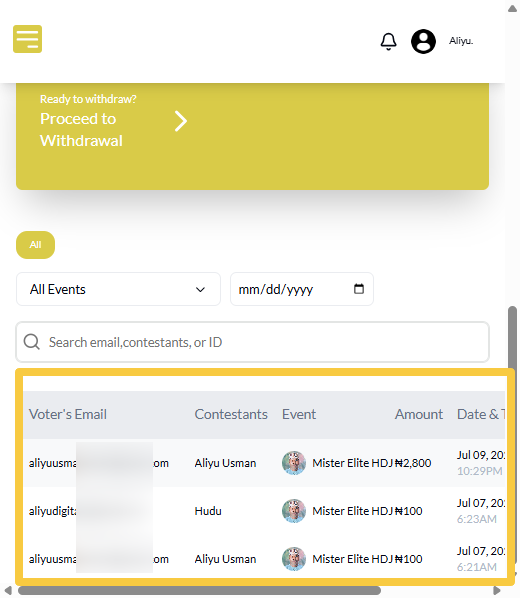
On mobile, transactions are displayed in a vertical layout. Each vote appears as a row showing key information such as voter email, contestant supported, event name, amount paid, date and time, and transaction status.
Depending on your screen size, you may need to scroll sideways to view all details of a transaction. Scrolling vertically allows you to move through multiple votes.
Spot High Voting Activity Periods
To identify when voting activity is highest, pay attention to the date and time shown for each transaction. As you scroll through the list, repeated times or dates indicate peak voting periods.
This helps you understand when voters are most active and which moments drive engagement during your event.
Identify Popular Contestants
The contestant field shows who each voter supported. When certain names appear repeatedly, it indicates strong voter interest.
By observing this pattern over time, you can easily tell which contestants are receiving the most support, even on a mobile screen.
Review Spending Patterns
The amount field shows how much each voter spent. Some voters may appear multiple times, indicating repeat voting, while others may spend higher amounts in a single transaction.
These patterns help you understand voter behaviour and how financial support is distributed across your event.
Use Filters to Focus Your Analysis
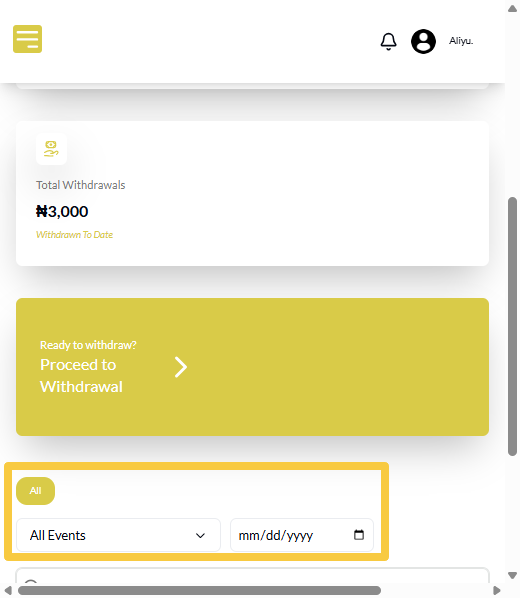
At the top of the Transactions page, you can use the event and date filters to narrow down results. Filtering helps you focus on a single event or a specific day when analysing patterns.
Results update instantly, making it easier to spot trends without scrolling through unrelated data.
Watch for Unsuccessful Transactions
The status field is important for identifying irregularities. If you notice several unsuccessful votes around the same time or event, this may point to payment or user issues.
Spotting this early helps you respond quickly and maintain trust with voters and contestants.
Combine Observations for Clear Insights
On mobile, insights come from observing multiple details together. For example, you may notice that a contestant receives more votes during certain hours, or that spending increases closer to an event deadline.
Looking at transactions as a whole helps you understand overall performance, even on a smaller screen.
Final Words
Spotting voting patterns on VoteNaija using your phone is simple when you know what to look for.
By reviewing transaction timing, contestant support, spending behaviour, and status updates, you can gain meaningful insights anywhere.
The mobile Transactions page gives you the clarity you need to stay informed and manage your events confidently on the go.
Get started on VoteNaija with these guides:
- How to Check Total Votes and Earnings for an Event (on a Phone)
- How to Track Event Performance from Your Dashboard (On a Smartphone)
- Difference Between “My Events” and “Manage Events” Tabs (On Your Phone)
- Understanding Your Dashboard on VoteNaija (On Your Smartphone)
- How to Create a New Event on VoteNaija (On Your Smartphone)