

Before you can receive your payout on VoteNaija, you need to provide your correct bank information. This is one of the most important steps if you want your withdrawal to go smoothly.
This guide will show you the exact bank details you need to enter and how to make sure everything is correct.
Your Account Name
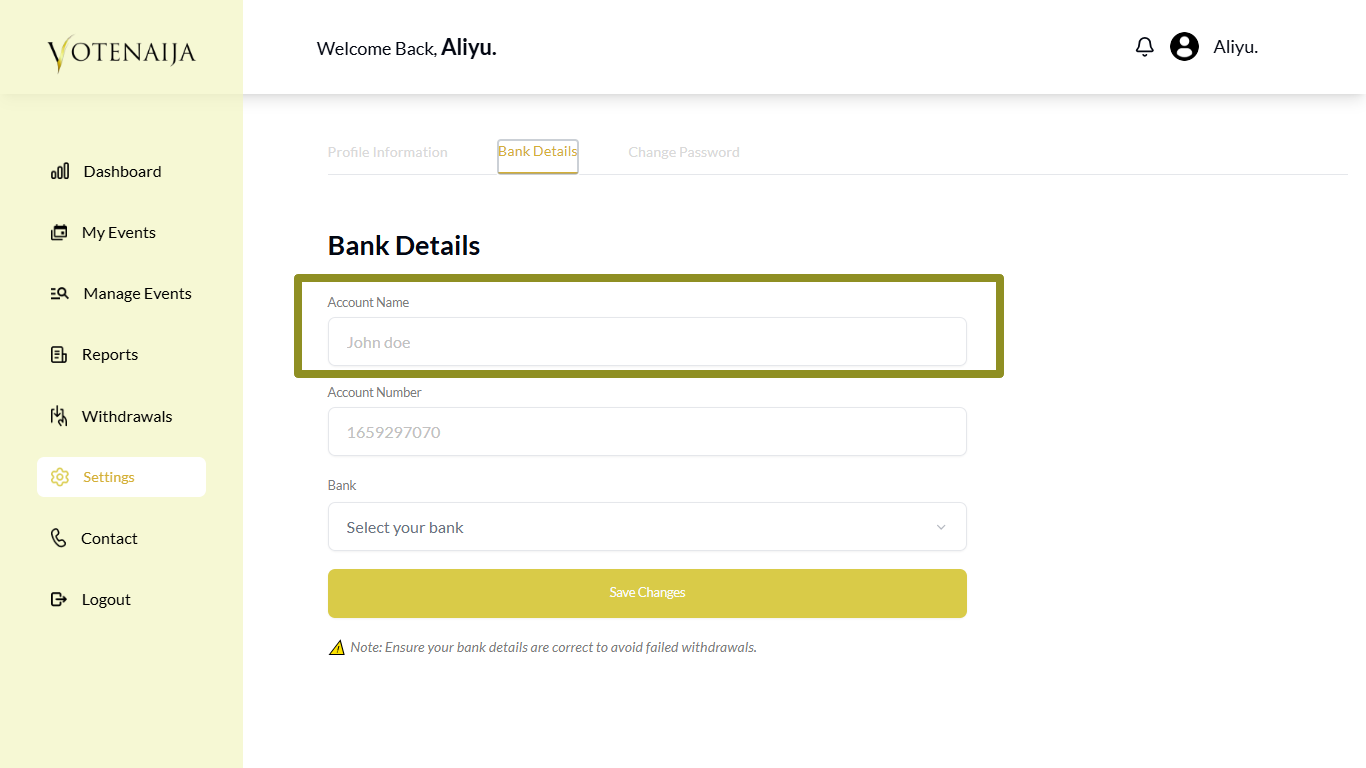
This is the name that appears on your bank account. You must enter it exactly the way your bank has it.
If your account name is written with your surname first, make sure you enter it like that. Do not switch the order or shorten anything. The system uses this name to match your bank account with the details you provided.
If it does not match, your payout may fail.
Your Account Number
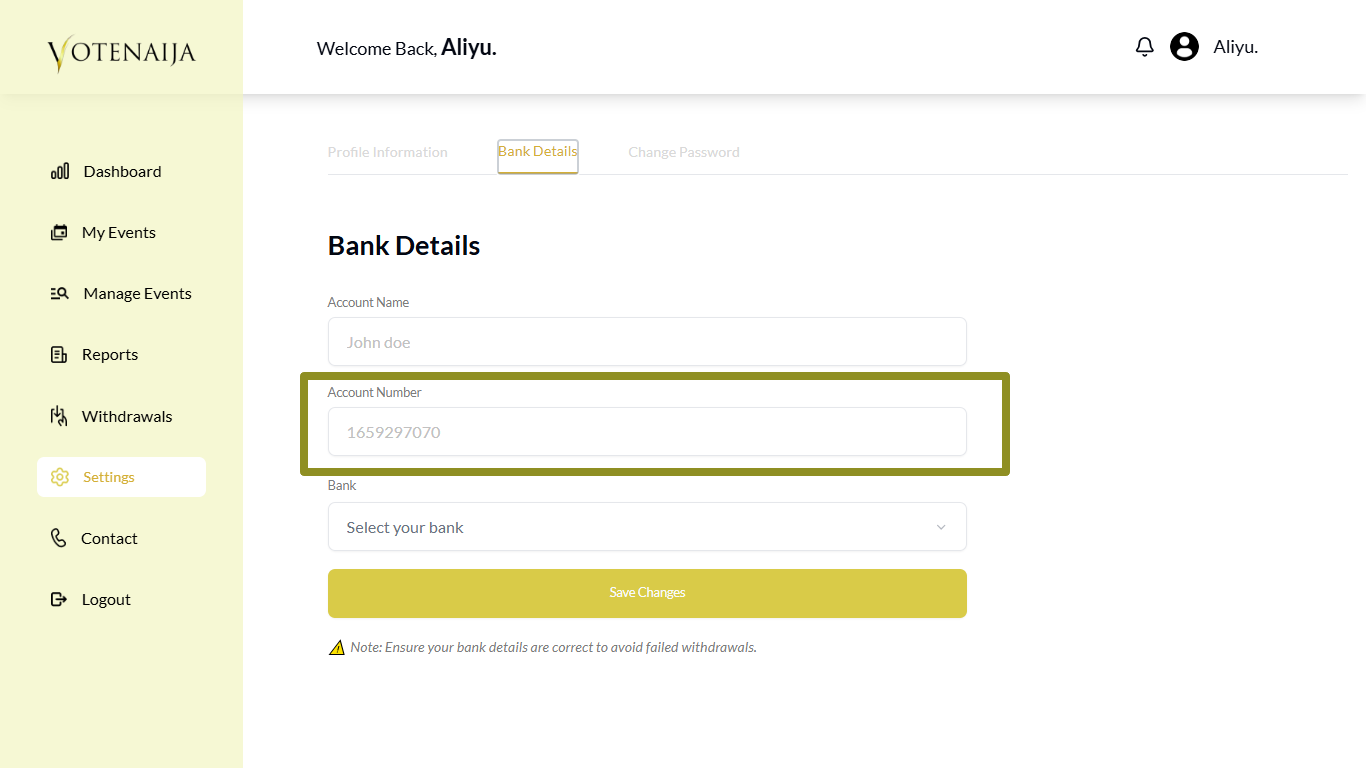
This is your ten-digit account number. Make sure you enter all ten digits correctly.
Check it once, then check it again. If even one digit is wrong, the payout will not go through.
It must be a regular Nigerian bank account or wallet account that supports receiving payments. Examples include Opay, Moniepoint, and all traditional banks.
Your Bank Name
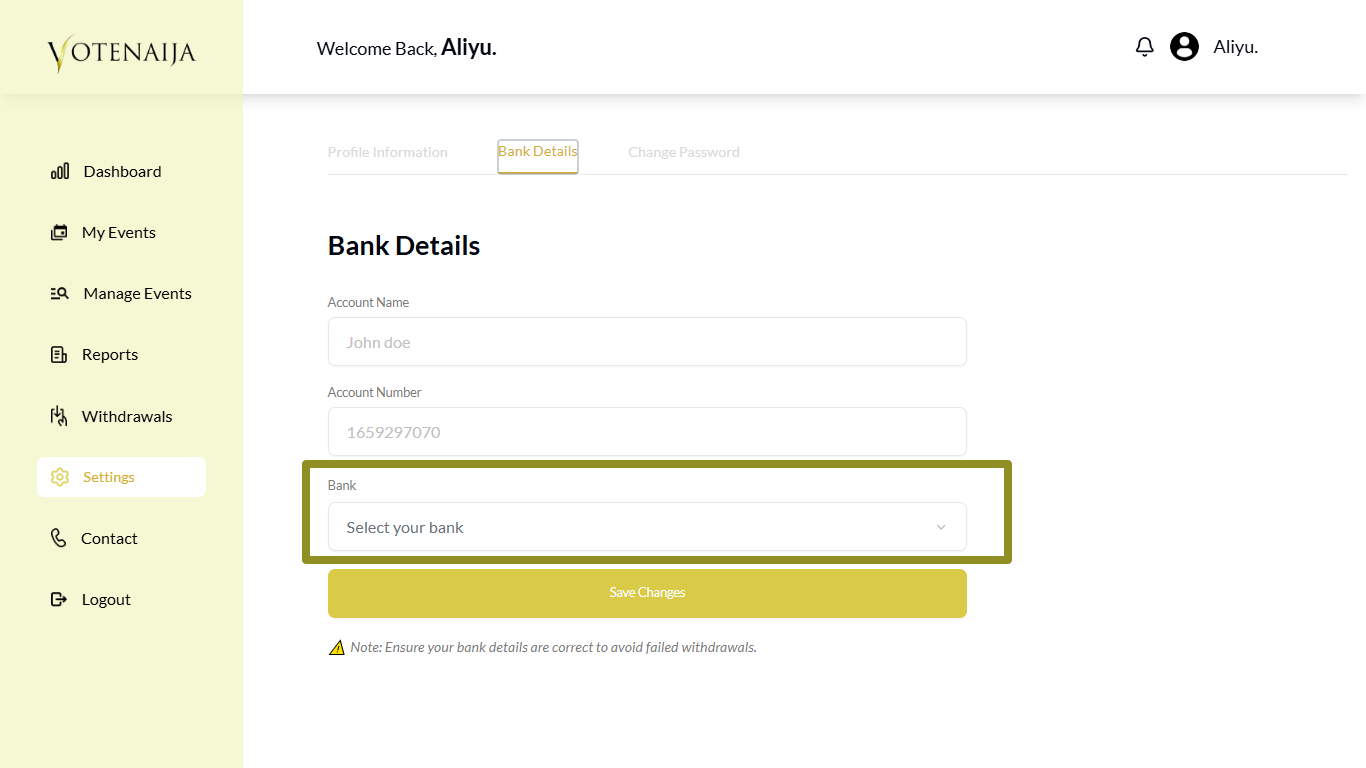
This is the bank where your account is registered.
You will not type this manually. Instead, you will see a dropdown list on the page. Just tap on the dropdown and select your bank from the options listed.
Make sure you pick the right one that matches the account number you entered.
Final Words
Setting up your bank details is a small step, but it plays a big role in your payouts.
Take your time and double-check everything. Use the exact name on your account, make sure the account number is ten digits, and select the correct bank from the dropdown.
Wrong details can delay your payment or cause it to bounce back.
Once everything is correct, you are ready to receive your earnings with no issues.
Find your way around faster using these VoteNaija guides.