

Are the My Events and Manage Events pages the same thing?
At first glance, they may look similar. But if you take a closer look, you’ll see they serve different purposes. Knowing the difference helps you know where to go when you want to do something specific.
Let’s break it down.
My Events and Manage Events: An Overview
Both pages are connected to the events you’ve created. From these two areas, you can:
- View your event performance
- Access and update your event details
- Add contestants (when allowed)
- Control the status of your events
But the way each one works is a bit different. Let’s look at them one after the other.
My Events
This page is found in your dashboard menu, right here:
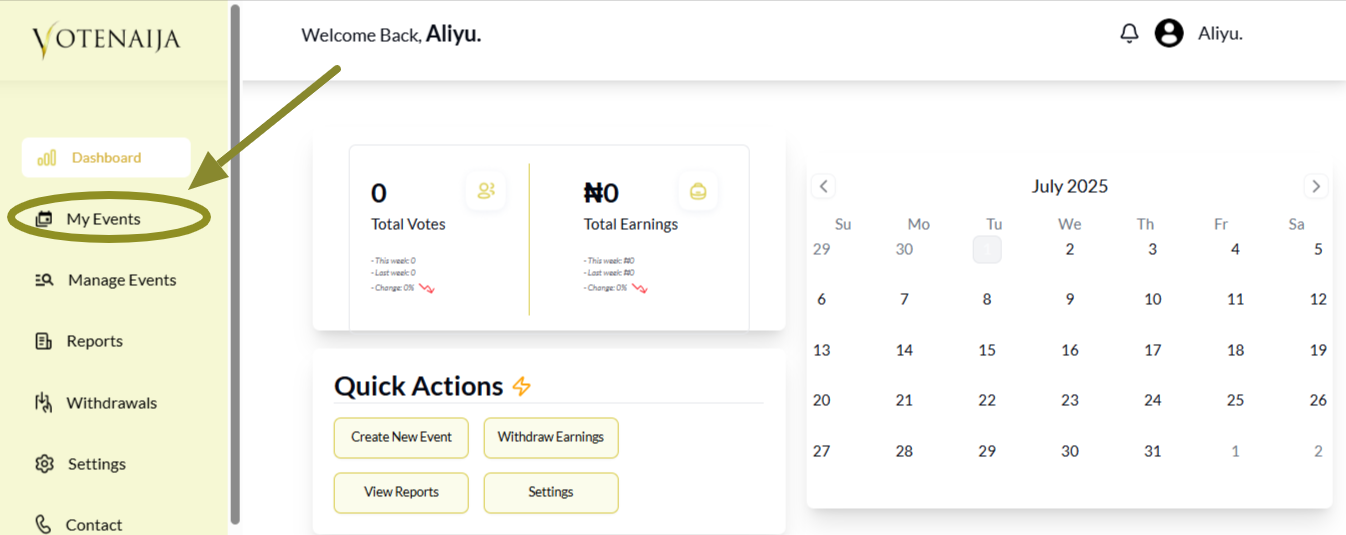
When you open it, you’ll notice it focuses more on how your events are doing. It has two main parts:
1. Your Event Performance
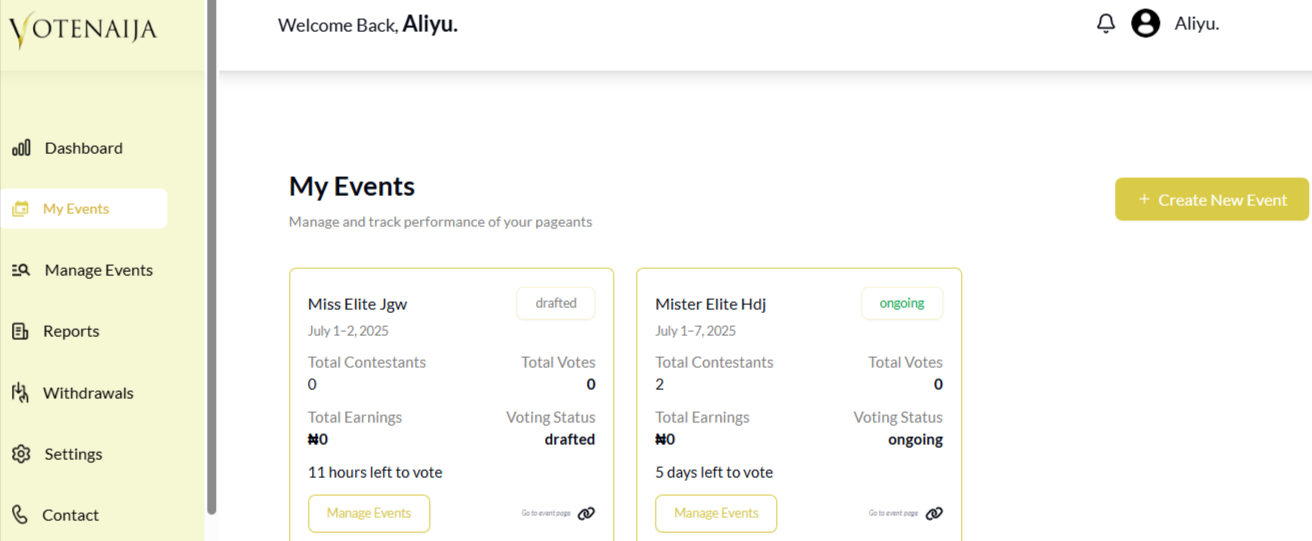
You’ll see a list of all the events you’ve created. Each event is displayed inside a small box that shows you:
- Total number of contestants
- Total number of votes
- Total earnings so far
- The voting status of the event (whether it’s approved, draft or waiting for approval)
This section gives you a quick look at how things are going.
2. Create New Event
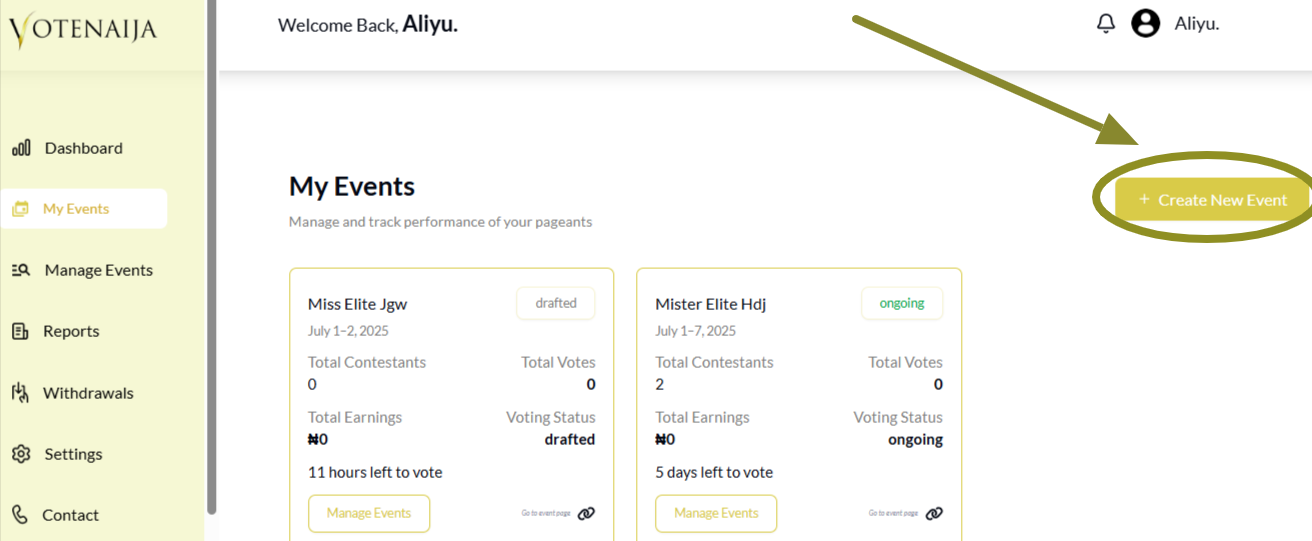
There’s also a button here that allows you to create a new event. If you’re ready to start another one, just tap that button and you’ll be taken to the event creation page.
That’s it for the My Events page. But what if you want to make changes to your event or take actions like publishing or deleting it? That’s where the next page comes in.
Manage Events
You’ll also find Manage Events in your dashboard menu, here:
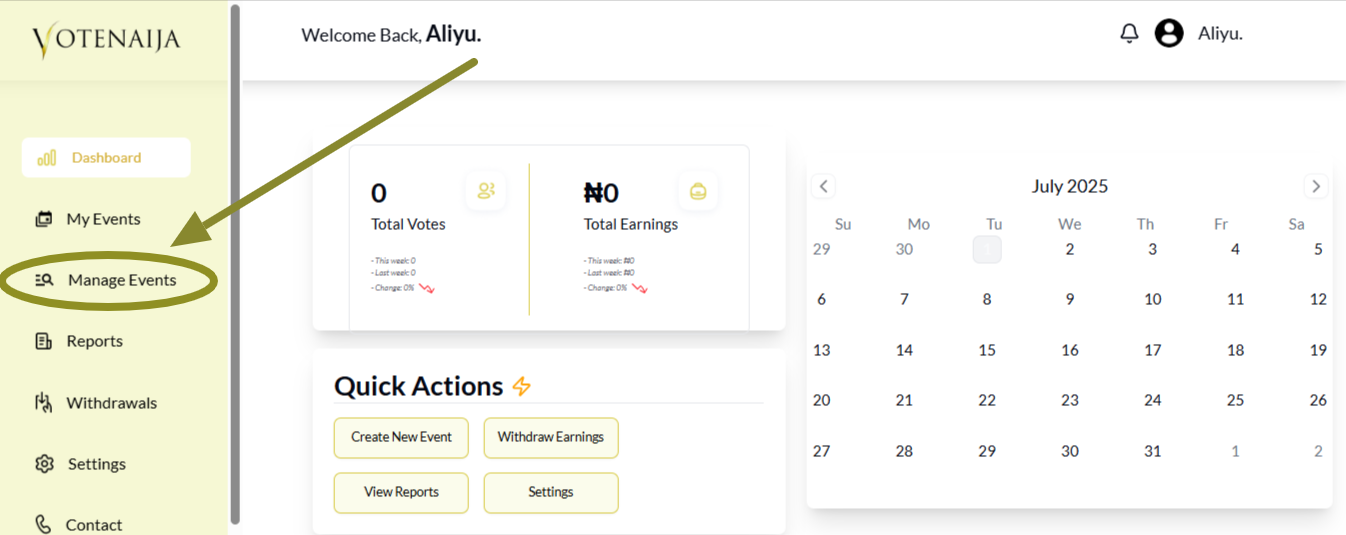
This page gives you more control over each event. Here are the things you can do:
1. Create a New Event
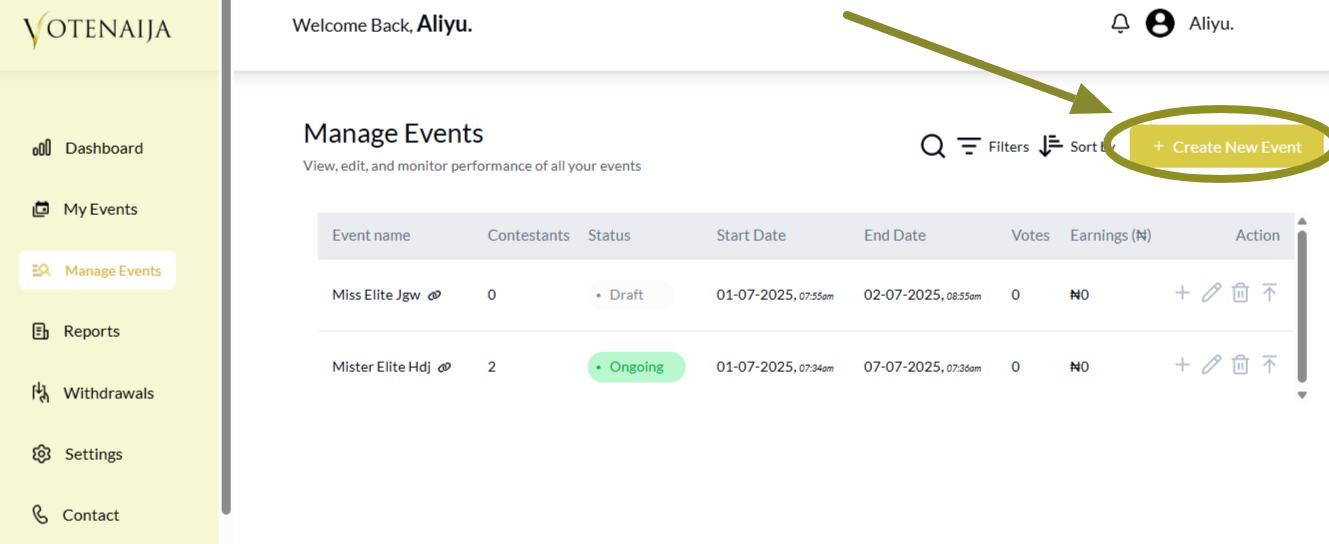
Just like on the My Events page, there is a button here to start a brand new event.
2. Manage Your Events
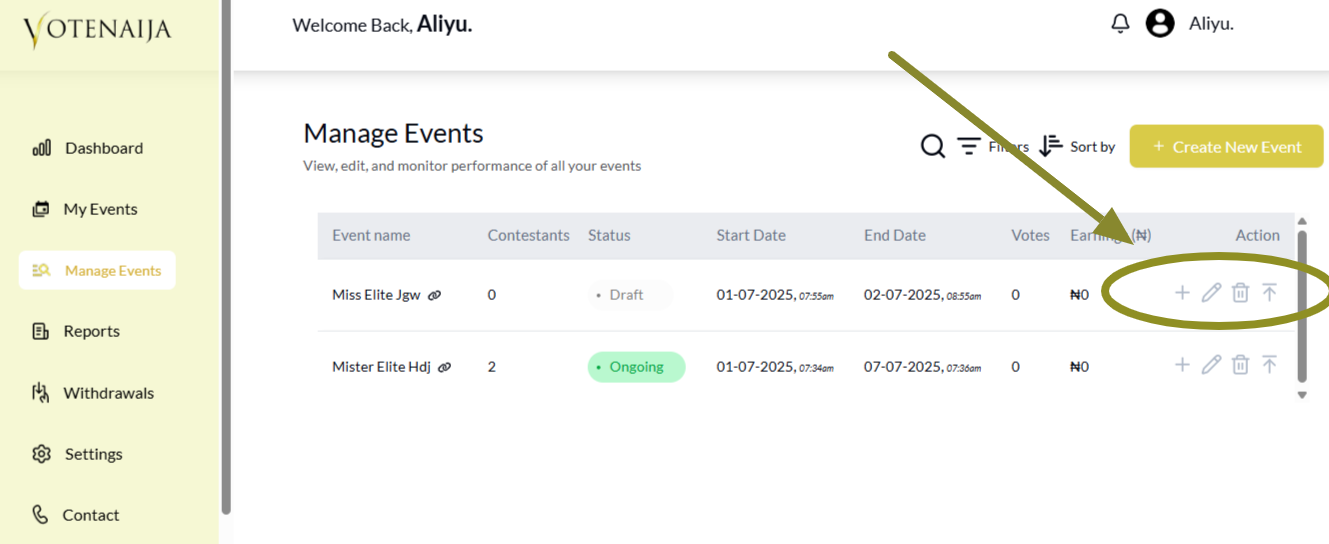
You’ll see a list of your events, each with icons beside it. These icons let you:
- Add contestants ➕
- Edit the event details ✏️
- Delete an event 🗑️
- Publish an event when you’re ready ⬆️
This page is built for action. If you need to update, fix or launch anything related to your event, this is where you should be.
Bottom Line
Even though both pages are linked to your events, they don’t do the same thing.
My Events helps you track your event performance and gives you a quick summary of how everything is going.
Manage Events is where you go when you want to make changes, add contestants, or publish your event.
So the next time you’re trying to decide where to click, just ask yourself, “Do I want to check performance or take action?”
Start using VoteNaija like a pro with these step-by-step guides.
- How to Edit or Update an Ongoing Event on a PC
- How to Edit Event Details While It’s Still in Draft Mode (On PC)
- Why You Can’t Edit an Event After It Goes Live ( And What to Do Instead) – on a PC
- Can I Still Add Contestants After the Event Starts? Here’s What to Know (on a PC)
- How to Avoid Auto-Publishing Before You Finish Setting Up Your Event (On Your PC)