

One of the questions many organizers ask is whether voters will see updates in real time when you adjust the “Show Ranking” setting.
The answer is yes, and the way it works is very straightforward.
Let’s take it step by step so you can understand what happens whenever you toggle this feature.
Step 1: Toggle the Feature
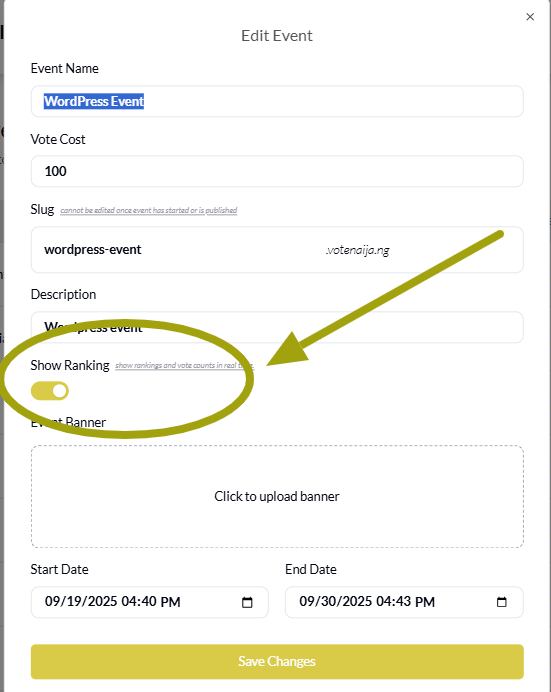
After logging into your VoteNaija account, head over to your dashboard and select the event you want to adjust. Inside the event settings, you will find the option titled “Show Ranking.”
This feature can be switched on or off by tapping the toggle button.
When you turn it on, the ranking section will appear in the event page. This section highlights the top contestants with the highest votes.
When you turn it off, the ranking section disappears completely, leaving only the meet contestants section.
Step 2: The Change Reflects Instantly
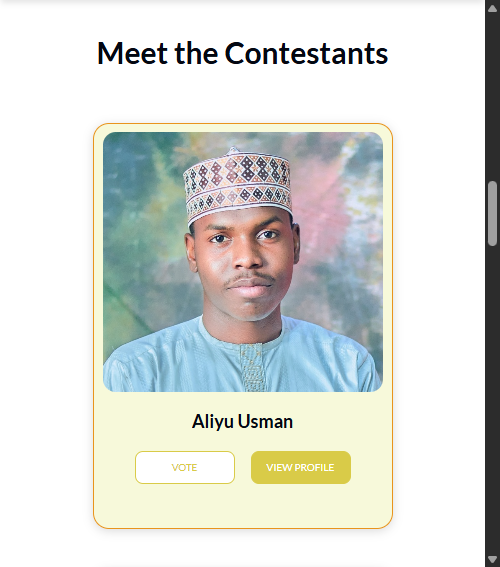
Once you make the change, you do not have to wait for hours or even minutes. The update reflects immediately.
This means voters see the new version of the event page right away without doing anything on their end. They do not even need to refresh their browser or reopen the page. The system handles everything automatically.
This instant update is important because it keeps the event consistent for everyone. Whether a voter logs in at the same time you make the change or a little later, what they see will always match your most recent settings.
Step 3: Voters See the Updated Layout
The difference for voters is clear. With rankings turned on, they see a special section that displays the top three contestants, their current votes, and a fire icon on their images.
This adds energy to the page and makes it easy for voters to know who is leading.
With rankings turned off, that section disappears, and voters only see the list of contestants under the meet contestants section. Each contestant still shows their vote count, but there is no special spotlight on the top three.
Step 4: Control the Experience in Real Time
Because the change is immediate, you are in full control of the voting experience. If you want to keep the excitement high, you can turn rankings on and let voters see who is leading. On the other hand, if you want to maintain suspense until later, you can turn it off.
This flexibility makes it easier to manage how your event unfolds. It also helps you experiment with what works best for your audience. Some organizers prefer to show rankings throughout the event, while others only display them at certain times.
Step 5: Make Adjustments Anytime
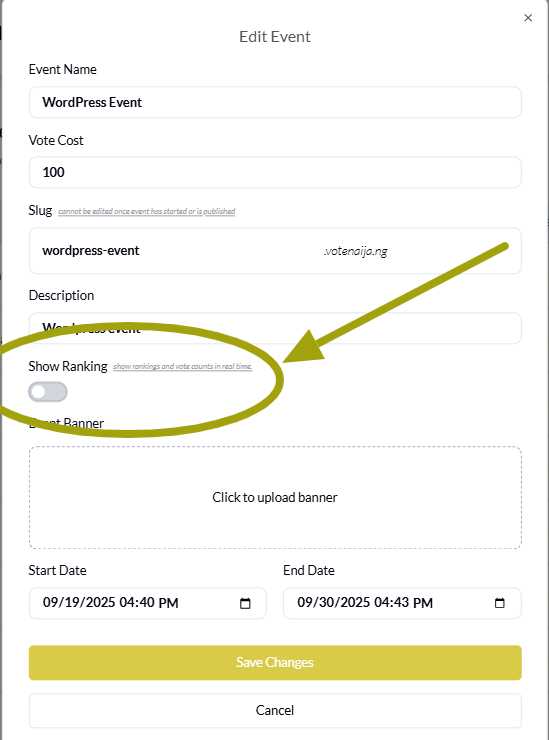
You are never locked into one choice. If you feel like showing rankings today and hiding them tomorrow, you can. Each time you update the feature, the change reflects instantly for all voters.
This means you can fine tune your event as it goes on. You can start with rankings hidden to keep things unpredictable, then switch them on towards the end to build excitement.
Or you might decide to keep them on all the way. The point is, you have total freedom to adjust and re-adjust as you like.
Final Words
So yes, “Show Ranking” changes appear immediately to voters, and this real time effect is what makes the feature powerful. Every adjustment you make is live at once, giving you complete control over how your event looks and feels.
Whether you want to boost hype by spotlighting the leaders or keep the tension alive by hiding rankings, the choice is yours, and voters will always see exactly what you decide at that very moment.
Want more updates? Explore more on VoteNaija
- How to Print Your Event Report on VoteNaija (On Your Smartphone)
- How to Check Total Votes and Earnings for an Event (on a Phone)
- How to Track Event Performance from Your Dashboard (On a Smartphone)
- Difference Between “My Events” and “Manage Events” Tabs (On Your Phone)
- Understanding Your Dashboard on VoteNaija (On Your Smartphone)