

When creating or editing an event on VoteNaija through your PC, you may notice the Show Ranking feature.
Many organizers often wonder whether turning this option on or off has any impact on the final results of their event. Let’s break it down in detail so you know exactly how it works.
Understanding the Show Ranking Option
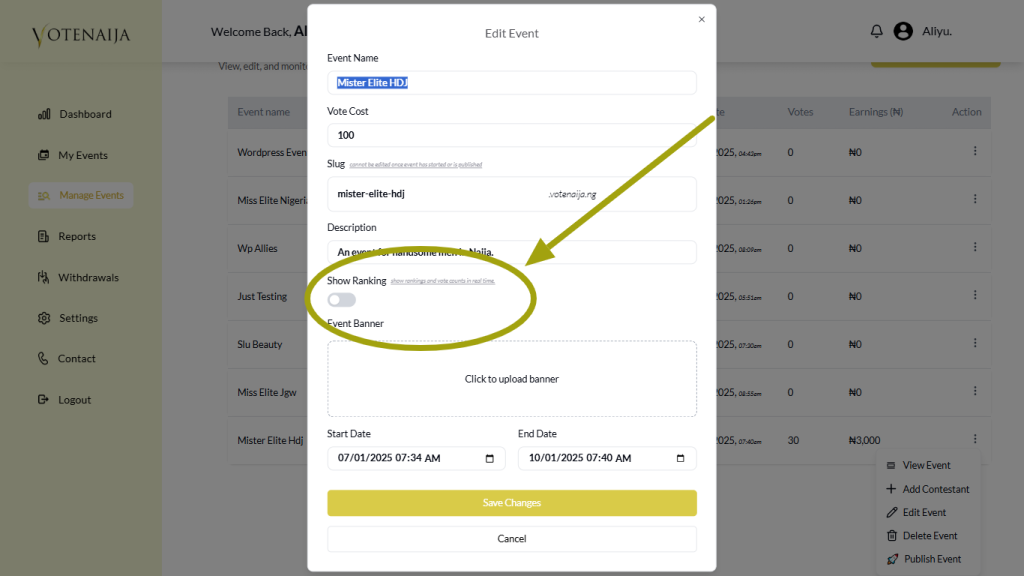
On a PC, the Show Ranking option controls whether a special ranking section is displayed on your event page.
When enabled, it highlights the top three contestants with the highest votes. These contestants are shown with their images, their vote totals, and a small fire icon placed on their pictures to indicate they are leading.
When disabled, that ranking section disappears completely. Voters will only see the regular Meet Contestants section, where every participant is listed along with their vote counts, without any extra spotlight on the top three.
Does It Change the Way Votes Are Counted?
The Show Ranking option has no effect on how votes are collected or calculated. Every single vote is registered in real time, and totals are updated automatically.
Whether you choose to display rankings or not, the actual voting process remains the same.
This means the feature only adjusts how the event looks to voters, not how results are recorded in the system.
Reasons Organizers Might Keep Rankings Visible
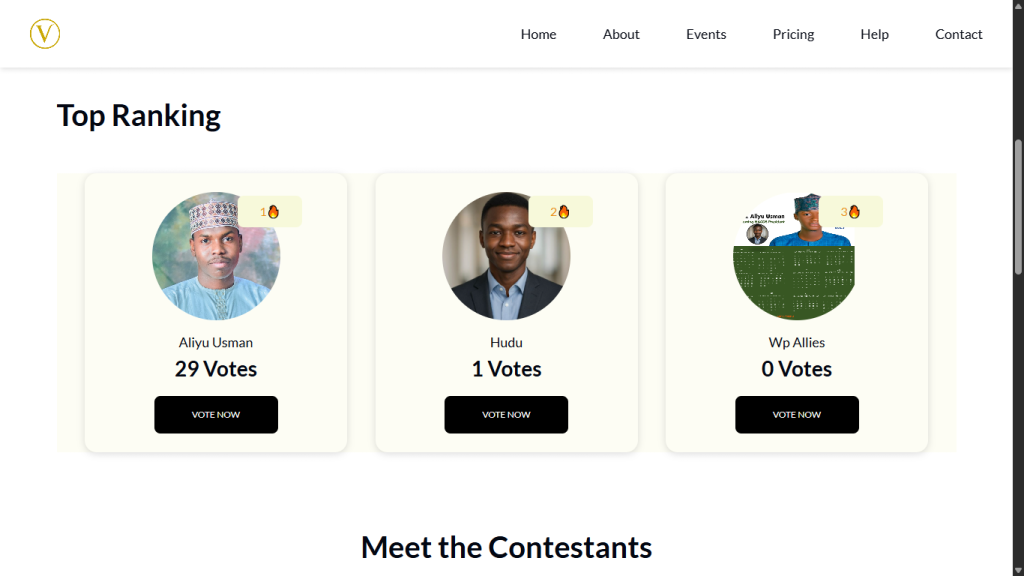
Some organizers enjoy showing the top three because it brings excitement to the event. Voters can quickly see which contestants are ahead and how competitive the event is.
It adds energy to the voting experience and may even encourage supporters to push harder for their favorites.
Why Others Prefer to Hide Rankings
On the other hand, some organizers turn the feature off to build suspense. Without a ranking section, voters do not immediately know who is in the lead.
Instead, they only see each contestant’s vote count in the Meet Contestants area. This approach creates more mystery and keeps the final outcome a surprise until the event ends.
The Final Outcome Is Unchanged
Whether rankings are displayed or hidden, the winner is always determined by the total number of votes. The option has no influence on fairness, accuracy, or transparency.
It simply changes the way the results appear during the event, not the actual results themselves.
Final Thoughts
On a PC, the Show Ranking feature gives you flexibility in how you want your event to look. You can display the top three contestants to boost excitement, or hide them to maintain suspense.
Either way, the voting process remains transparent and fair, and the winner is always decided by the real vote totals.
Don’t miss out, check more content directly on VoteNaija
- How to Edit or Update an Ongoing Event on a PC
- How to Edit Event Details While It’s Still in Draft Mode (On PC)
- Why You Can’t Edit an Event After It Goes Live ( And What to Do Instead) – on a PC
- Can I Still Add Contestants After the Event Starts? Here’s What to Know (on a PC)
- How to Avoid Auto-Publishing Before You Finish Setting Up Your Event (On Your PC)