

Before you can withdraw your earnings on VoteNaija, your bank account needs to be set up. Without it, the system will not process any payout. This guide will walk you through how to add your bank details for the first time or update them if you ever need to make changes.
Step 1: Open Your VoteNaija Dashboard
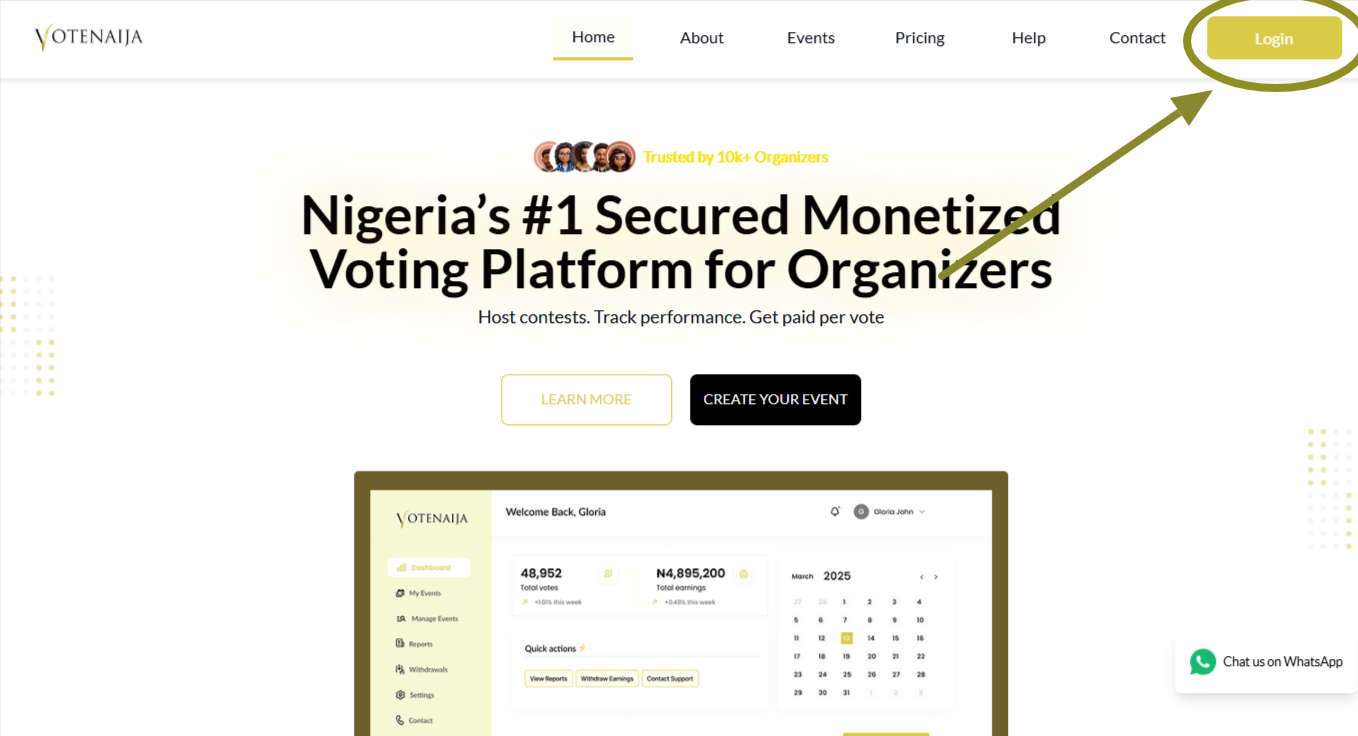
Go to the VoteNaija website and click the Login button. Enter your email and password to sign in.
Once you are in, you will land on your dashboard where you manage all your events, settings, and earnings.
Step 2: Go to Settings in the Menu
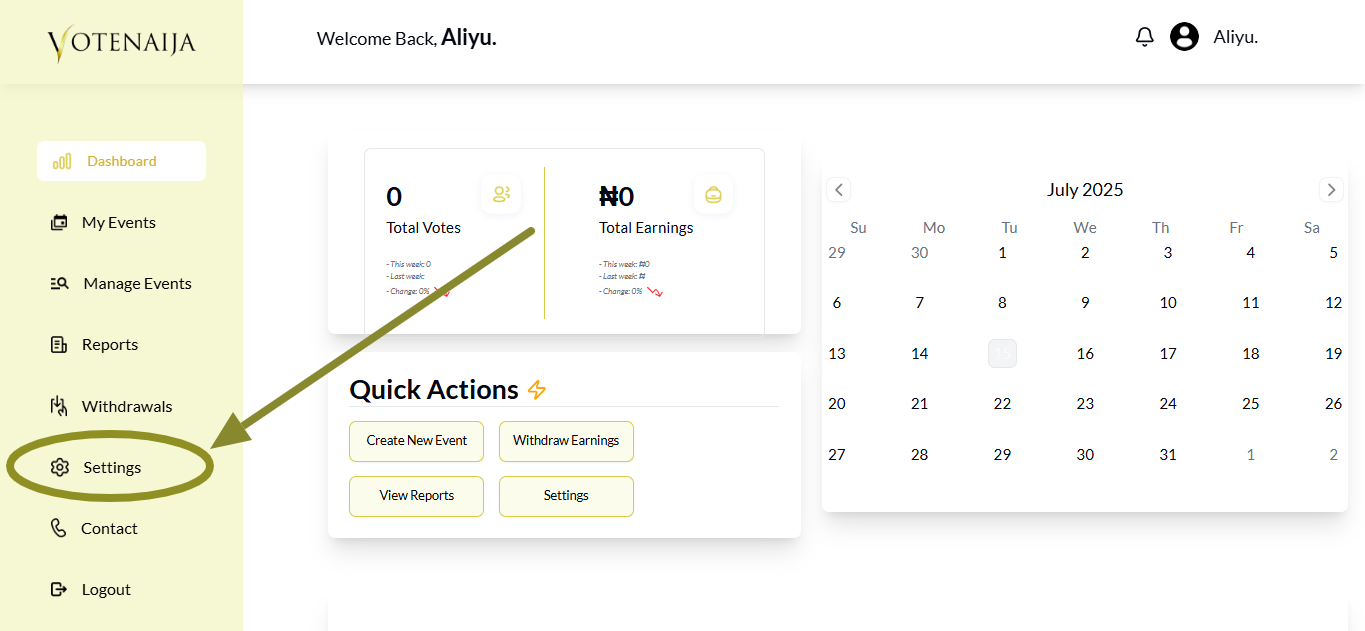
Look at the menu on the left side of your screen. Click on Settings to open your account settings.
This is where you will find everything related to your profile and banking information.
Step 3: Tap Bank Details
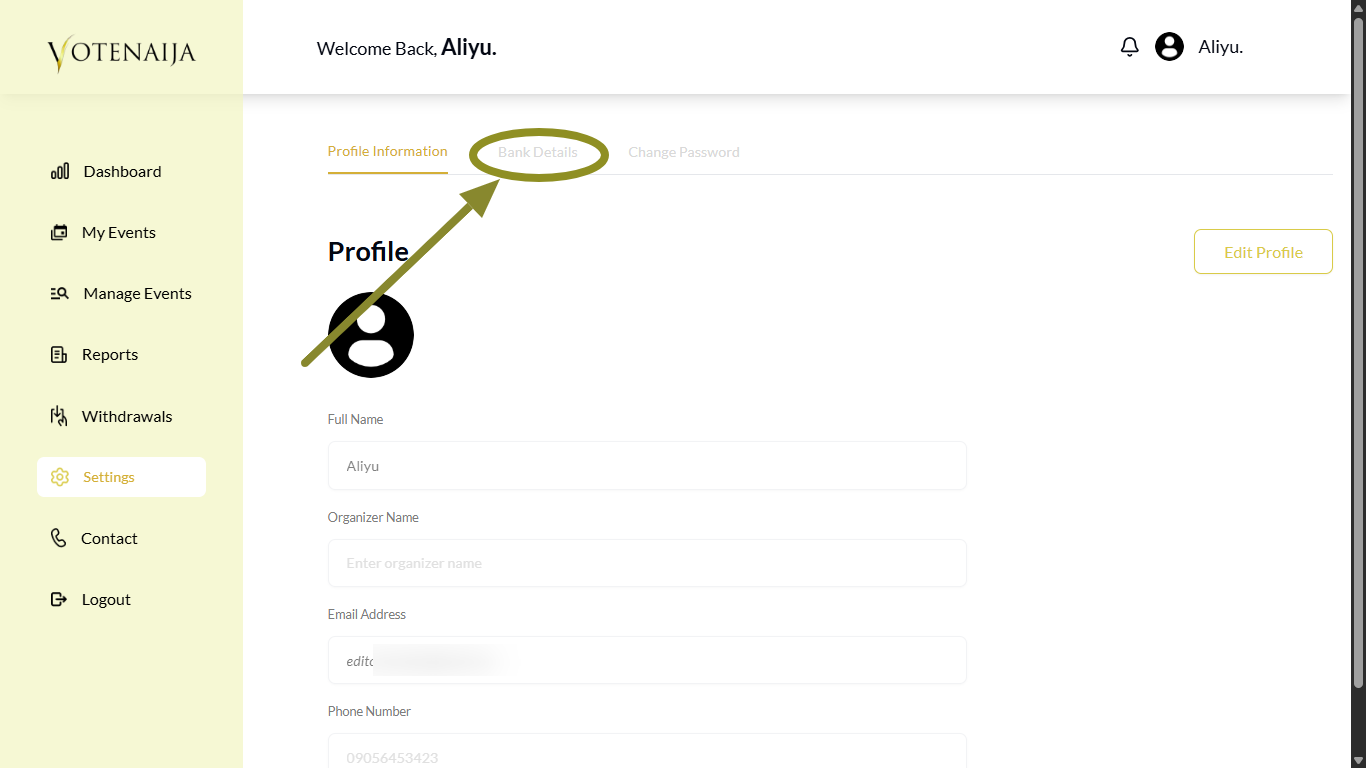
When the Settings page opens, you will see some tabs at the top. These tabs control what section of settings you are viewing.
Click on Bank Details at the top to switch to that section. That is where you will add or update your account information.
Step 4: Add or Update Your Bank Details
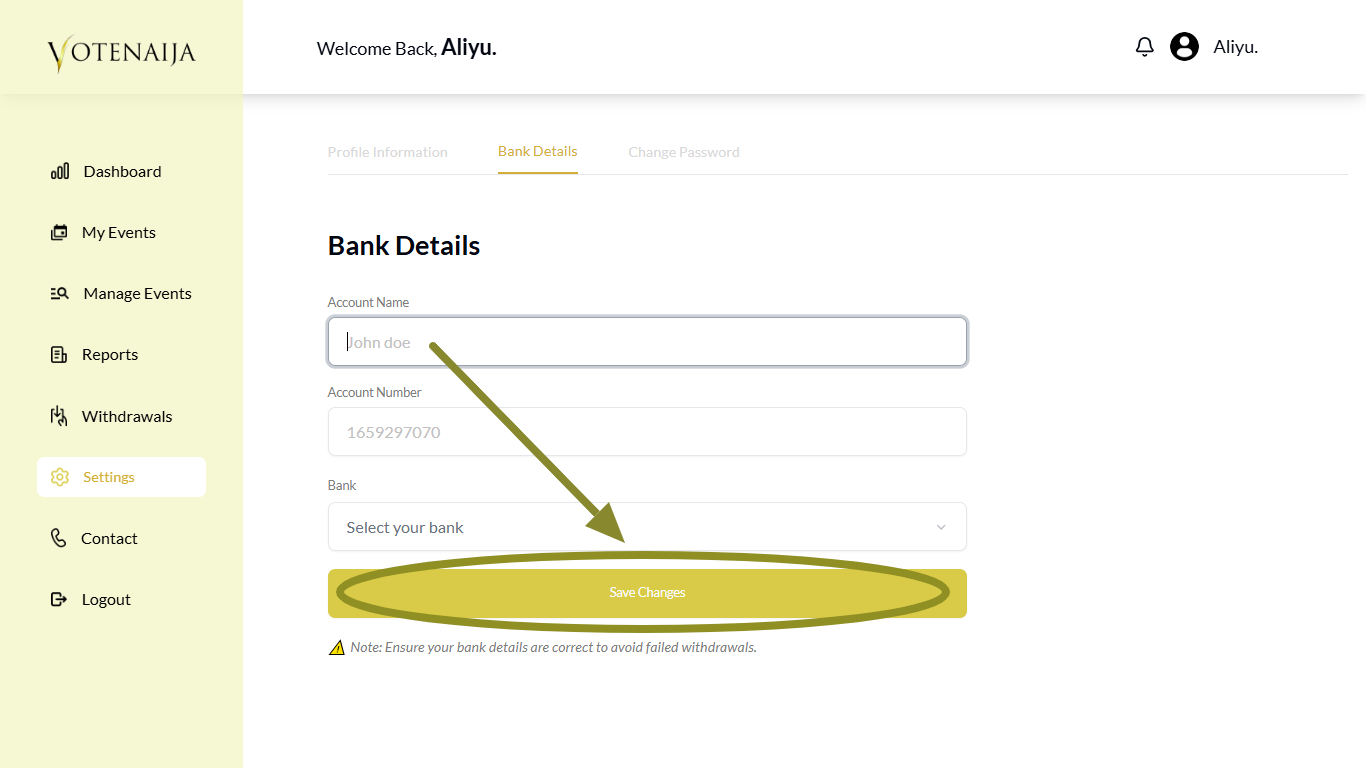
If this is your first time, you will see empty fields where you can enter your bank information.
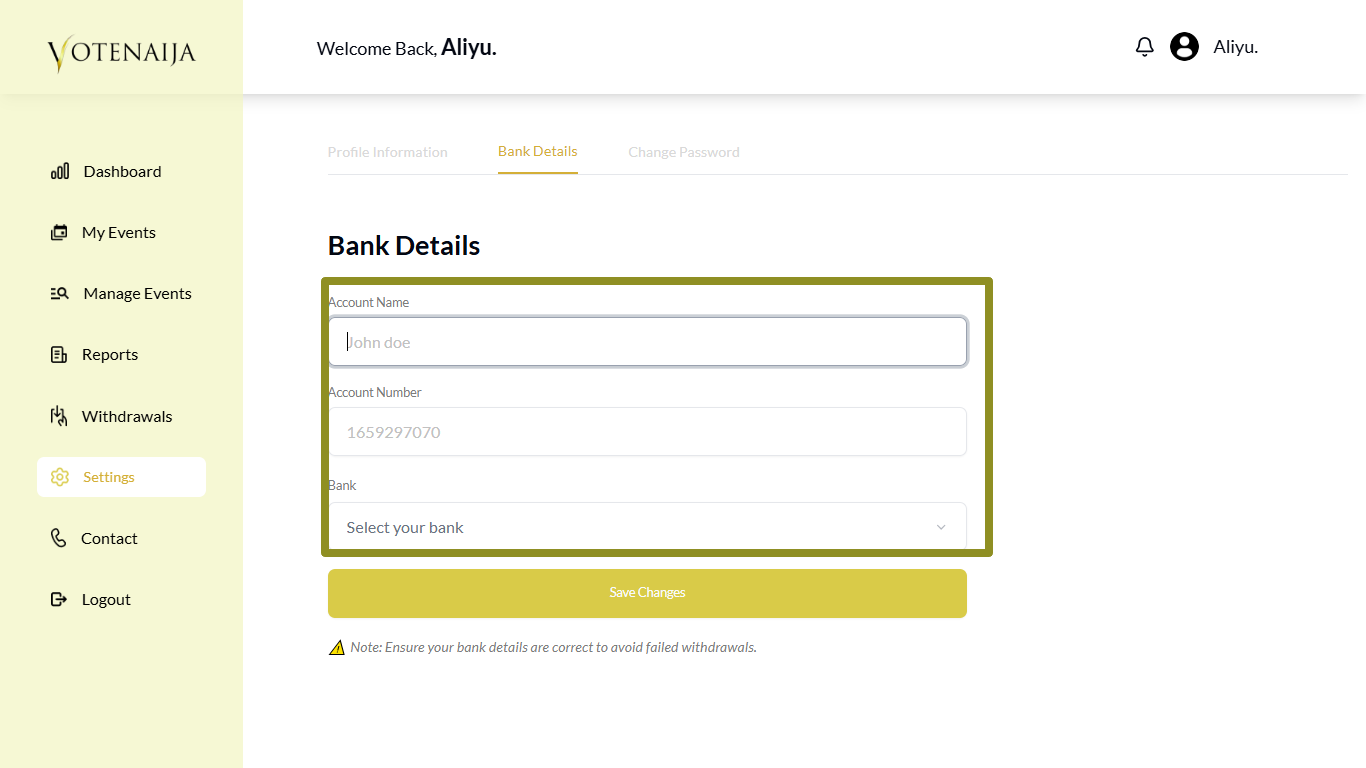
You will need to provide the following:
- Account name
- Account number
- Bank name (you will choose this from a dropdown list)
Once you fill in those three, you are good to go.
If you already added bank details before and want to make changes, look for the Edit button at the top right corner of the Bank Details page.
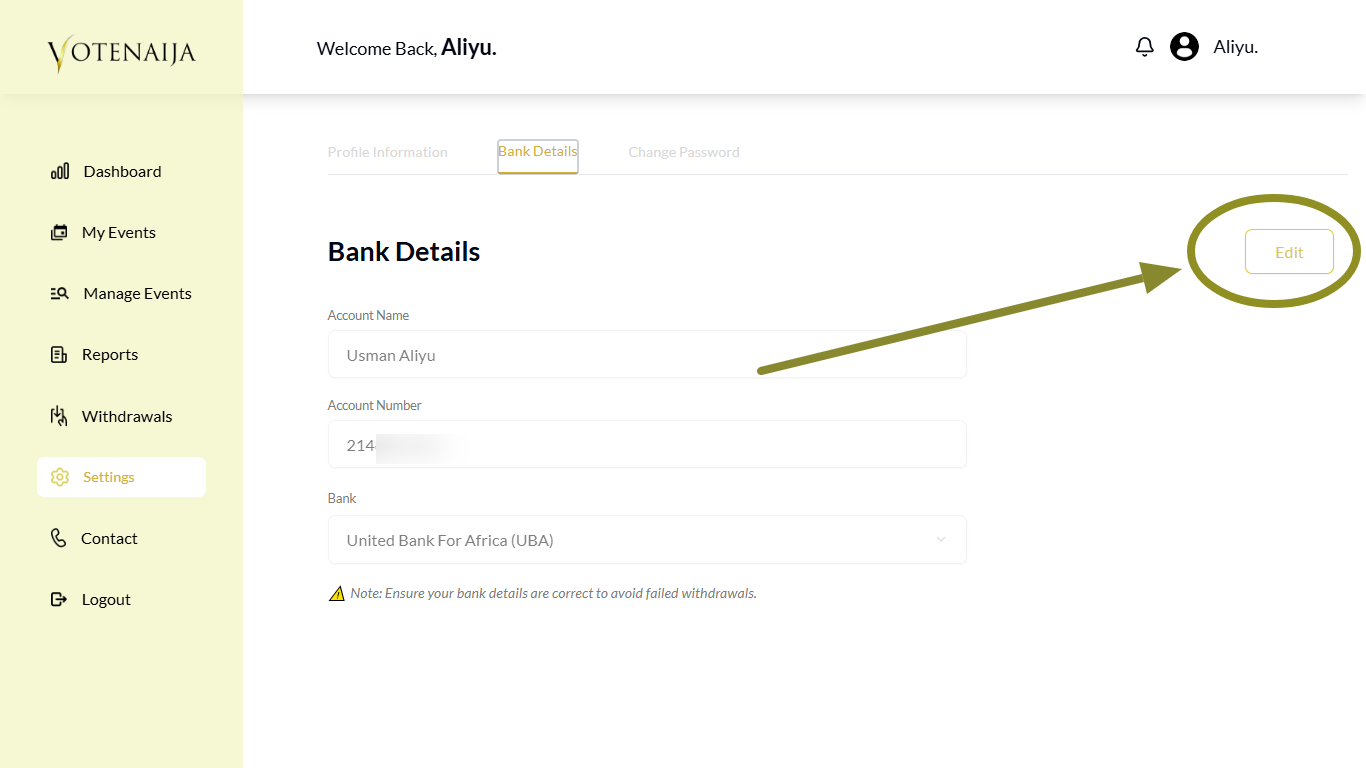
Tap it to enable editing. After that, you can change the account number, switch the bank, or fix anything that is wrong.
Step 5: Save the Details
If this is your first time adding bank details, click the Save Changes button at the bottom.
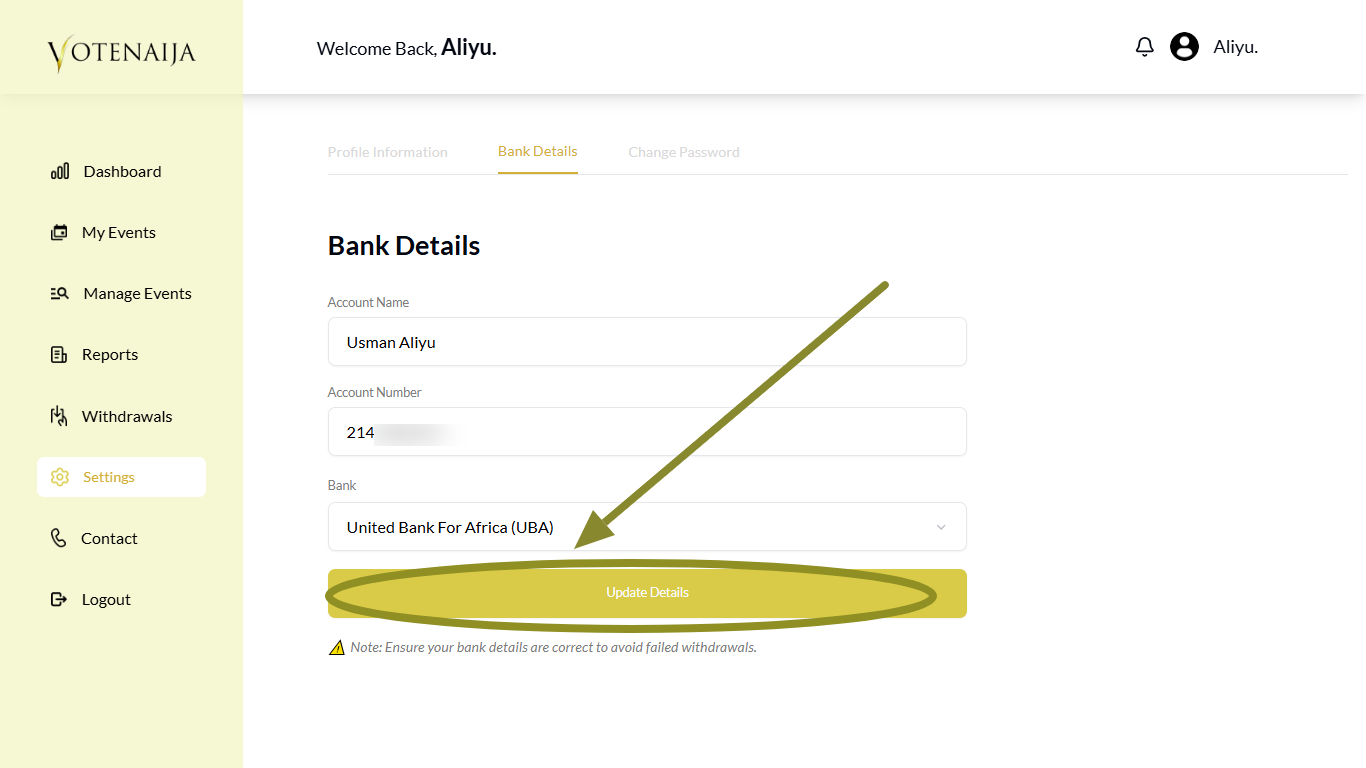
If you are updating existing bank details, you will see a button named Update Details instead. Click it to save your changes.
Wrapping Up
Adding your bank details is one of the most important things to do if you want to withdraw your earnings smoothly. Make sure the account name and number match your actual bank information. You can use any regular bank or a wallet account like Opay or Moniepoint.
If anything changes in the future, like your account number or preferred bank, just come back here and update it.
That way, your payouts will always go straight to the right place without issues.
Start off strong with these beginner-friendly VoteNaija guides.