

Before you can withdraw your earnings on VoteNaija, you need to add your bank details. If you have done that before but want to update them, the process is still easy and quick. This guide shows you how to do both, right from your phone.
Let us go through the steps together.
Step 1: Log into Your Dashboard
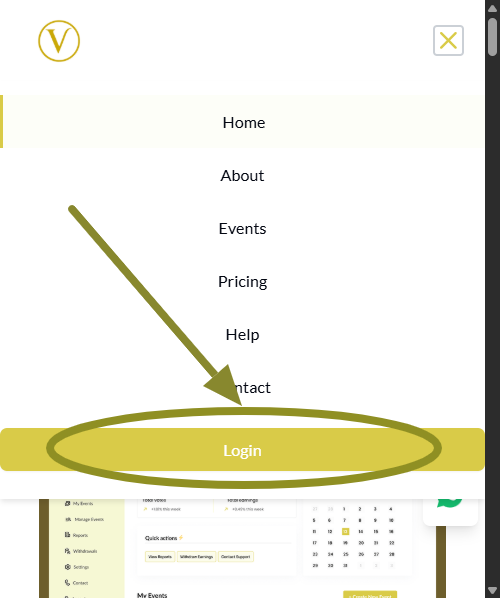
Open the VoteNaija website in your browser. Tap the menu icon at the top of the screen, then scroll to the bottom and tap the Login button.
Type in your email and password to access your dashboard.
Step 2: Tap the Menu and Go to Settings
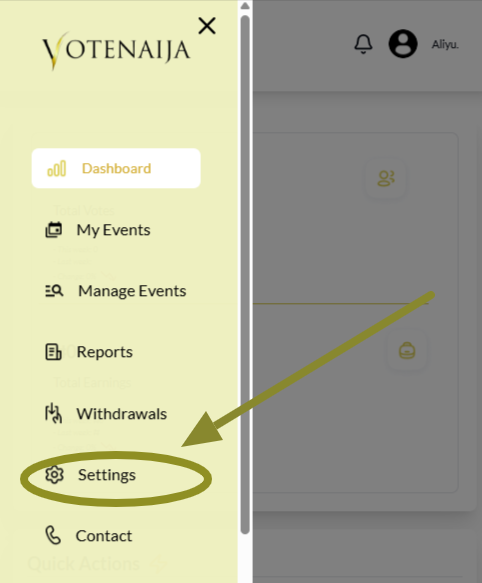
Tap the menu icon again to open your dashboard menu. Scroll through and tap on Settings to open your account settings.
This is where you will manage everything from profile info to withdrawal settings.
Step 3: Tap Bank Details at the Top
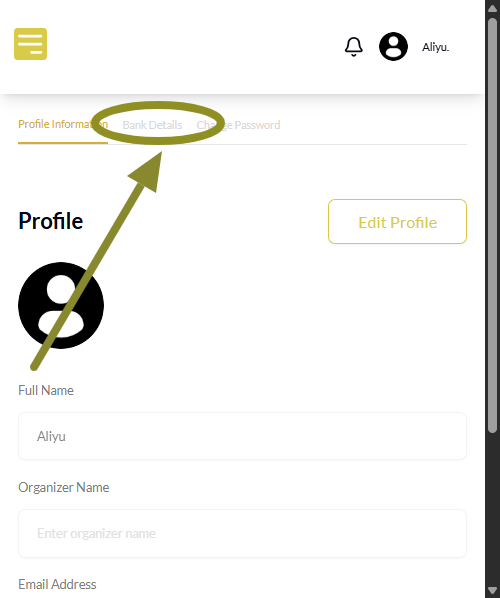
When the Settings page opens, look at the top part of your screen. You will see some tabs arranged horizontally. Tap on Bank Details to switch to the right section.
If it does not load immediately, give it a moment and make sure the correct tab is selected.
Step 4: Add or Update Your Bank Details
If this is your first time setting it up, you will see empty fields to enter your:
- Account name
- Account number
- Bank name from a dropdown list
That is all you need to fill.
If you already have bank details saved and want to change them, tap the Edit button at the top right corner of the Bank Details section.
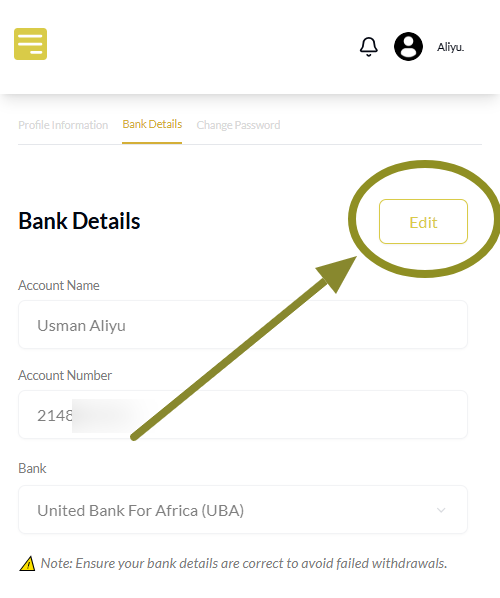
This will unlock the fields so you can make changes.
Step 5: Save the Details
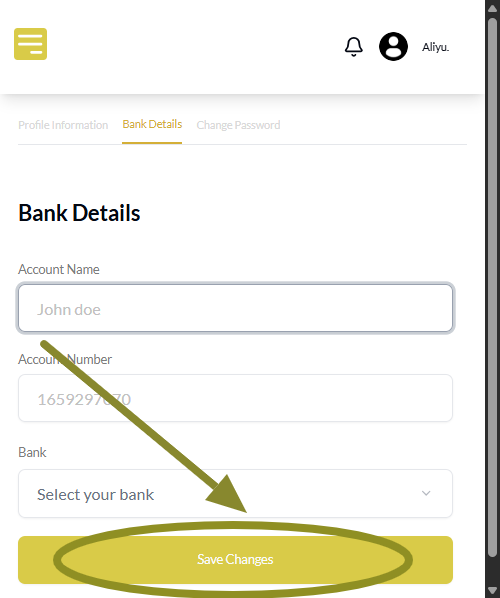
If you are adding your bank details for the first time, tap the Save Changes button at the bottom.
If you are updating existing details, you will see a button labeled Update Details.
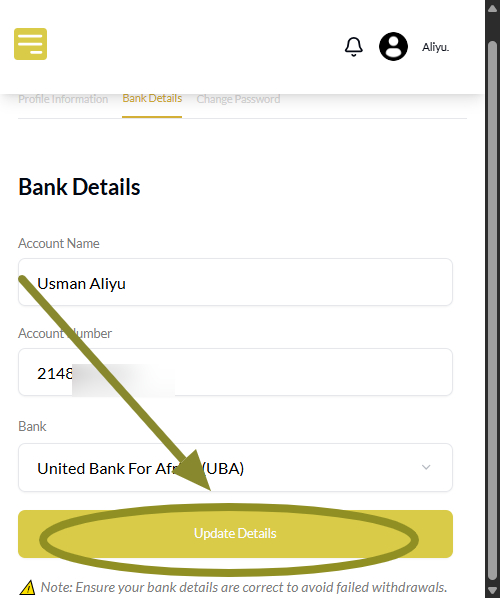
Tap that to complete the update.
Wrapping Up
Your bank details must be set before you can request any payout on VoteNaija. So make sure the information you enter is correct.
You can use a regular bank or a wallet account like Opay or Moniepoint. Just make sure the account number and name match your bank records.
Once it is all set, you will be able to withdraw your earnings anytime.
Get familiar with everything VoteNaija offers using these quick guides.
- How to Check Total Votes and Earnings for an Event (on a Phone)
- How to Track Event Performance from Your Dashboard (On a Smartphone)
- Difference Between “My Events” and “Manage Events” Tabs (On Your Phone)
- Understanding Your Dashboard on VoteNaija (On Your Smartphone)
- How to Create a New Event on VoteNaija (On Your Smartphone)