

Want to update your password for security reasons or because you forgot the old one? It is easy to change your password directly from your dashboard. This guide will show you how to do it step by step.
Let us get started.
Step 1: Go to Your Dashboard
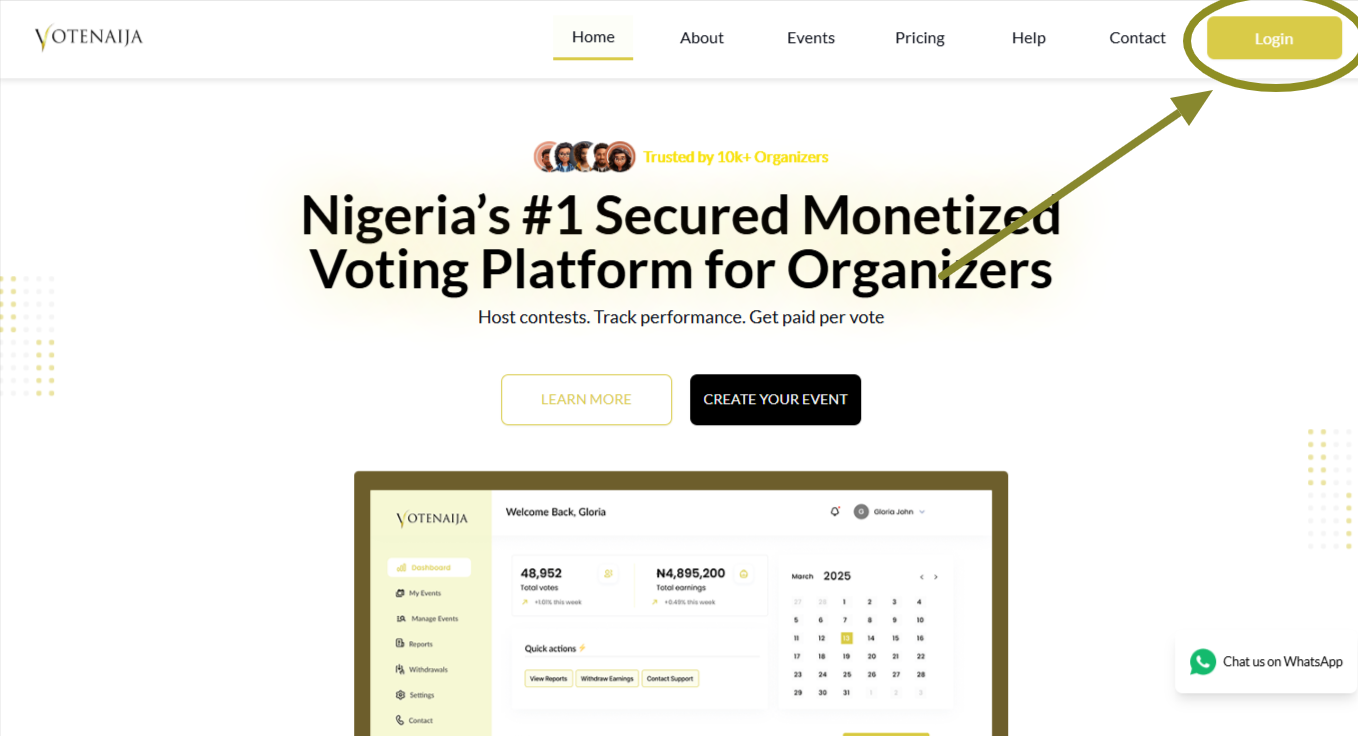
First, go to the VoteNaija website and click the Login button. Enter your email and password to sign in.
Once you are in, your dashboard will open where you can manage your events, settings, and earnings.
Step 2: Open Settings
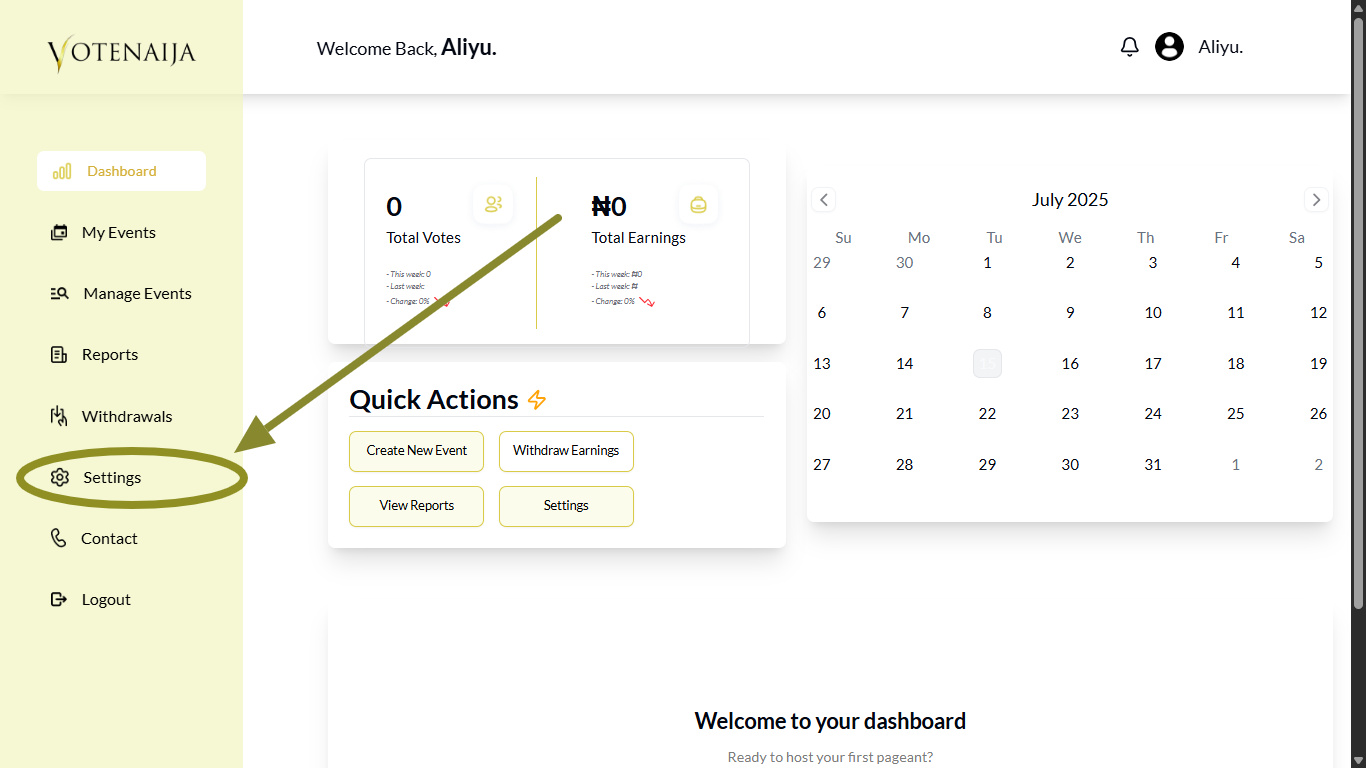
From the left menu in your dashboard, click on Settings. This is where you manage everything related to your account information.
Step 3: Go to Change Password in Settings
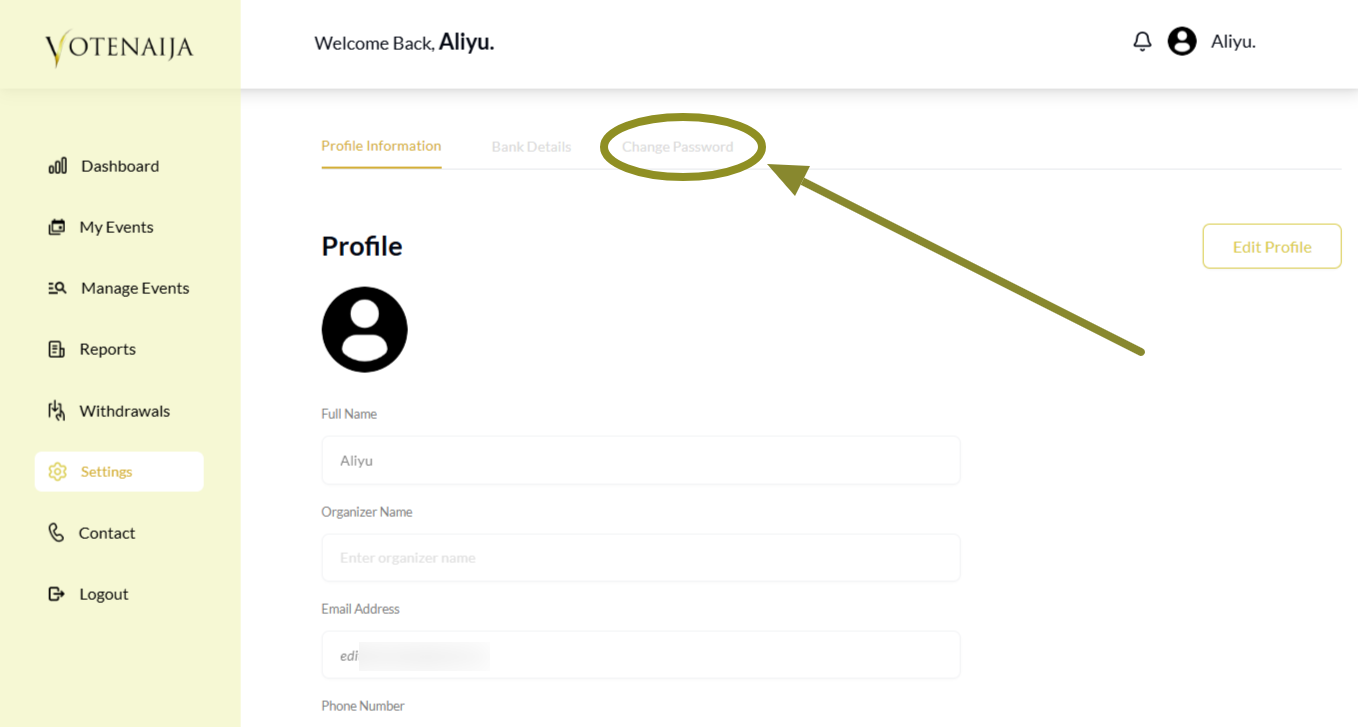
At the top of the Settings page, you will see different options. Click on Change Password to open the password update form.
Step 4: Provide the Required Details
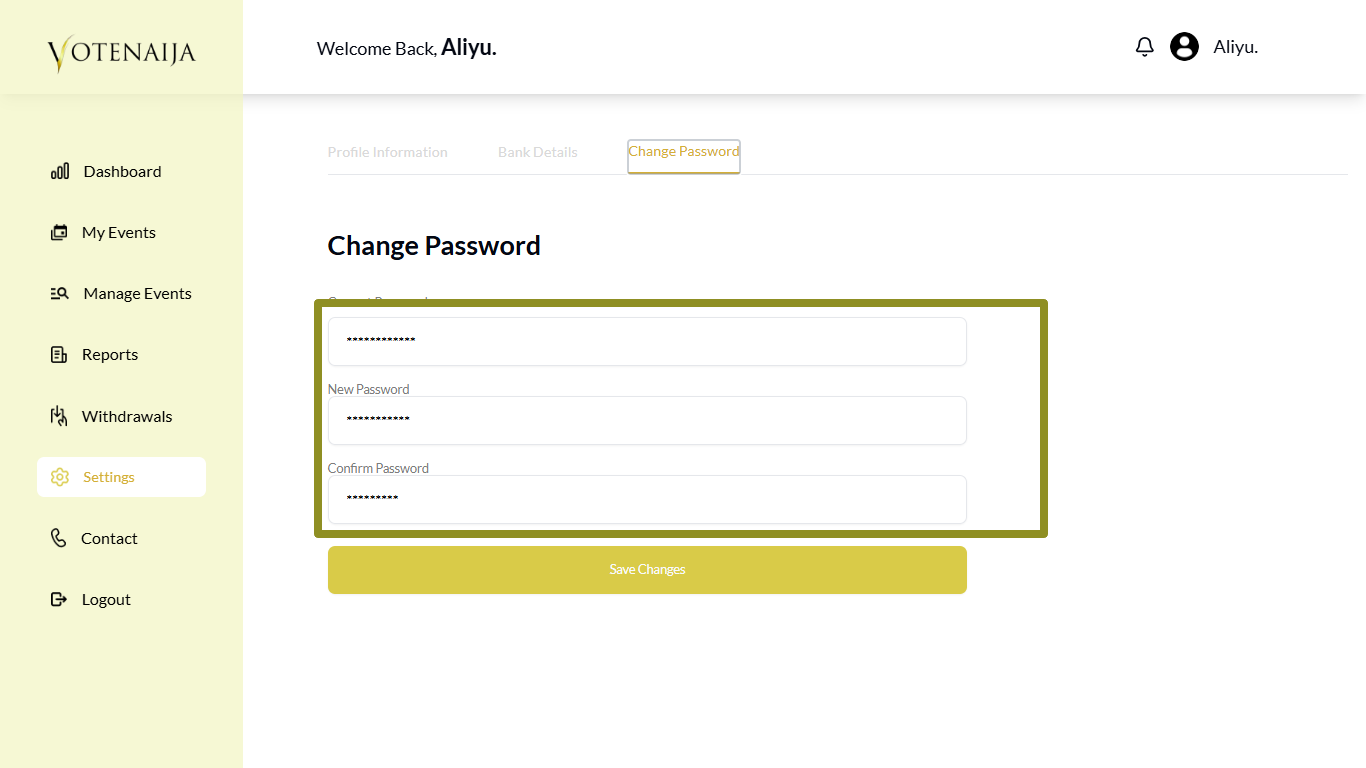
You will be asked to enter three things:
- Your current password
- Your new password
- Confirm the new password
Make sure to follow these rules while filling the form:
Pro Tips
- You must enter your current password before you can change it
- Your new password must include at least one special character just like when you signed up
- Put the same new password in both boxes so that it matches
- Your password must be between six and ten characters
Take your time and check for any typing errors before saving.
Step 5: Click Save Changes
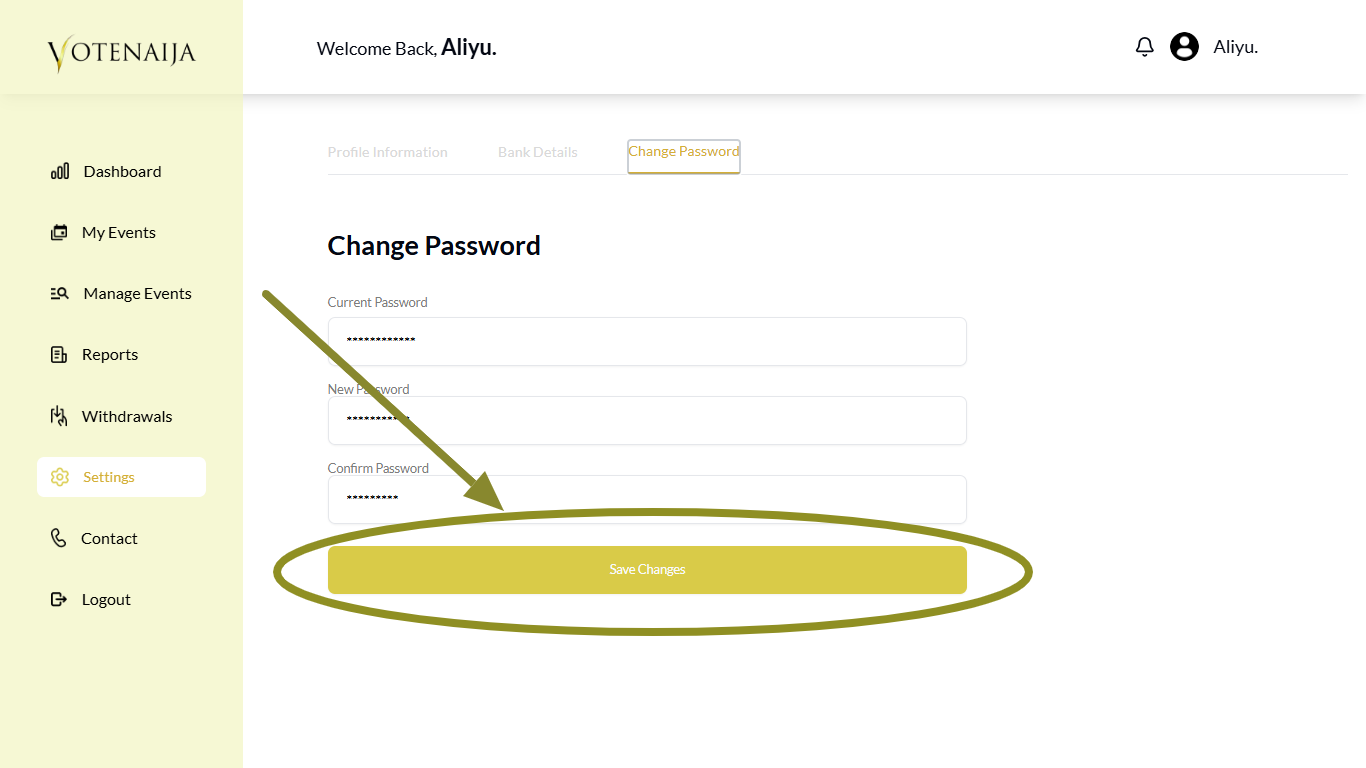
Once you are done, click the Save Changes button.
If all the details are correct, your password will be updated and you will see a message confirming the change.
Wrapping Up
Changing your password helps protect your VoteNaija account. You should always use a password you can remember but others cannot guess.
If you ever feel your account might have been accessed by someone else, do not wait. Come straight to this page and update your password. It only takes a minute.
Need help figuring things out? These VoteNaija guides are here for you.