

Sometimes you might need help with something on VoteNaija. Maybe it is about your event, your payout, or something else you do not understand.
Whatever the case is, there is a simple way to reach out to the VoteNaija team directly from your dashboard.
Step 1: Go to VoteNaija Dashboard
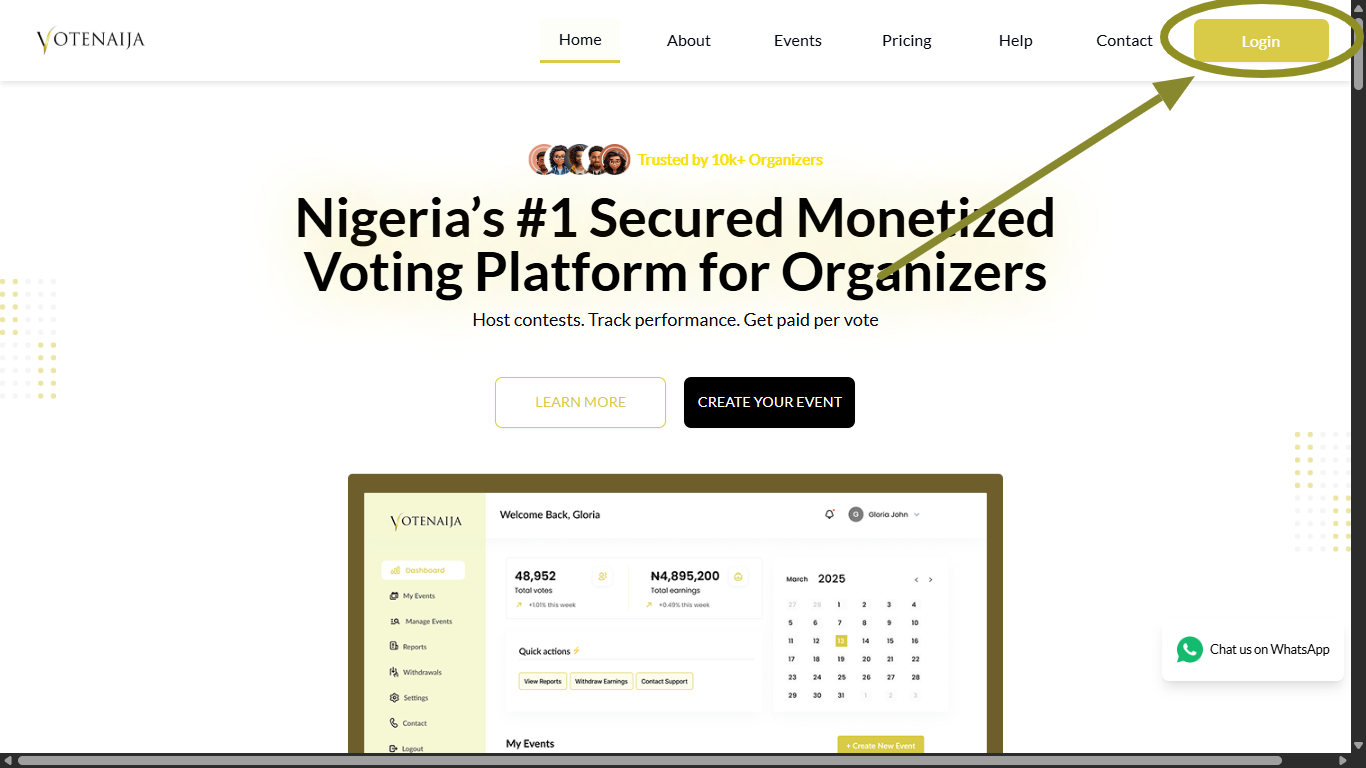
First, open the VoteNaija website and click on the Login button. Enter your email and password to access your account.
Once you are logged in, you will land on your dashboard.
Step 2: Tap Contact in the Menu
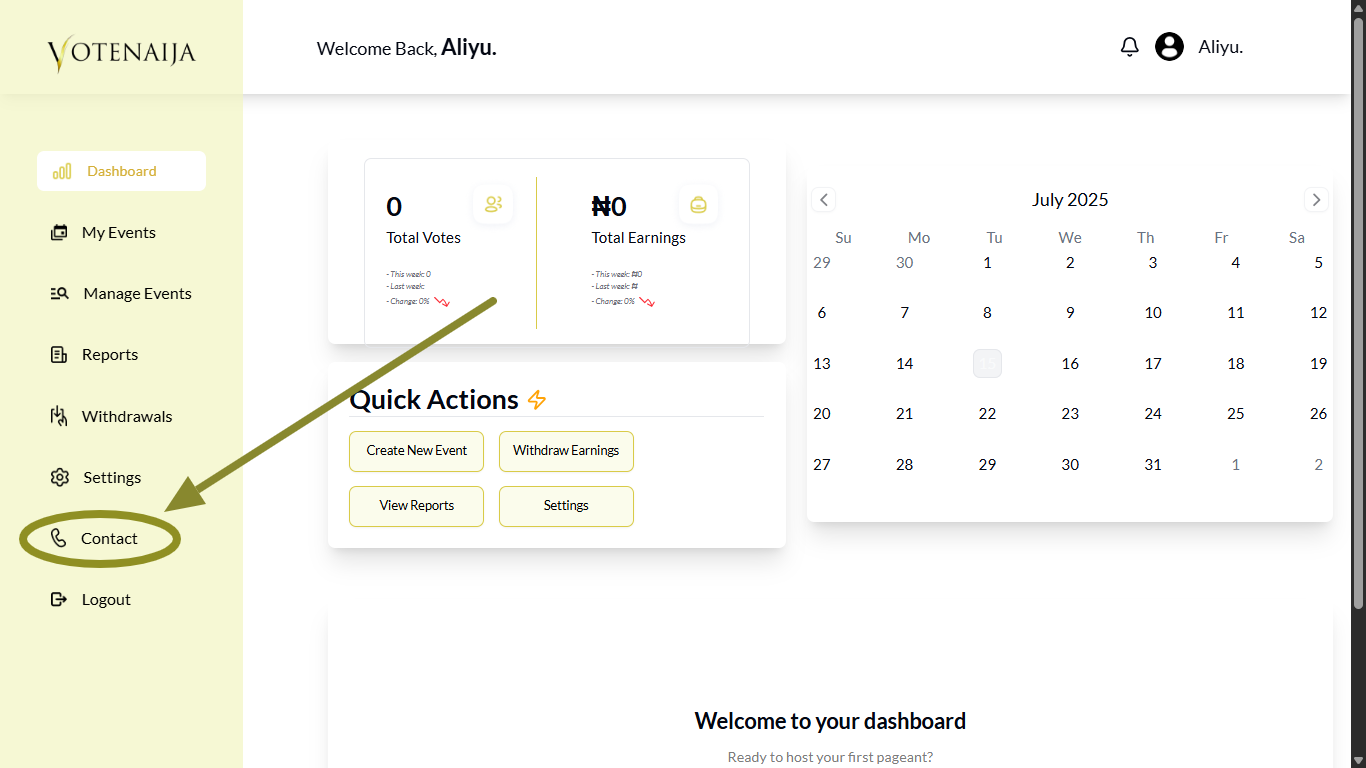
Look at the menu on the left side of your dashboard. Scroll through it and click on Contact.
This will take you to the contact page where you can send a message to the VoteNaija support team.
Step 3: Fill the Contact Form
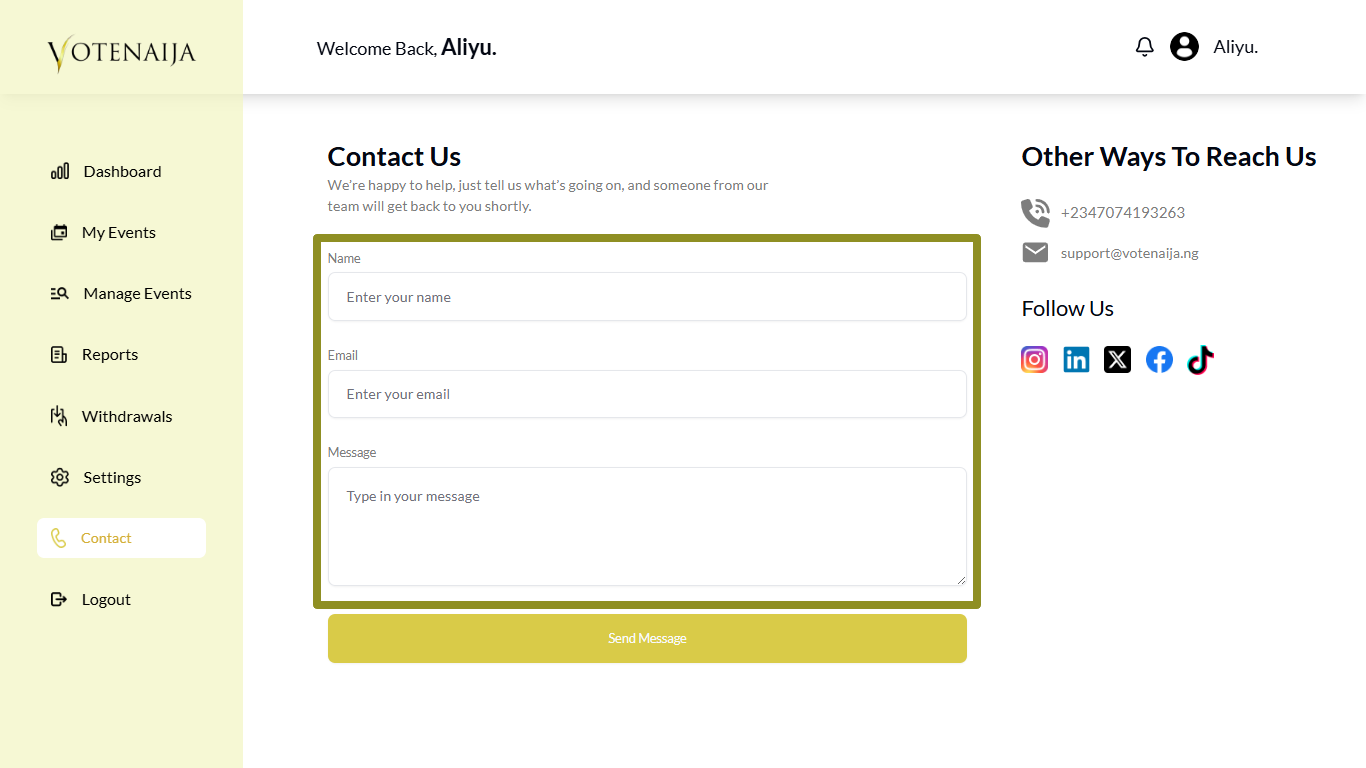
You will see a simple form where you need to enter your:
- Full name
- Email address
- Your message
Be clear about your issue so the team knows how to help you better.
Step 4: Tap Send Message
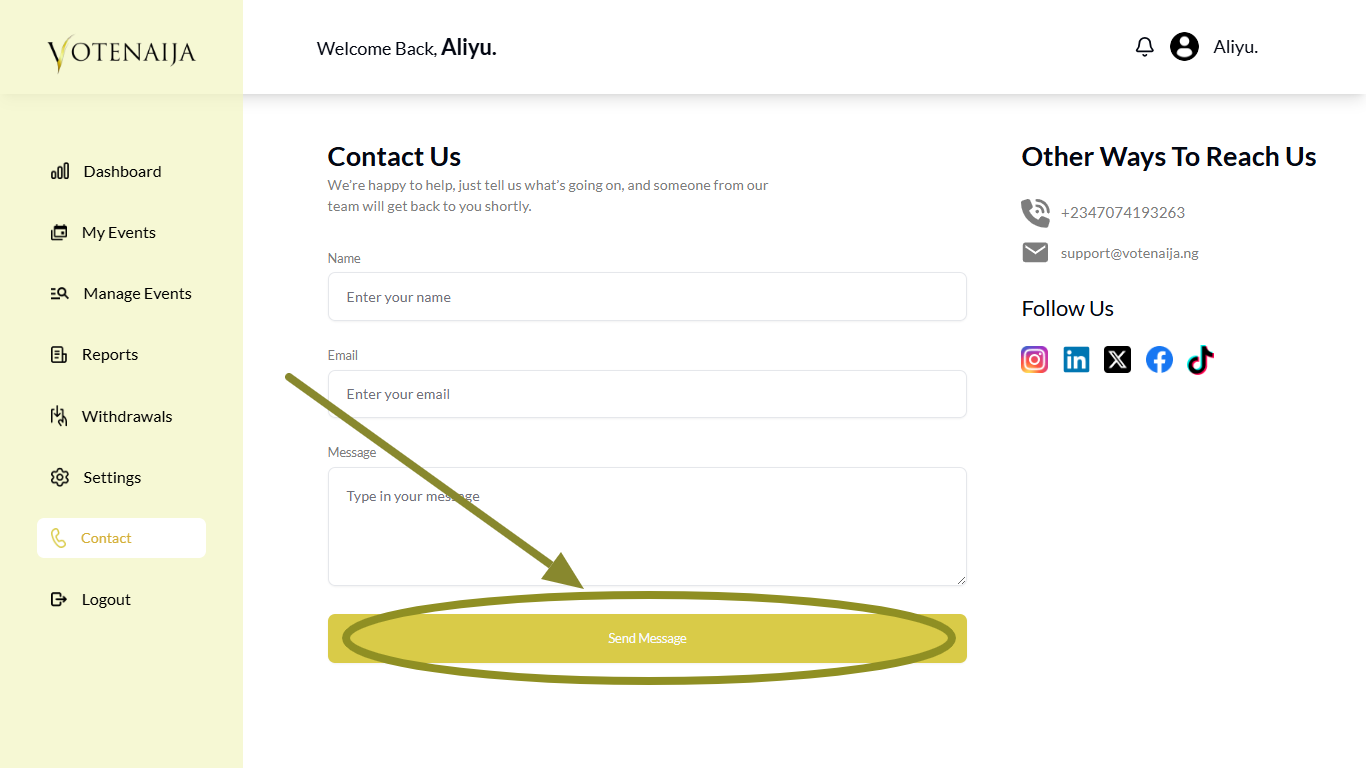
After filling in the form, scroll down and tap the Send Message button.
Once the message goes through, you will see a short notification that lets you know it was sent successfully.
Alternative Ways to Reach VoteNaija
Aside from using the contact form in your dashboard, there are other ways to reach the VoteNaija support team.
You can call or send a message to this number: +2347074193263
You can also send a direct email to: support@votenaija.ng
Use any of these methods if you prefer reaching out quickly or if you are unable to log into your account.
Wrapping Up
If something is not working or you have a question, do not hesitate to contact the team. They are there to help.
Make sure you enter your correct email address because that is where you will receive their reply. So double-check before you send the message. Once you do that, just sit back and wait for a response in your inbox.
Let these VoteNaija guides walk you through the key steps.
- How to Set Up Your Bank Details for Withdrawals (On a PC)
- Which Bank Details Are Required to Withdraw Earnings? (On Your Computer)
- When Can I Request a Withdrawal? Understanding Withdrawal Timing (On PC)
- How to Add or Update Bank Details for Payouts (On a PC)
- How to Change Your Password (On a Computer)