

If something is not working on your VoteNaija account or you just need help, you can easily contact the support team right from your phone.
Let me walk you through how to send them a message.
Step 1: Log In to Your Account
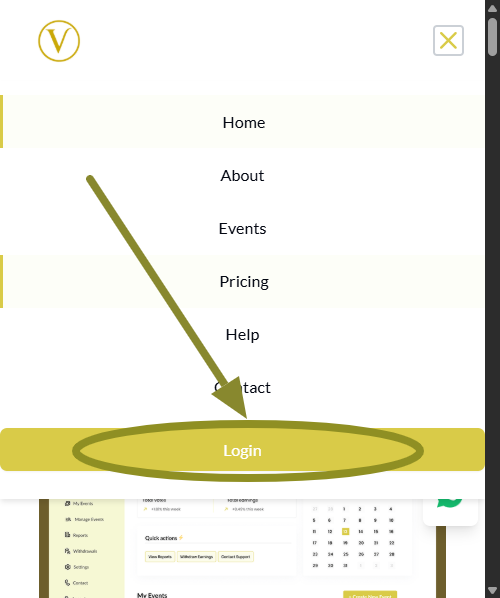
Open the VoteNaija website in your browser. Tap the menu icon at the top right, scroll to the bottom of the menu, and tap the Login button.
Enter your email and password to access your dashboard.
Step 2: Open the Dashboard Menu and Tap Contact
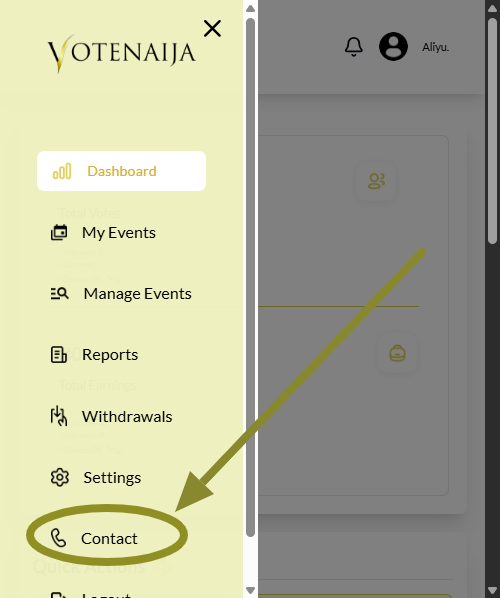
Tap the menu icon again to bring out the dashboard menu. From there, scroll down and tap Contact.
This will open the contact page where you can send a message to the VoteNaija support team.
Step 3: Fill the Contact Form
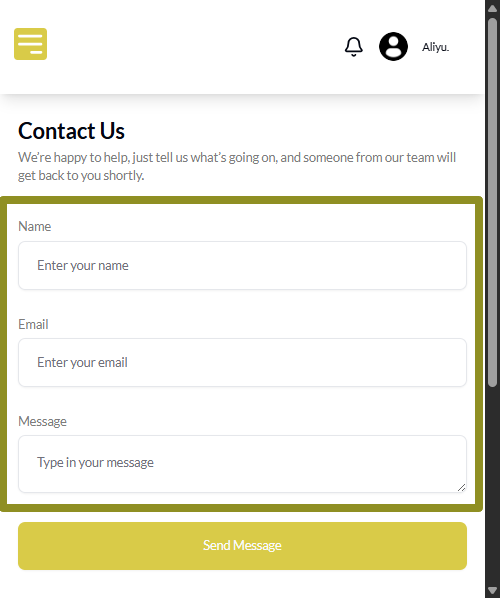
Once the contact page opens, you will see a short form. Fill in your:
- Full name
- Email address
- Message or complaint
Try to explain your issue clearly so they can help you faster.
Step 4: Tap Send Message
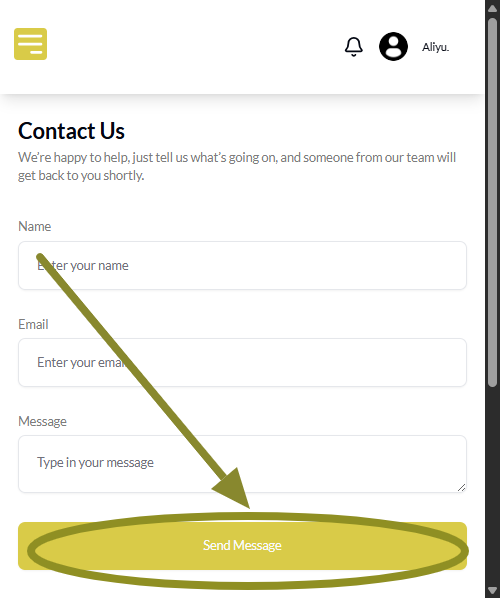
After filling the form, scroll to the bottom and tap the Send Message button.
Once your message is sent, you will see a short notice letting you know that it went through.
Alternative Ways to Reach VoteNaija
You can also reach the VoteNaija support team in other ways.
Call or send a message to this number: +2347074193263
Or send an email to: support@votenaija.ng
This is helpful if you cannot log in to your dashboard or if you need quick help.
Final Words
Whenever you need help, just reach out. The team is ready to support you.
And remember, always enter the correct email address in the form. That is the same email where you will get a reply, so make sure it is accurate before you send the message.
These VoteNaija guides are here to make things clearer and easier.
- How to Edit Event Details While It’s Still in Draft Mode (On Your Smartphone)
- How to Edit or Update an Ongoing Event on Your Phone
- What Does the Event Status “Ongoing” Mean? (On Your Phone)
- How to View Start and End Dates for Your Voting Event (On a Smartphone)
- Why Is My Withdrawal Not Working? (Bank Not Set Up Error) – On Your Smartphone