

Do you want to know how to print your event report on VoteNaija?
It is as simple as all the other processes we have on the platform. Yeah, we keep everything simple.
So, let us go through the steps to download and print your event report effortlessly.
How to Print Your Event Report in 5 Steps
But… why don’t we first look at some things you need to know before printing the report?
- You have to log in to your account
- You must have at least one event
- Only those who have events on their dashboard can access them in the Reports section
Step 1: Open the VoteNaija Dashboard
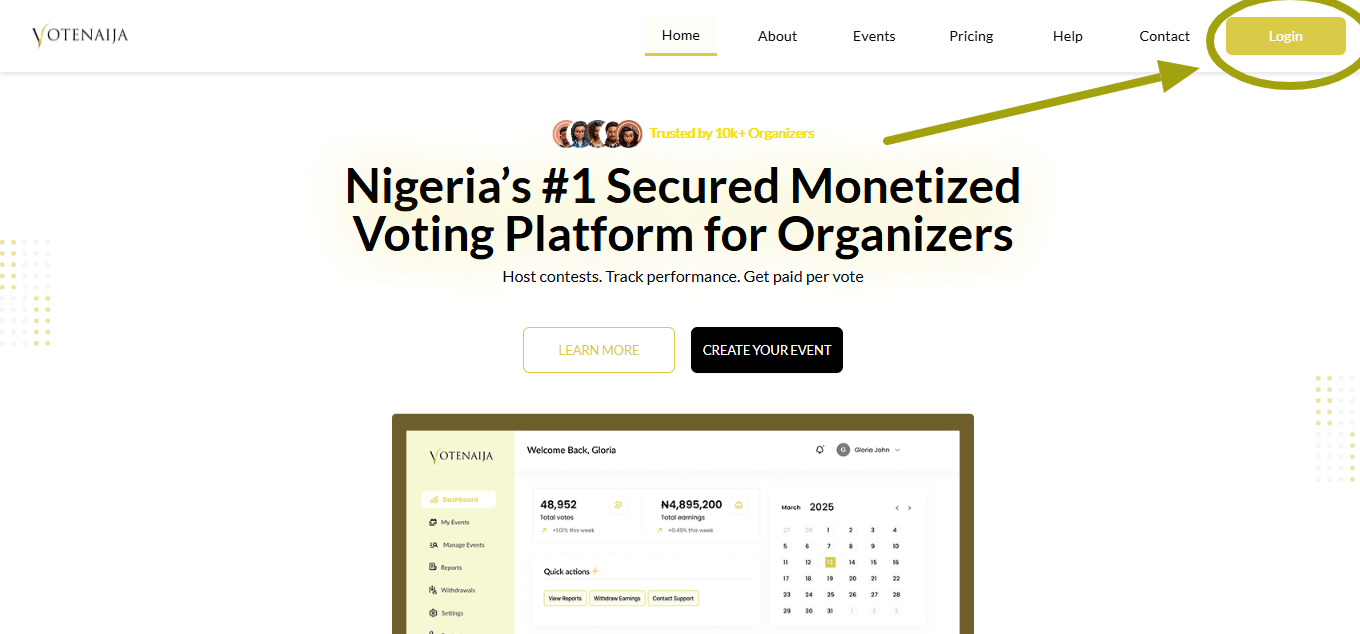
- Use your preferred browser and access the VoteNaija website
- Click on the Login button at the top right corner of the page
- You’ll be redirected to your dashboard
Alternatively, if you have already logged in, you can directly access the dashboard here instead of logging in again.
Step 2: Click on the Reports Option in the Menu
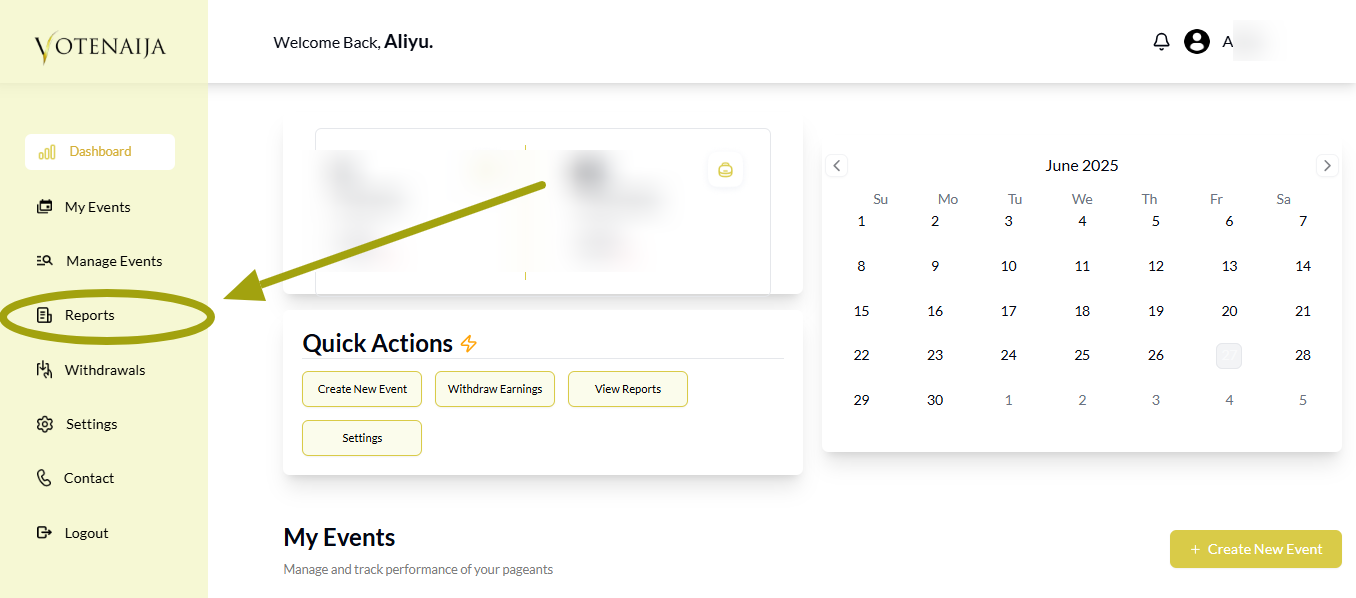
- In the dashboard menu, click on Reports
- Again, this will only show you some events if you already have them
- And you can only download reports for the events that you own, not other people’s events
Step 3: Select the Event Using the Dropdown Menu
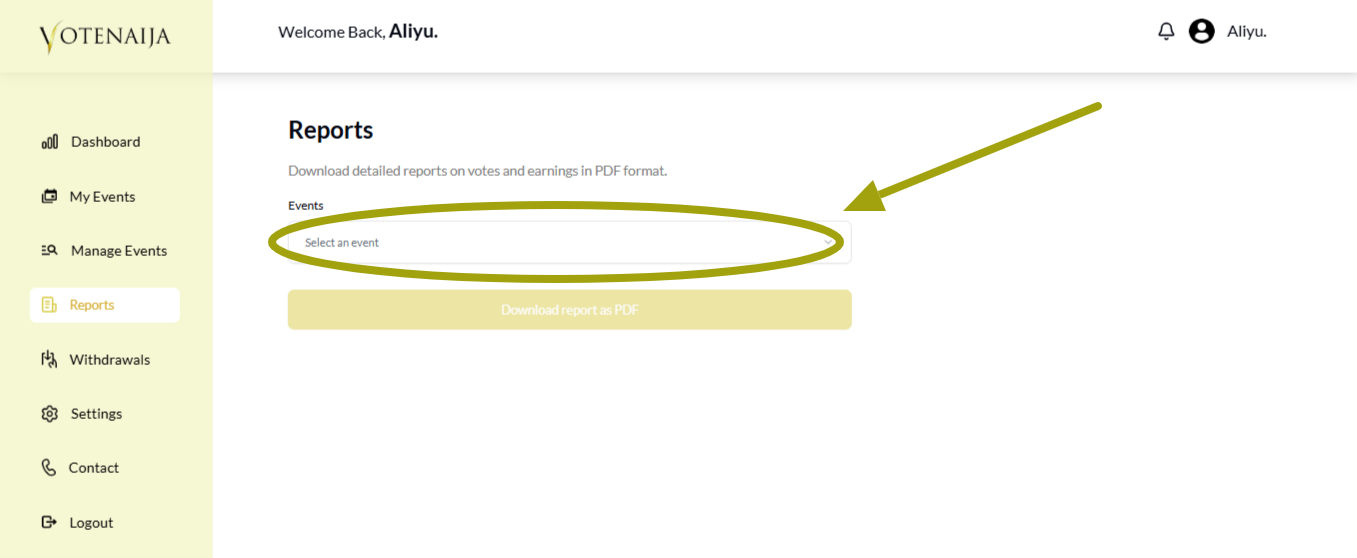
- In the Reports page, you’ll see a dropdown menu labeled Select an event
- Tap the dropdown area
- If you have only one event, it’ll appear in the menu and you can simply select it
- What if you have multiple events? You’ll see all of them there in the menu. But you can only select one at a time
Step 4: Download Your Report
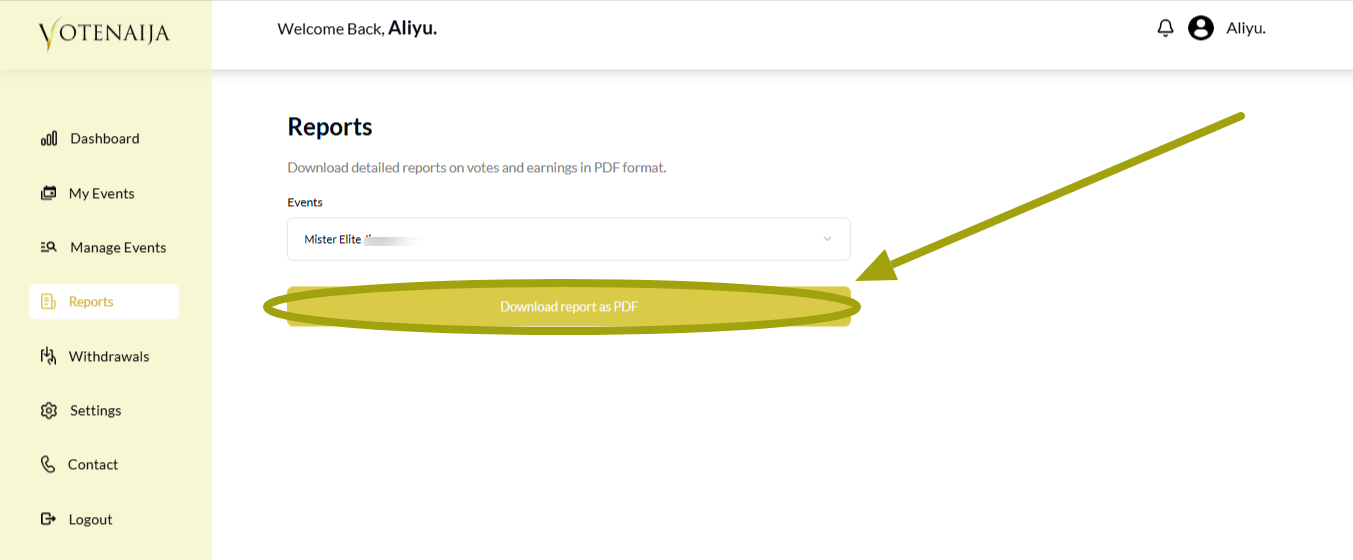
- After selecting the event, you can now use the Download report as PDF button to download it
- Once you click on that button, your report will start downloading right away, and it will be ready within a few seconds
Step 5: Use Your Report Your Way
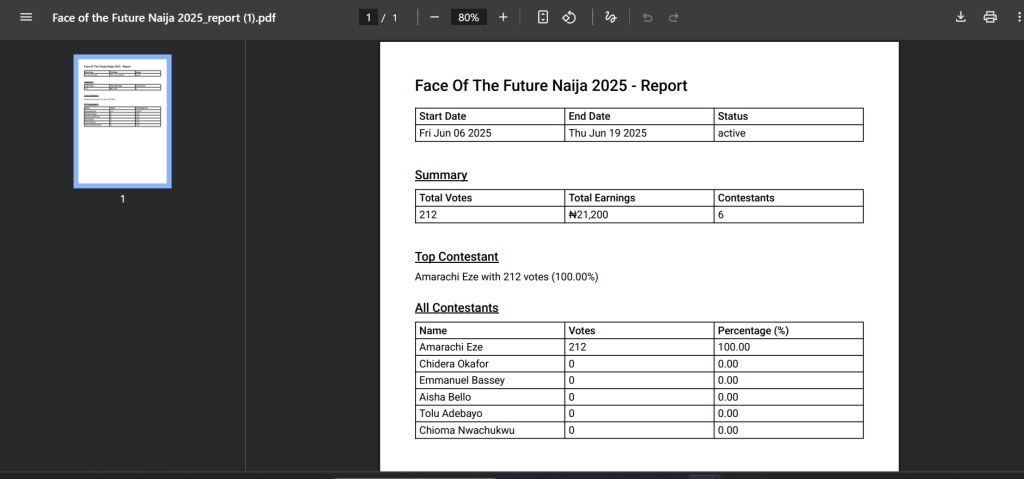
Your downloaded report will contain:
- The name of the event, its date, and its status
- Its summary: total votes, total earnings, and total contestants
- Top Contestants
- All Contestants with their name, votes, and percentage of votes they get in total
You’ve successfully downloaded the report. Now you can either print its hardcopy or keep the PDF version the way it is.
That’s all about the download process.
Wrapping up
You have just learned how to print your event reports.
Remember to always create at least one event before you start going to the Reports section.