

Want to know how well your event is doing?
Tracking performance is an important part of managing your event, and it’s very easy to do right from your phone. Let me show you how to check your numbers and understand what they mean.
What You Can Track on Your Events
From your dashboard, you can see:
- Total contestants – This shows how many people are participating in your event
- Total earnings – The total amount you’ve made so far through votes
- Total votes – The number of times people have voted in your event
Just so you know, you cannot see who voted. Voting on VoteNaija is private, so no personal details about voters are shown.
Once you understand what is available, let’s go ahead and check it.
Step 1: Log into Your Dashboard
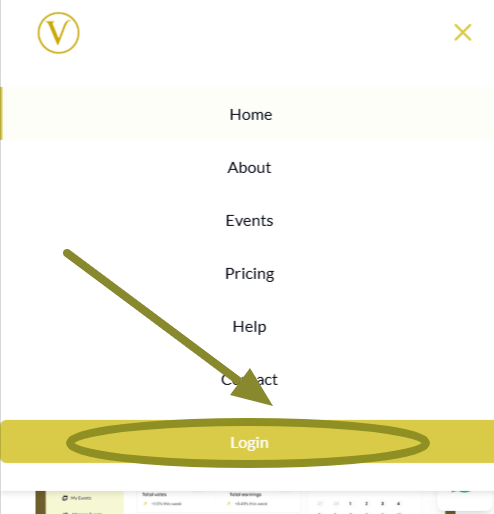
Open the VoteNaija website on your browser. Tap the menu icon, then tap Login to sign in.
Once logged in, you’ll be taken to your dashboard.
Step 2: Tap My Events from the Menu
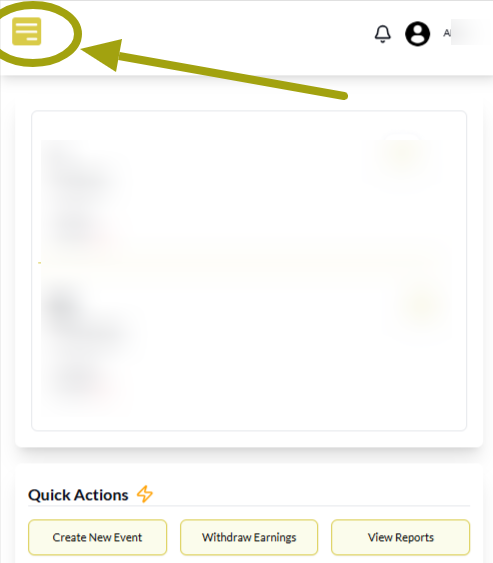
Now tap the menu icon again and select My Events from the list.

This will take you to the page where you can see all the events you’ve created.
Step 3: Review Your Event Stats
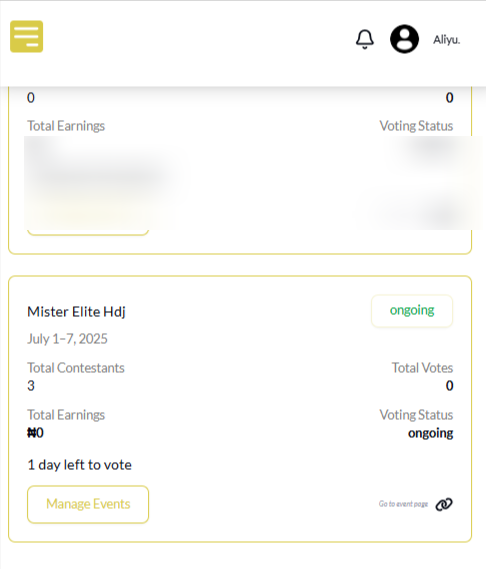
Every event you have is displayed with its own box. Inside each box, you’ll find:
- Total contestants
- Total votes
- Total earnings
- Event status, such as draft, waiting for approval, or approved
All of this helps you see how your event is performing at a glance.
If the numbers look low, you may need to promote your event more or remind people to vote.
Pro Tip
You can also track the overall performance of all your events right from your dashboard homepage. It shows the total number of votes and total earnings across every event you’ve created.
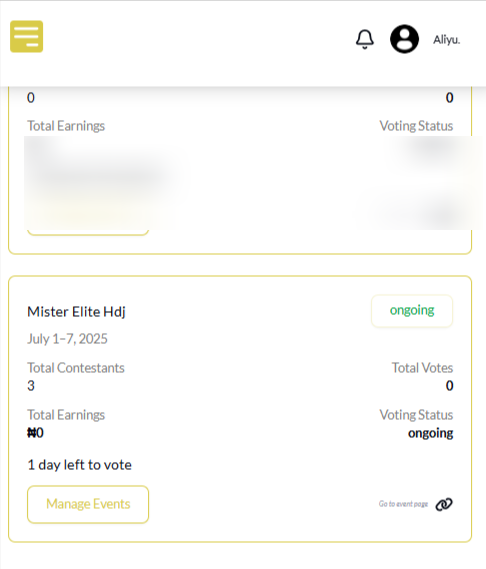
Just log in to your account and you’ll see it right there on the main dashboard.
Final Words
Tracking your event from your phone is quick and useful. It shows you what’s happening and gives you the insight to take the next step.
Check back often, learn from your numbers, and use the information to grow your event. The more you understand, the better your event can perform.
Ready to take the next step? Check out these handy VoteNaija guides.
Need a quick hand? These VoteNaija guides are here to help.
- How to Edit or Update an Ongoing Event on a PC
- How to Edit Event Details While It’s Still in Draft Mode (On PC)
- Why You Can’t Edit an Event After It Goes Live ( And What to Do Instead) – on a PC
- Can I Still Add Contestants After the Event Starts? Here’s What to Know (on a PC)
- How to Avoid Auto-Publishing Before You Finish Setting Up Your Event (On Your PC)