

Sometimes you just need to update your details. Maybe your name changed or you want your organizer name to look more official.
Whatever the case, updating your profile takes only a few steps and you can do it right from your dashboard.
Here is how to go about it.
Step 1: Log in to Your Account
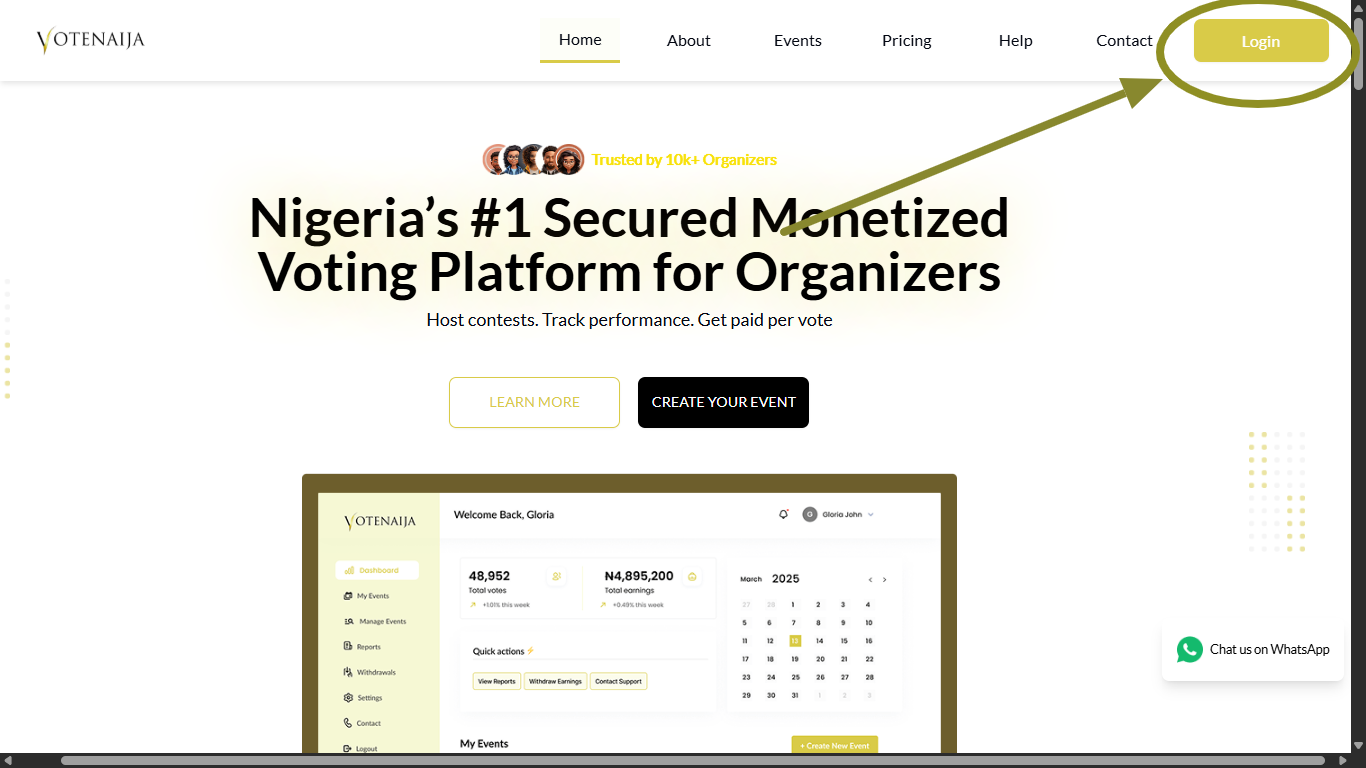
Go to the VoteNaija website and click the Login button. Type in your email and password to access your dashboard.
Once you are in, you will see all the tools you need to manage your account and events.
Step 2: Go to Settings in Your Dashboard
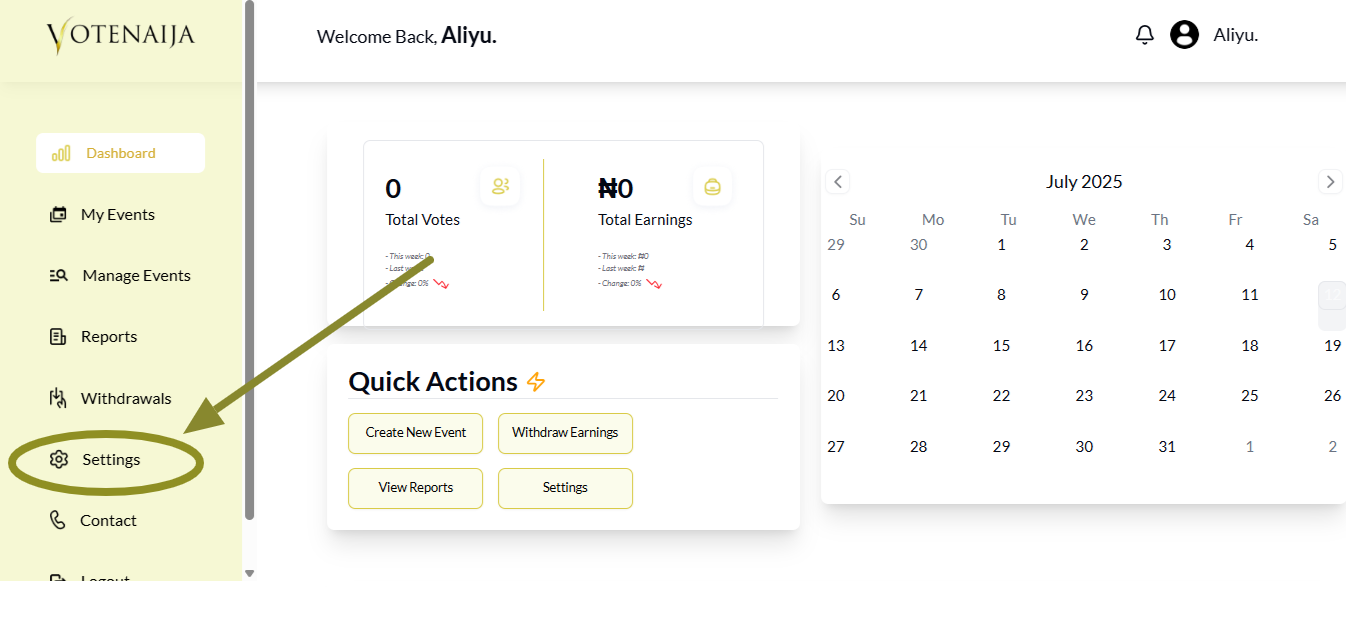
On the left side of your screen, click on Settings to open your account settings page.
This is where you can edit your profile, update your password, and also add your bank information.
Step 3: Tap the Edit Profile Button
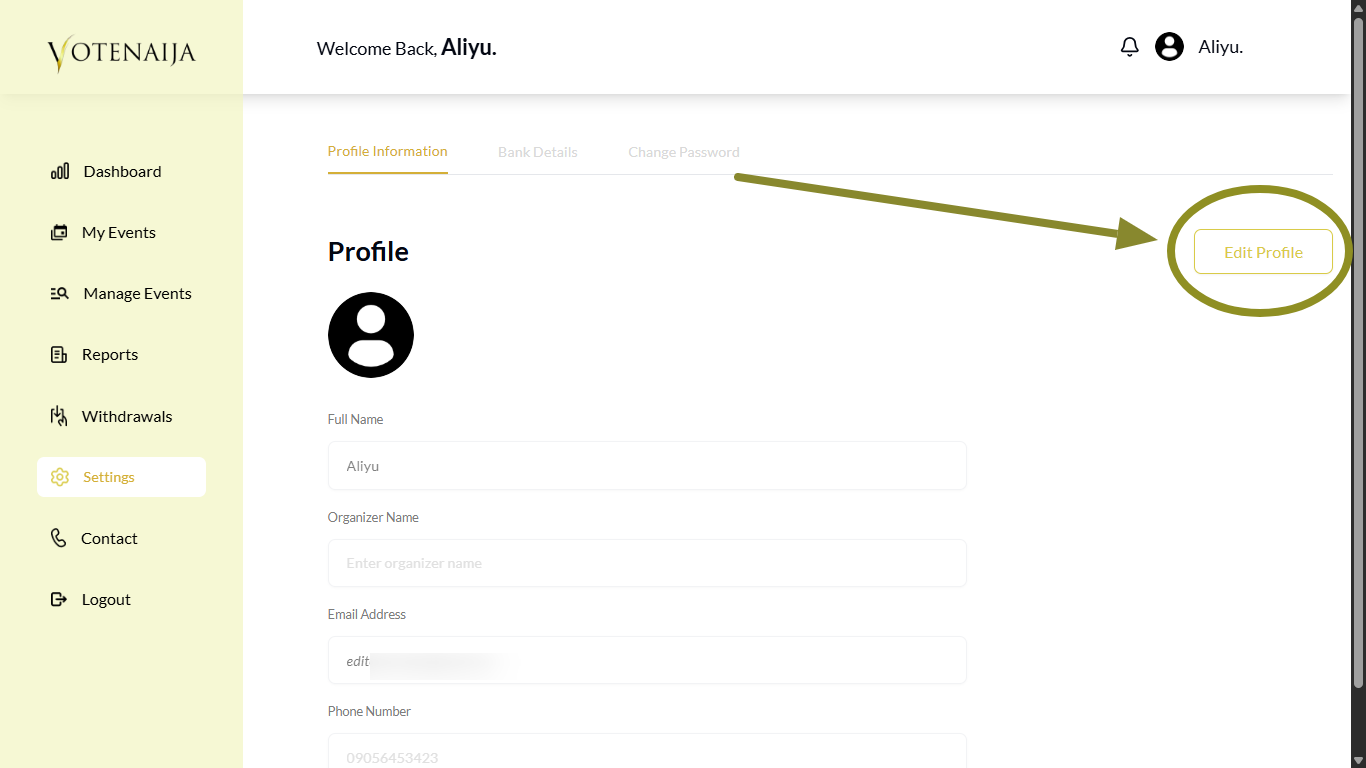
At the top right corner of the Settings page, tap the Edit Profile button. This will allow you to make changes to your profile information. Once tapped, all the fields will become active so you can begin editing.
Note: Make sure the page shows Profile Information. If you see something else like Bank Details, just click on Profile Information at the top of the page to switch.
Step 4: Upload Your Profile Picture
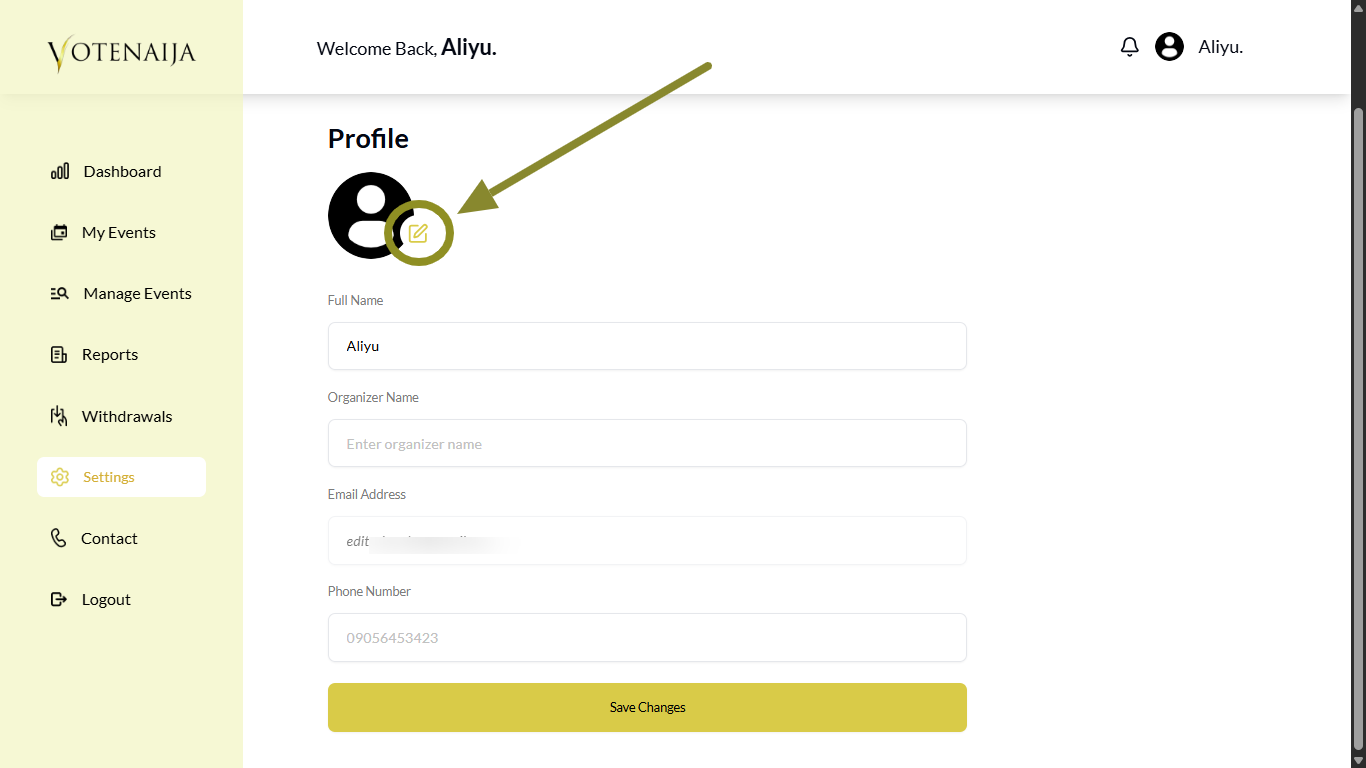
Tap the small pen icon on the profile image area. This will open your file manager so you can select a photo from your phone. Choose a clear picture and upload it. Once done, the new image will appear on your profile.
Step 5: Provide the Required Details
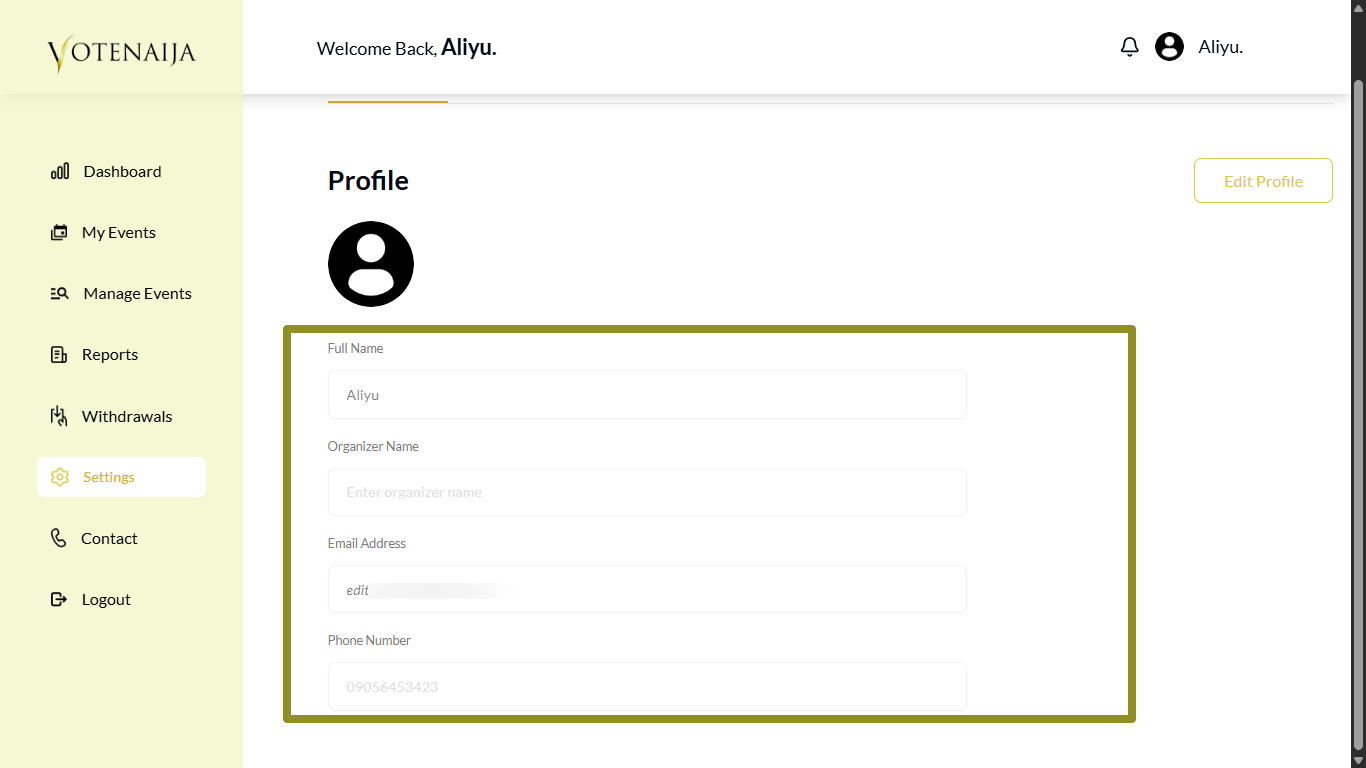
To update your organizer profile, you need to fill in the following:
- Full name
- Organizer name
- Email address
- Phone number
The organizer name is what appears on your event page for everyone to see, so make sure it looks good and professional. And, of course, your organizer name can be different from your actual name.
Step 6: Click Save Changes
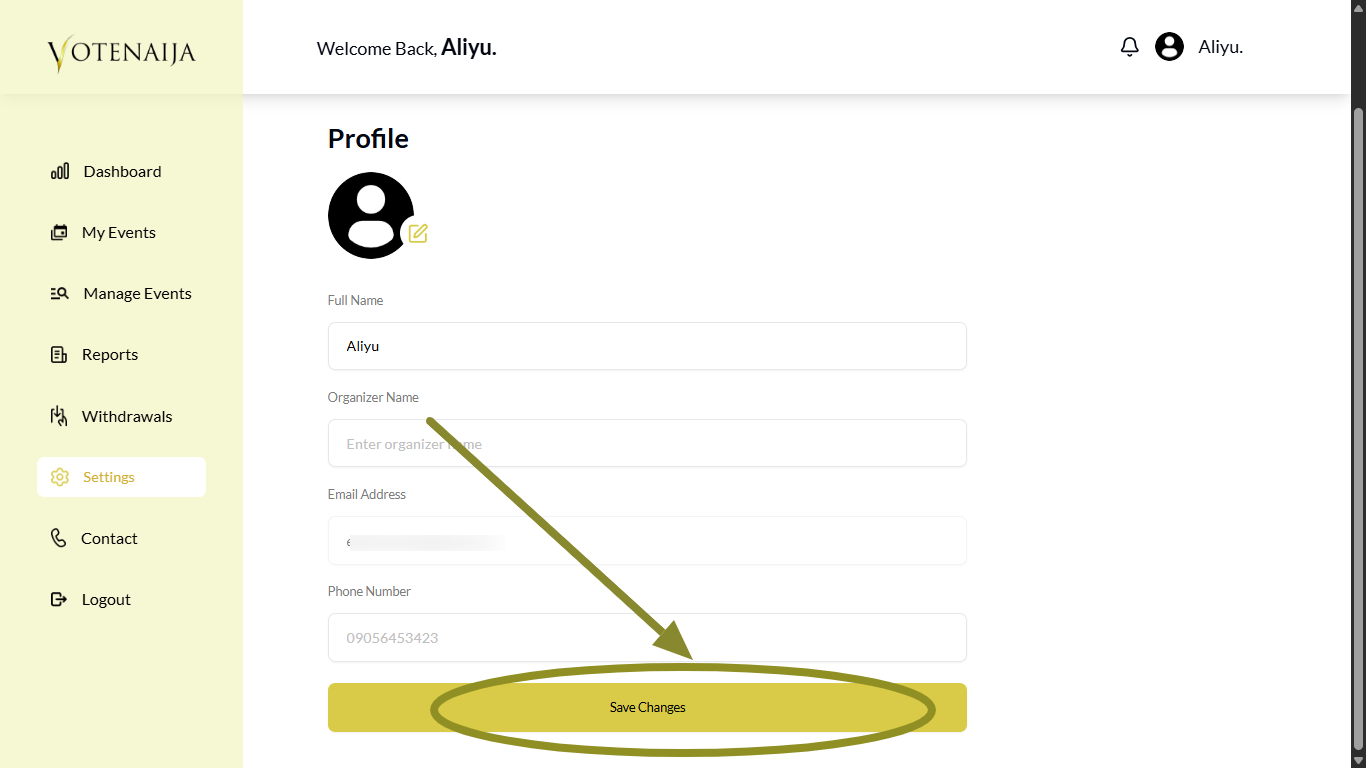
After updating your information, scroll down and click the Save Changes button.
Your new profile details will be updated and used across your account, including on your events.
Final Words
Keeping your profile updated helps build trust with voters. It also makes your events look more professional.
Take a moment to review your details every now and then. That way, you stay in control and your profile always looks its best.
Your smooth VoteNaija journey starts with these simple guides.
- Can I Still Add Contestants After the Event Starts? Here’s What to Know (on a PC)
- How to Avoid Auto-Publishing Before You Finish Setting Up Your Event (On Your PC)
- How to Create a New Event on VoteNaija (On PC)
- Understanding Your Dashboard: Votes, Earnings and Event Summary (On Your Computer)
- Difference Between “My Events” and “Manage Events” Tabs (OnYour PC)