

If you are using your phone and want to update your name, email, or organizer details on VoteNaija, you can do it right from your dashboard. It does not take long, and it helps keep your account and events looking good.
Follow these easy steps to update your profile.
Step 1: Log in to Your Account
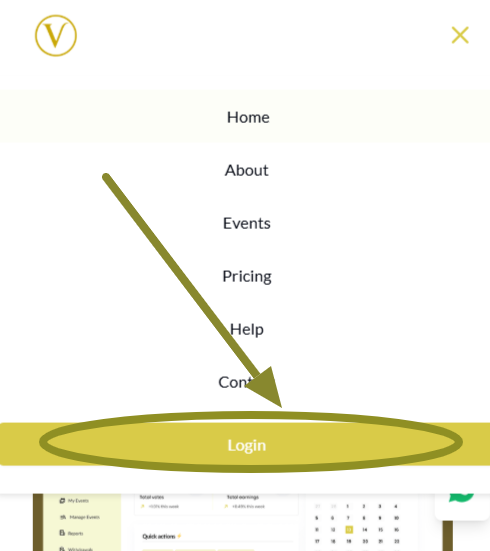
Open the VoteNaija website in your browser. Tap the menu icon at the top of the screen. Scroll to the bottom and tap the Login button.
Enter your email and password to sign in.
Once you are in, you will land on your dashboard.
Step 2: Open the Menu and Go to Settings
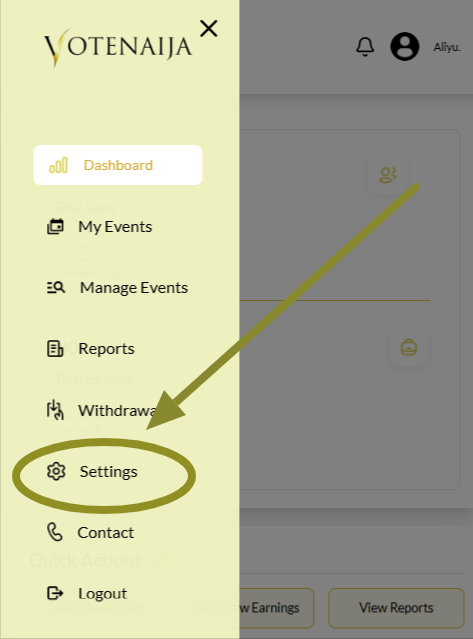
Tap the menu icon again to bring out the dashboard menu. From there, tap on Settings.
This is where you can manage your personal information, password, and bank details.
Step 3: Tap the Edit Profile Button
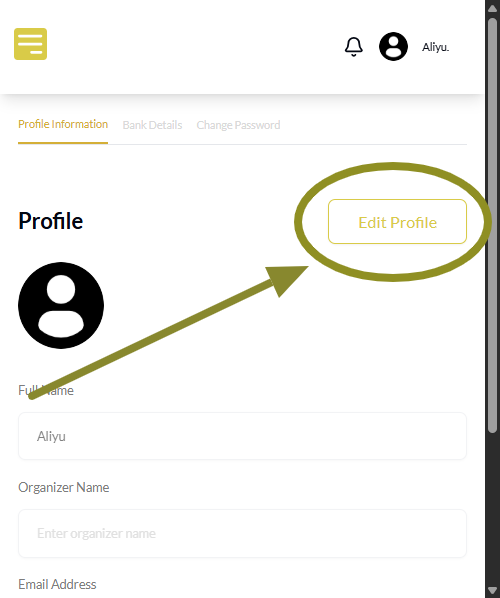
At the top right corner of the Settings page, tap the Edit Profile button. This will allow you to make changes to your profile information. Once tapped, all the fields will become active so you can begin editing.
Note: If you do not see your profile info, tap Profile Information at the top of the screen to switch.
Step 4: Upload Your Profile Picture
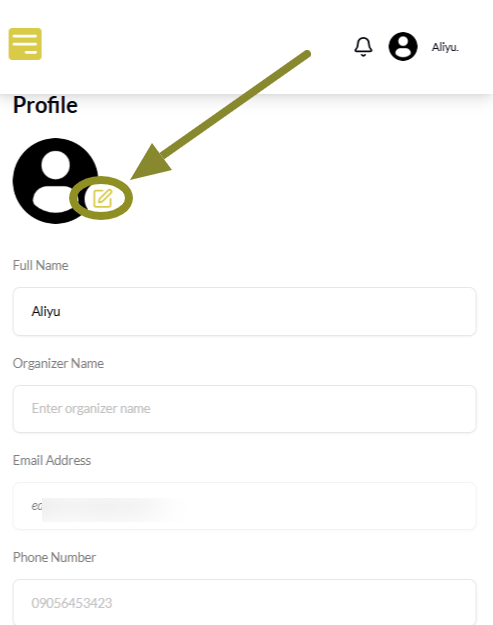
Tap the small pen icon on the profile image area. This will open your file manager so you can select a photo from your phone. Choose a clear picture and upload it. Once done, the new image will appear on your profile.
Step 5: Fill in Your Profile Information
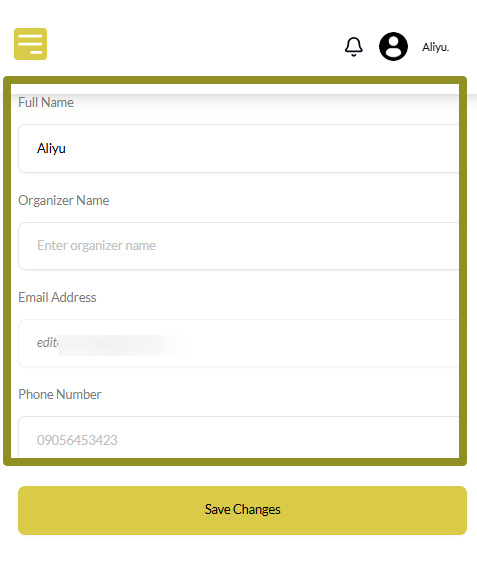
Once you are in the right place, enter or update the following:
- Full name
- Organizer name
- Email address
- Phone number
Your organizer name is what people will see on your event page, so keep it clear and professional.
Step 6: Tap Save Changes
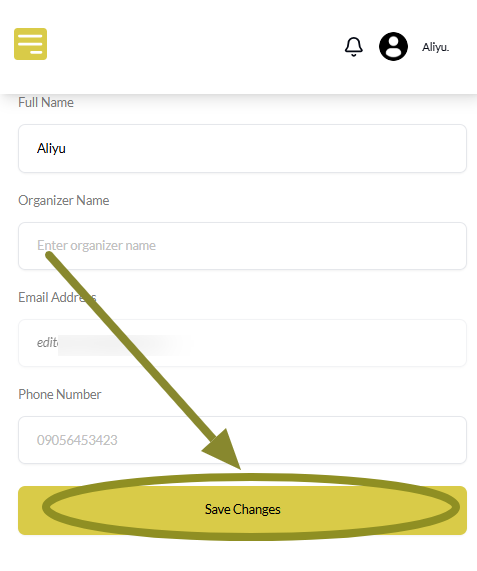
After entering your details, scroll to the bottom and tap the Save Changes button.
Your new profile details will be saved and used across your events automatically.
Final Words
It is always good to keep your organizer profile up to date. It helps your events look more real and makes it easier for people to trust your work.
Even small updates like changing your phone number or organizer name can make a big difference in how your page looks. So take a minute to review and update when needed.
These handy guides will help you navigate VoteNaija with ease.
- How to Edit or Update an Ongoing Event on Your Phone
- What Does the Event Status “Ongoing” Mean? (On Your Phone)
- How to View Start and End Dates for Your Voting Event (On a Smartphone)
- Why Is My Withdrawal Not Working? (Bank Not Set Up Error) – On Your Smartphone
- How to Withdraw Your Earnings on VoteNaija (On Your Phone)