

Want to know when your event will start or end?
Maybe you need to remind voters or confirm how much time is left. You can easily view the start and end dates for each of your events right from your dashboard.
This guide shows you how to do it step by step on your smartphone.
Step 1: Log Into Your VoteNaija Account
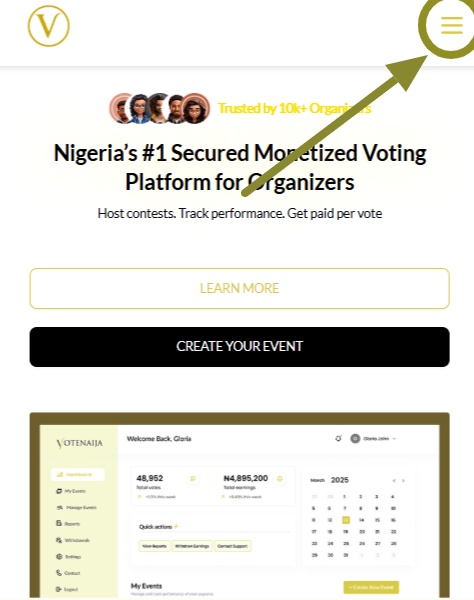
Open the VoteNaija website using your browser.
Tap the Login button in the menu.
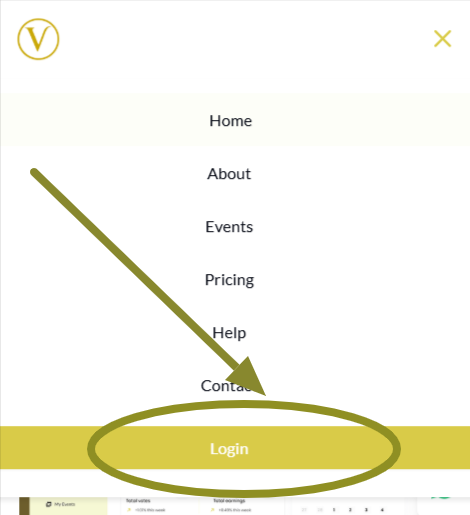
Enter your email and password to access your dashboard.
Step 2: Go to Manage Events
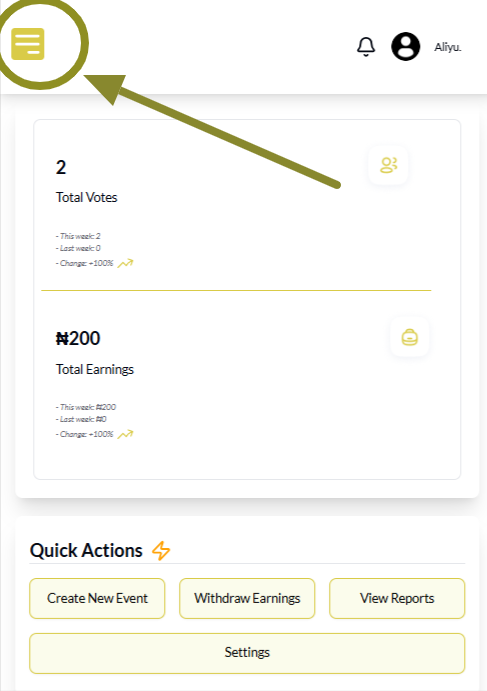
Once you are on your dashboard, tap the menu icon at the top corner of your screen.
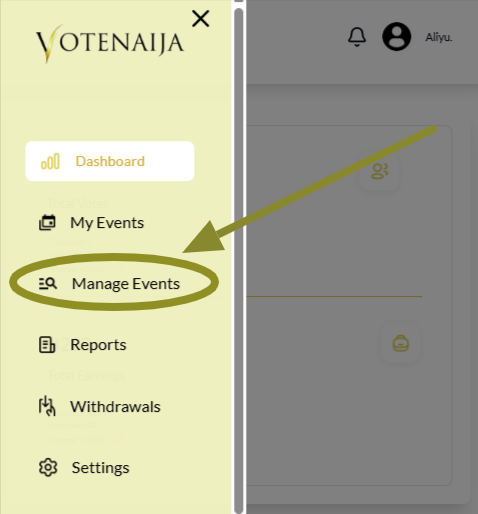
From the menu options, tap Manage Events. You will now see a full list of all your events including both draft and ongoing ones.
Step 3: Scroll Down and Focus on One Event
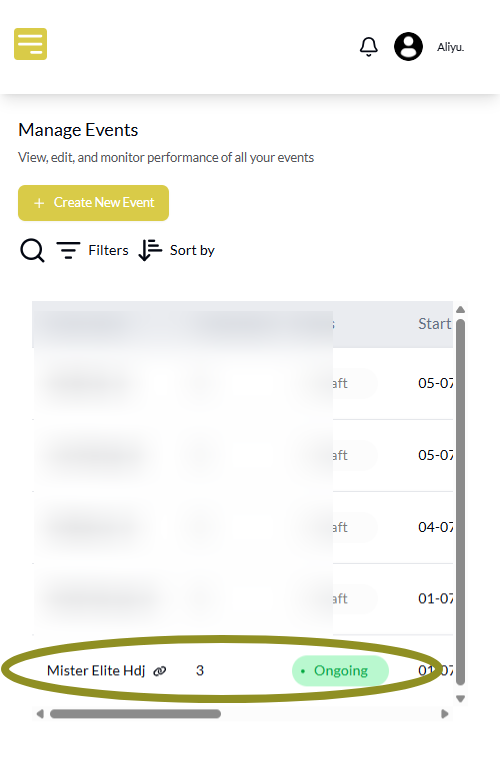
Each event is shown in a separate box as you scroll.
You do not need to tap or open anything. Just scroll through the list and focus on the event you want to check.
Step 4: Look for the Start and End Dates
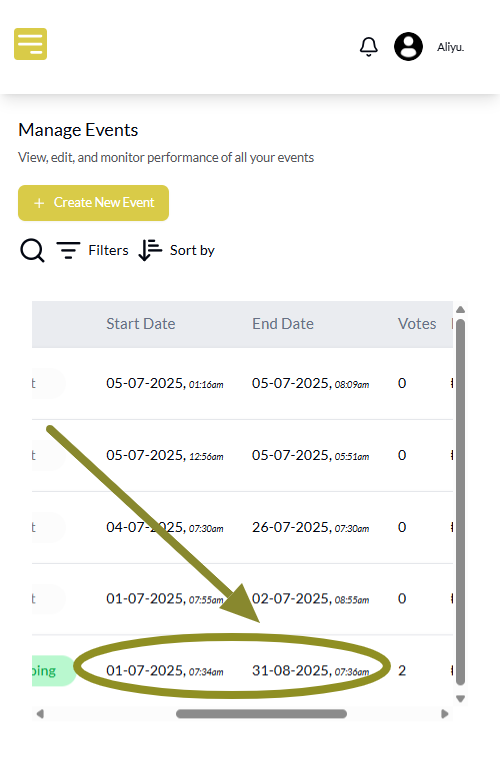
Inside each event box, you will see several details like:
- Contestants
- Status
- Start Date
- End Date
- Votes
- Earnings
- Action
Look closely at the Start Date and End Date. You may need to scroll sideways to view them clearly.
They are clearly listed with every event and help you know exactly when your event begins and ends.
Wrapping Up
Start and end dates are not just for planning. They guide everything about your event’s timeline.
You cannot change the start date once the event is published, but you can still update the end date if you want to extend voting.
Always check these dates before and after publishing your event. It helps you stay organised, avoid rushing, and give your voters enough time.
If your event is getting good attention and you need more time, just extend the end date with a few taps.
Let these VoteNaija guides walk you through the key steps.
- How to Print Your Event Report on VoteNaija (On Your Smartphone)
- How to Check Total Votes and Earnings for an Event (on a Phone)
- How to Track Event Performance from Your Dashboard (On a Smartphone)
- Difference Between “My Events” and “Manage Events” Tabs (On Your Phone)
- Understanding Your Dashboard on VoteNaija (On Your Smartphone)