

Voting on VoteNaija with a PC gives you a smooth experience. With a larger screen and easy navigation, you can explore events, view contestant details, and submit your vote without any stress.
Here’s how to do it properly from start to finish.
How Voting Works on VoteNaija for PC Users
Pro Tip: Although the process is similar across devices, a PC gives you better control when it comes to browsing, opening tabs, and viewing full profiles without losing your place. You also do not need to log in or sign up to vote, which makes the process even faster.
Step 1: Find the Event You Want to Vote In

Visit the VoteNaija homepage using your browser. From there, go to the Events section. Scroll through the list of ongoing or upcoming events and pick the one you are interested in.
Click on the Vote Now button attached to that event.
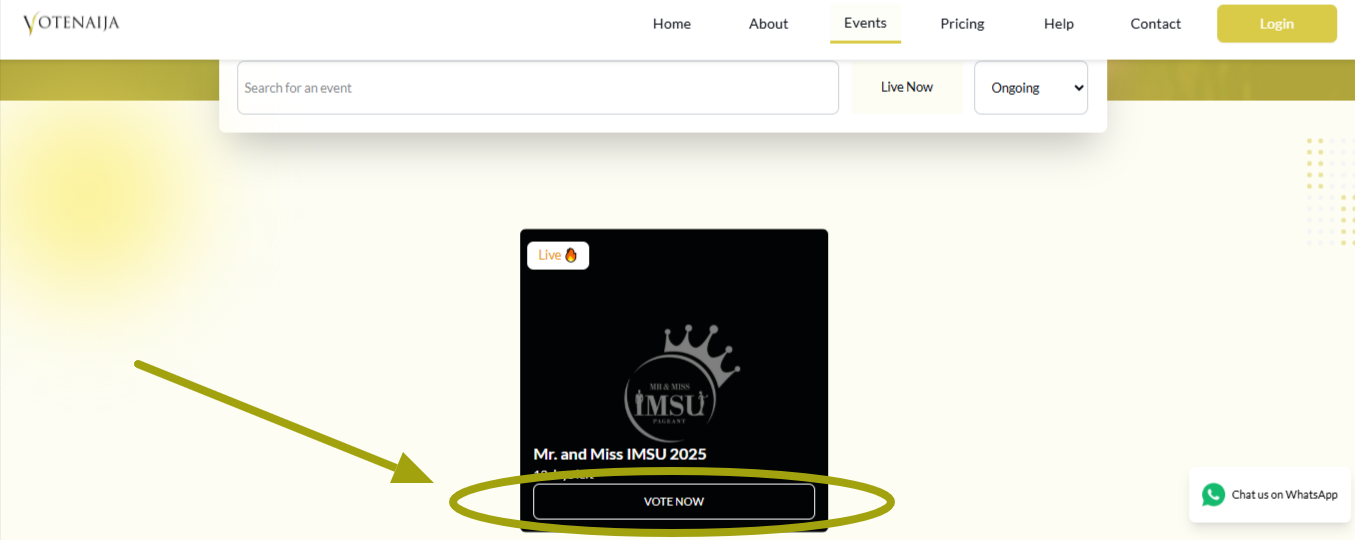
This will open the event page where you can view all the contestants.
Step 2: Read the Details of the Event

Just below the event title, you will find a section that explains what the event is about. This includes the organizer’s name, how much it costs to vote, and when the voting begins and ends.
Read this carefully so you do not vote outside the valid period or miss important information.
Step 3: View the Contestants Displayed

Once you understand the event, scroll down to the contestants section. All the participants will be displayed on the screen.
You can vote directly from this area, but if you want more information, right-click on any contestant’s name or image and open their profile in a new tab. This helps you learn about them without leaving the event page.
Step 4: Submit Your Vote for a Contestant
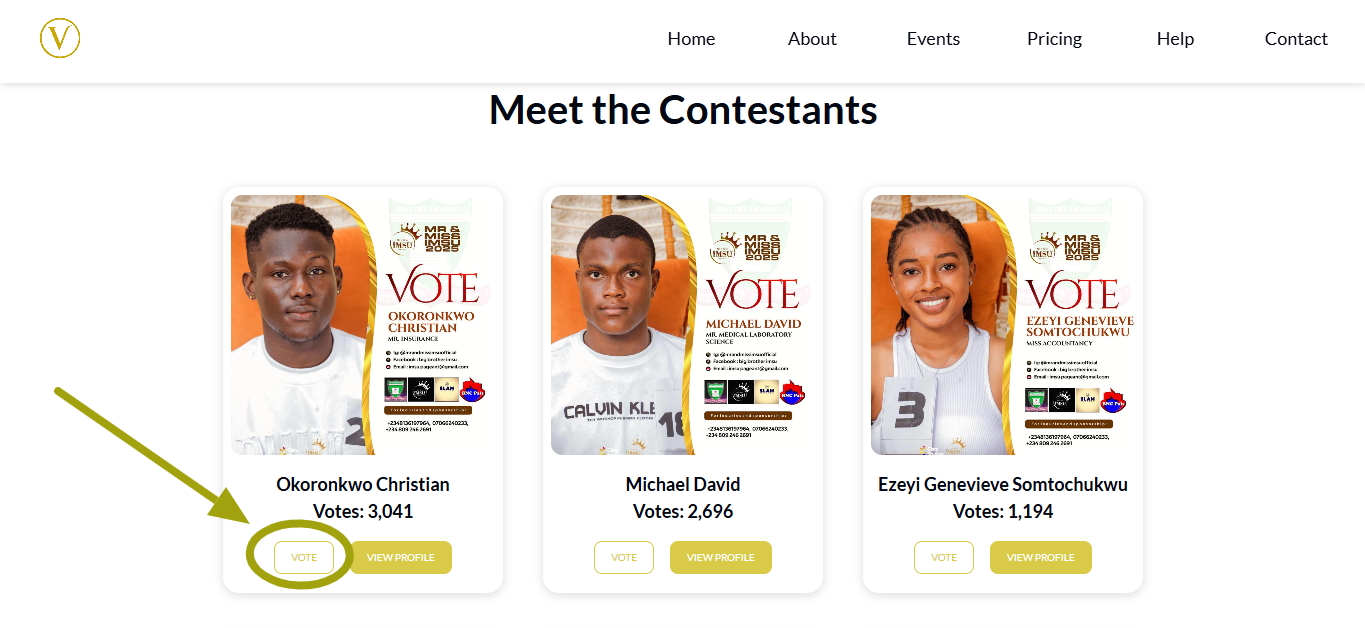
After choosing your preferred contestant, click the Vote button below their name. You will be taken to a new page where you will enter your email address and the number of votes you want to submit.
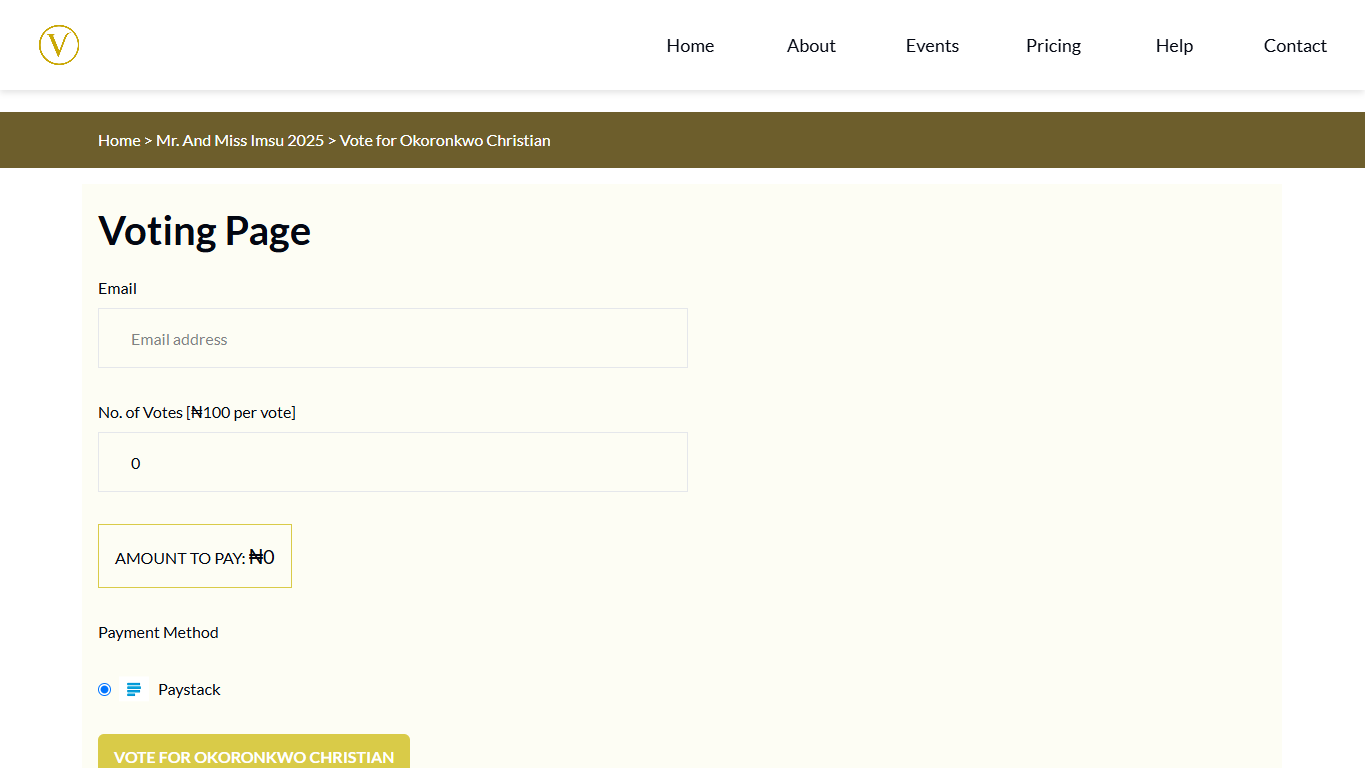
Once filled, click the Vote for button to proceed.
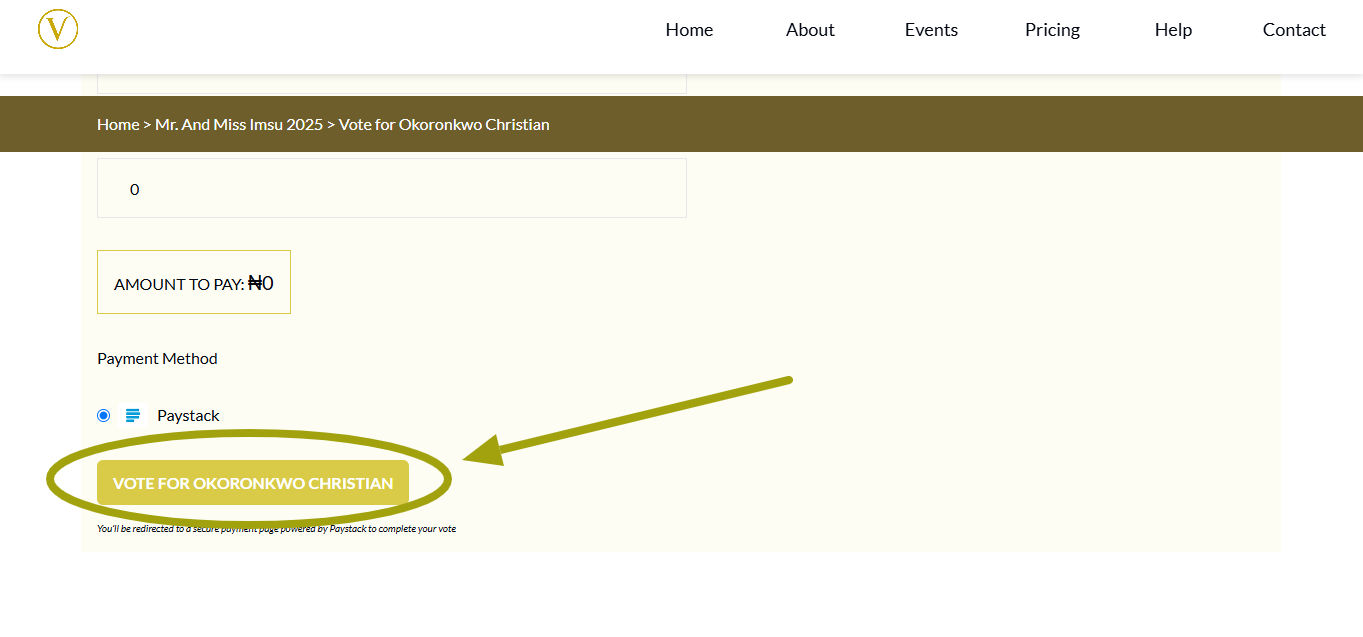
Step 5: Make Your Payment and Confirm
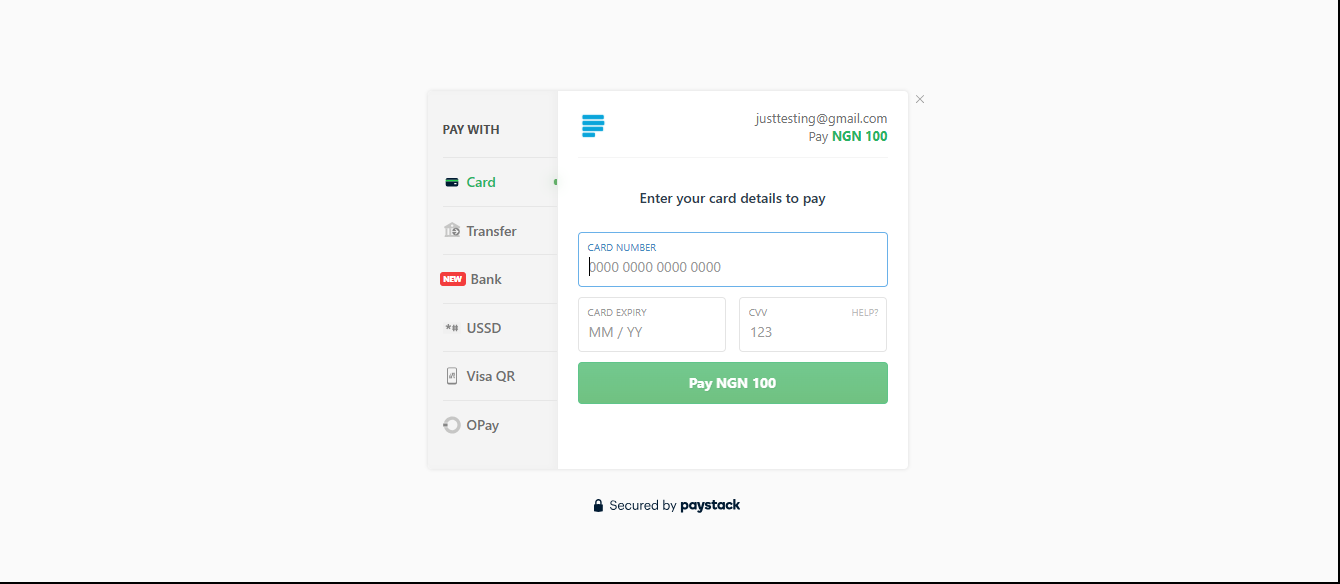
You will then be directed to the payment page. Select your preferred payment method and complete the transaction.
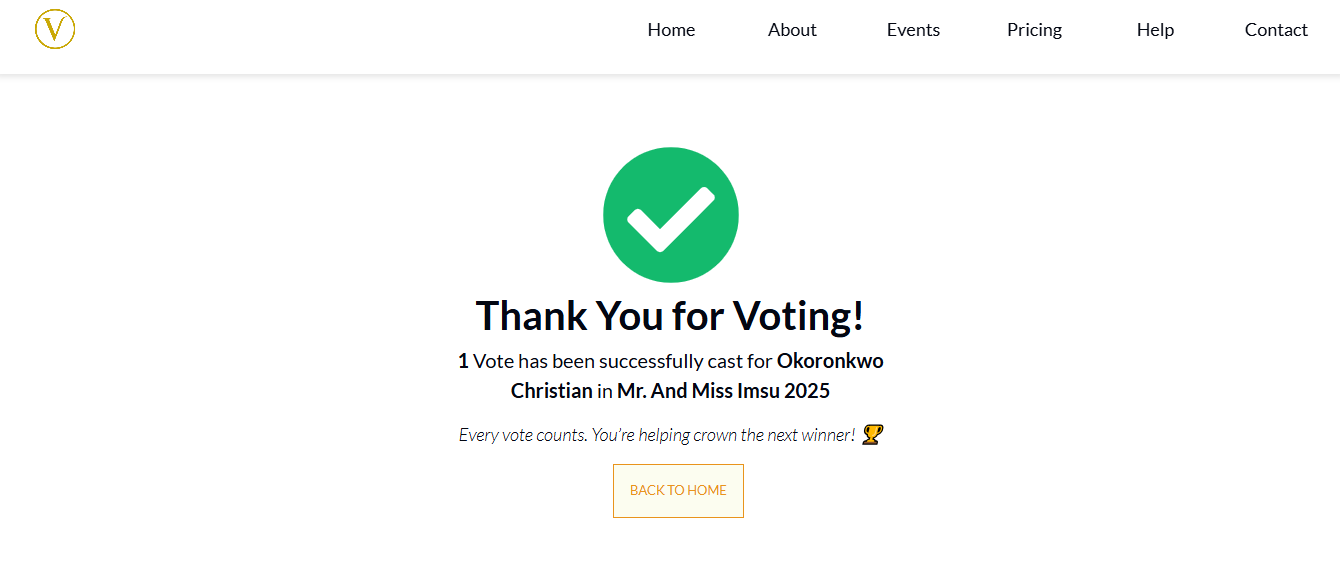
After a successful payment, VoteNaija will take you to a thank-you page that confirms your vote. You can return to the event page to see that your chosen contestant’s vote count has increased.
Wrapping Up
Voting on VoteNaija using your PC is easy, clear, and efficient. It allows you to move through pages quickly, open multiple profiles at once, and see the full layout of events and contestants without limitations.
- Check the event details first so you know what you are signing up for
- Confirm the cost per vote before proceeding
- Take a few minutes to read contestant profiles if you want to be sure about who to support
- You can vote as many times as you want as long as you complete the payment each time