

If you want to support your favorite contestant in an online competition, VoteNaija gives you a smooth and straightforward way to do it. Whether it is a talent contest, a beauty pageant, or any creative challenge, your vote can help someone win.
So how do you vote using your smartphone?
Let us walk through the full process together.
How to Vote for a Contestant on VoteNaija (5 Steps)
Pro Tip: You can vote from any device you prefer. It works well on both smartphones and computers. Just make sure your internet connection is stable. You also do not need to log in or sign up to vote, which makes the process even faster.
Step 1: Visit the Event’s Page

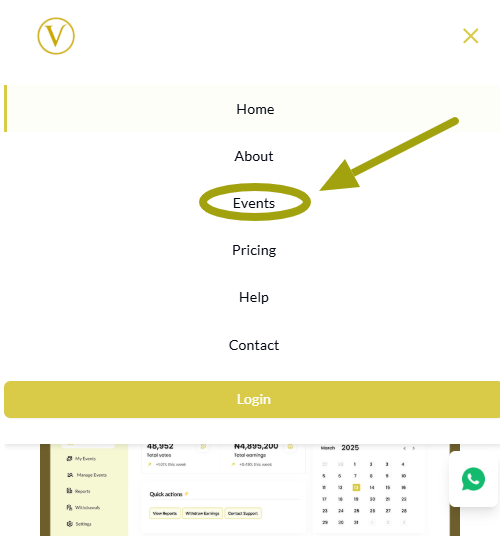
Open your browser and go to the VoteNaija website. Once the homepage loads, tap the menu icon, usually at the top right corner of the screen. From the menu, tap on the Events option.
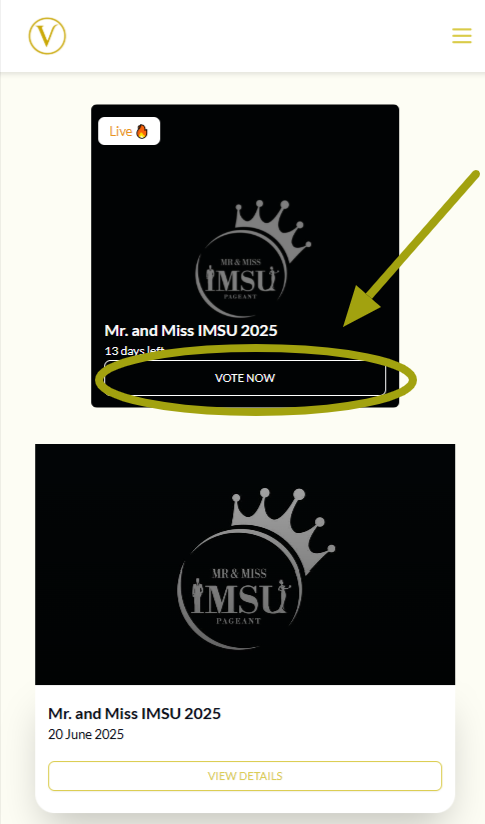
When the Events page opens, scroll through and select the event you want to participate in. Tap on the Vote Now button under the event to open the event page where all the contestants are displayed.
If someone sent you a direct link to the event, simply tap the link and you will be taken straight to that event’s page.
Step 2: Read the Event’s Description

Below the event title, you will see a section that contains important information. This includes the name of the event organizer, the cost per vote, and the voting start and end dates.
Read this section carefully so you understand the voting terms before you proceed.
Step 3: Go to the Contestants Section

Scroll down the event page and you will see the full list of contestants.
You can vote directly from this section without opening their profiles. However, if you want to know more about a contestant, tap on their profile to learn about them. This can help you decide who to support.
Step 4: Click on the Vote Button
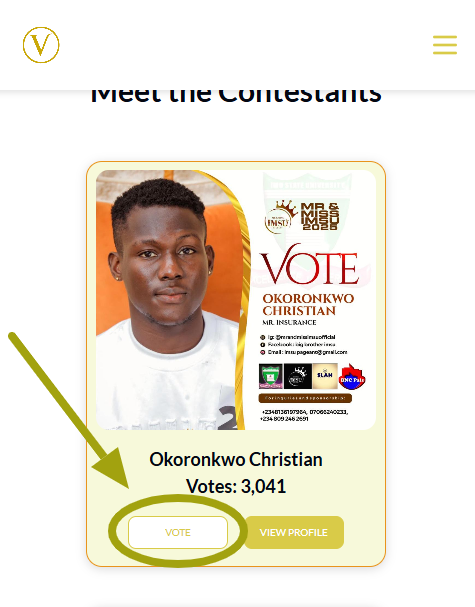
After choosing your preferred contestant, tap on the Vote button next to their name. A new page will appear asking you to enter your email address and the number of votes you want to cast.
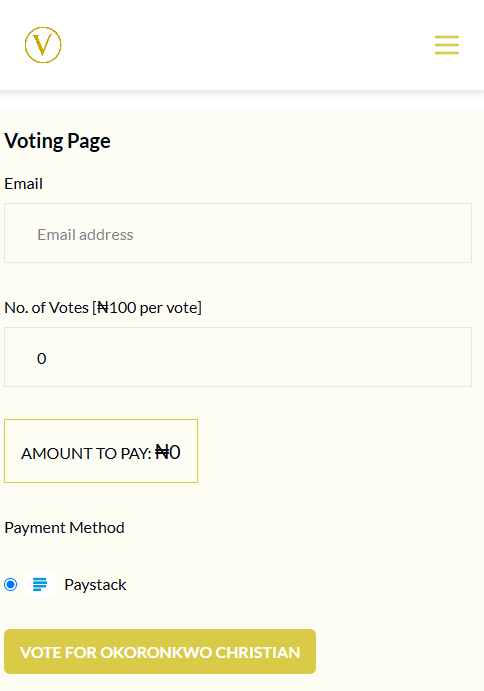
Once you provide the details, tap on the Vote for button with the contestant’s name to continue.
Step 5: Pay with Your Preferred Payment Method
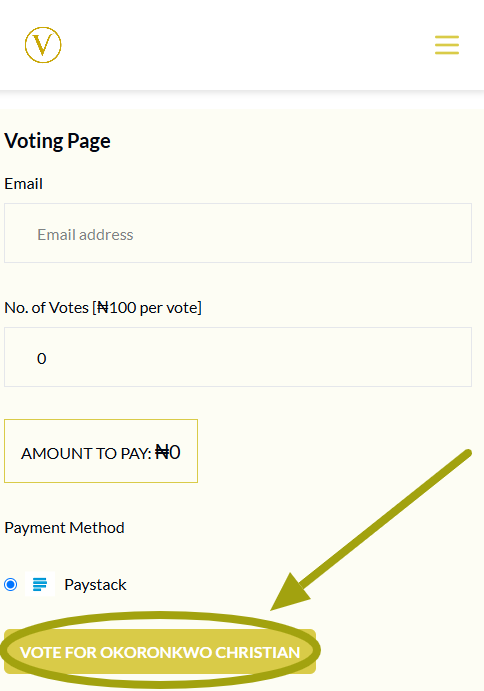
You will now be taken to a secure payment page. Select your preferred payment method and complete the transaction.
After the payment is successful, you will be redirected to a thank-you page confirming that your vote has been recorded.
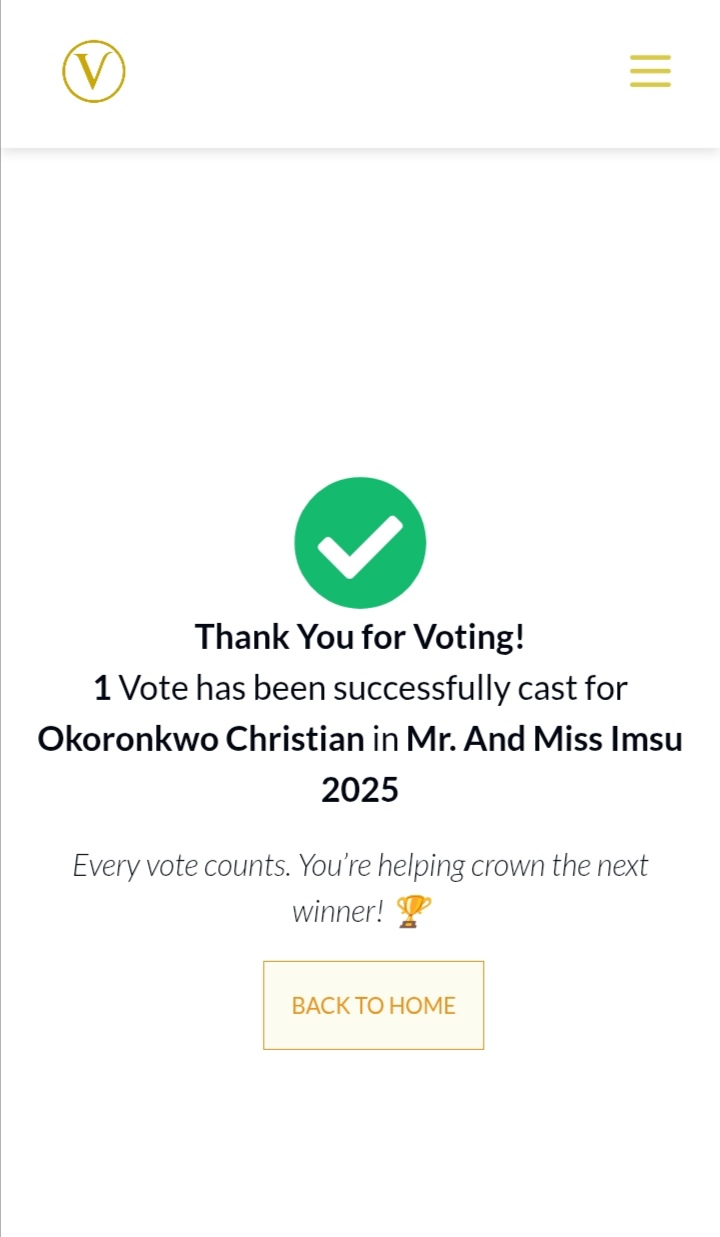
You can return to the event page to see that the contestant’s vote count has increased.
Final Words
Now you know exactly how to vote for a contestant on VoteNaija using your phone. Keep these tips in mind
- Always read the event description before you vote so you understand the rules and timing
- Take note of how much each vote costs to avoid surprises
- Explore contestants’ profiles to make an informed decision
- You can vote more than once if you want, as long as you can cover the cost