

You have earned money from your event and now it is time to withdraw it.
Whether you are new to the platform or just need a reminder, this guide will show you exactly how to request your withdrawal and what to expect.
Let’s go through it step by step.
Step 1: Go to Your VoteNaija Dashboard
Start by visiting the VoteNaija website.
Click on the Login button and enter your details.
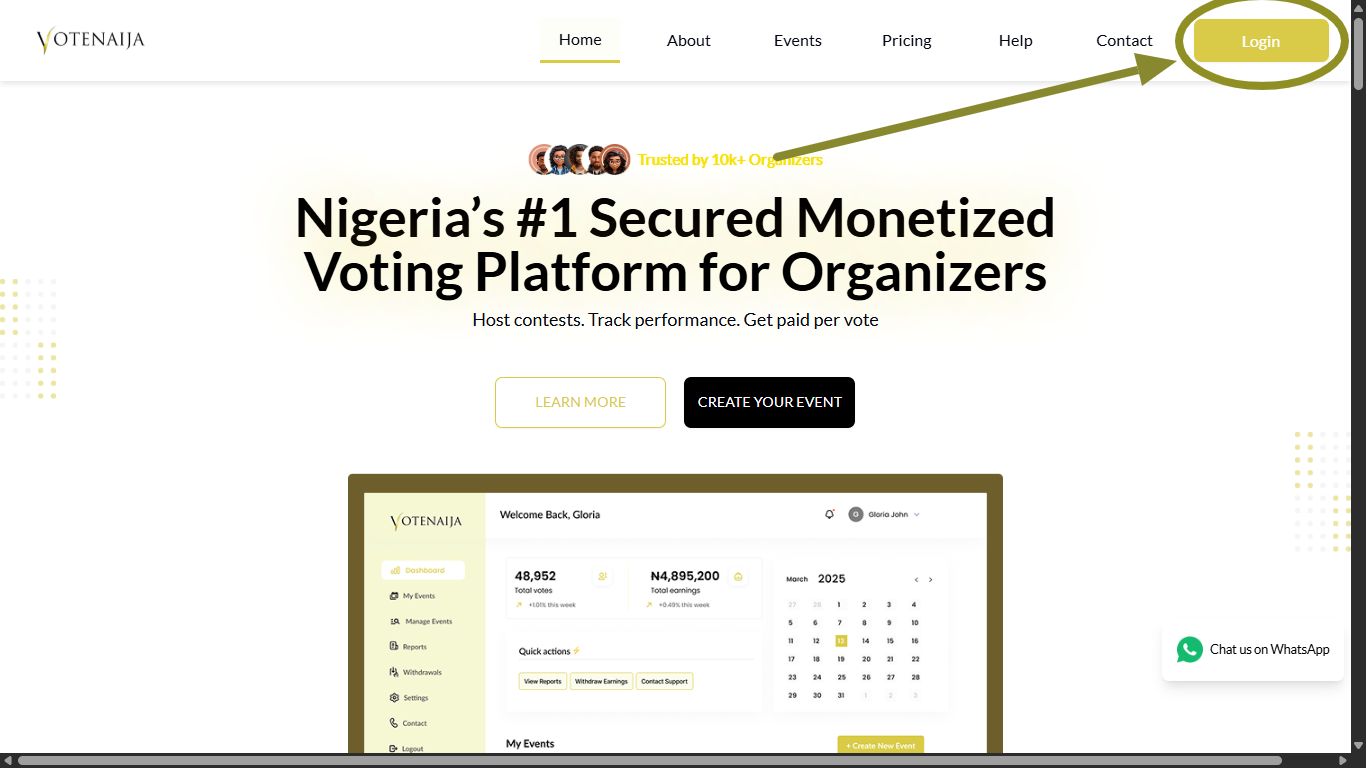
Once you are signed in, you will land on your dashboard where all your account information is available.
Step 2: Open Withdrawals
Look at the menu on the left side of your screen.
Click on Withdrawals.
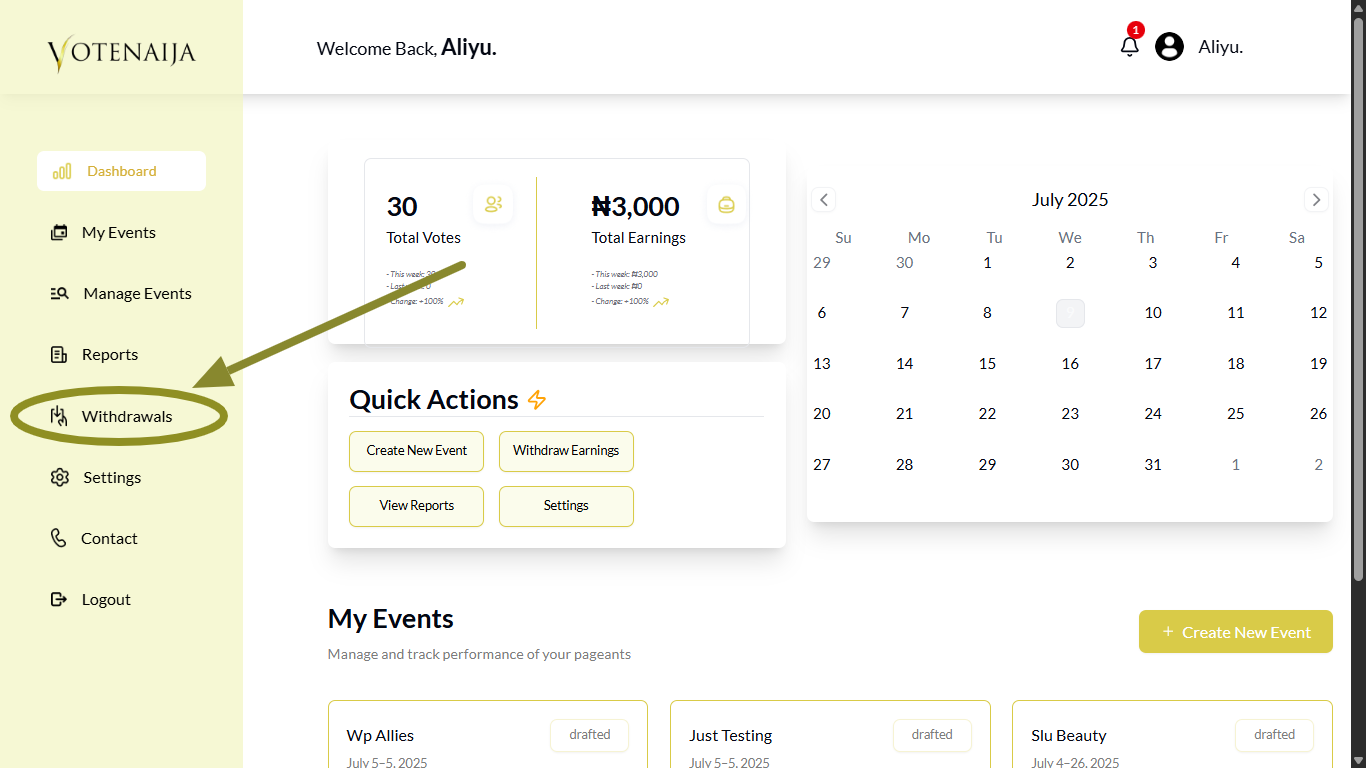
This will open the page where you can manage all withdrawal-related actions.
Here, you will also see a list of past withdrawal requests if you have made any before.
Step 3: Put the Amount You Want to Withdraw
You will see a text field where you can enter the amount you want to withdraw.
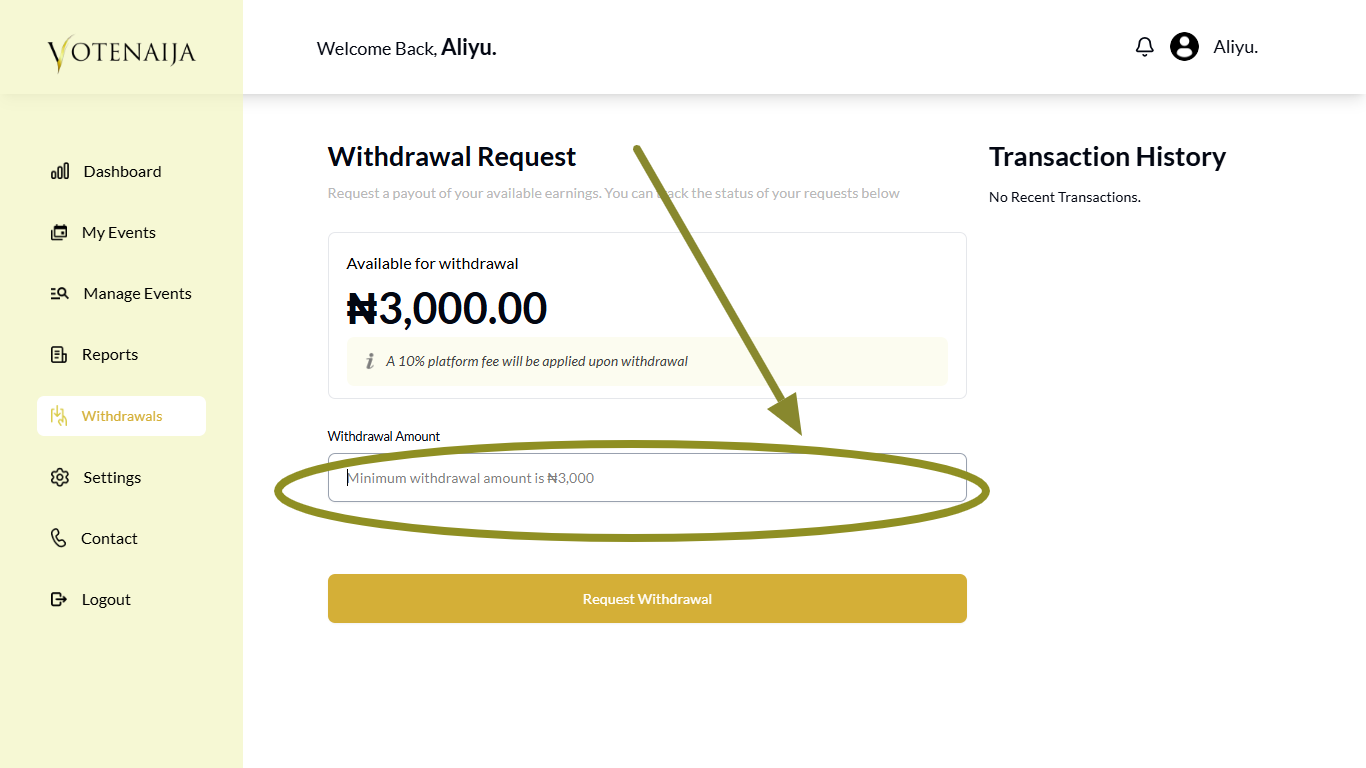
The minimum amount you can withdraw is three thousand naira. If your balance is below that, you will need to wait until you have more earnings.
Step 4: Tap Request Withdrawal
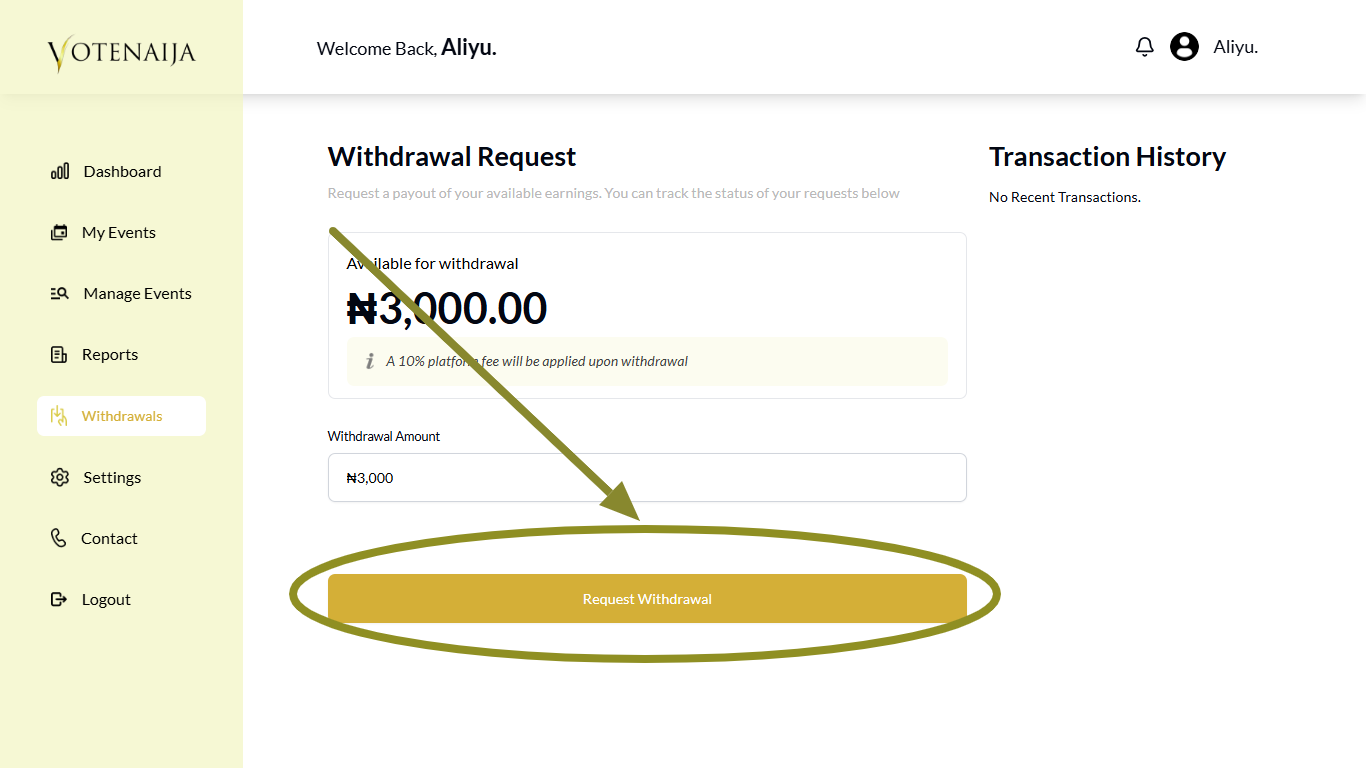
After entering the amount, click the Request Withdrawal button.
This lets the system know that you want to cash out your earnings.
Step 5: Confirm Withdrawal
Once you tap Request Withdrawal, a small pop-up window will appear asking you to confirm your request.
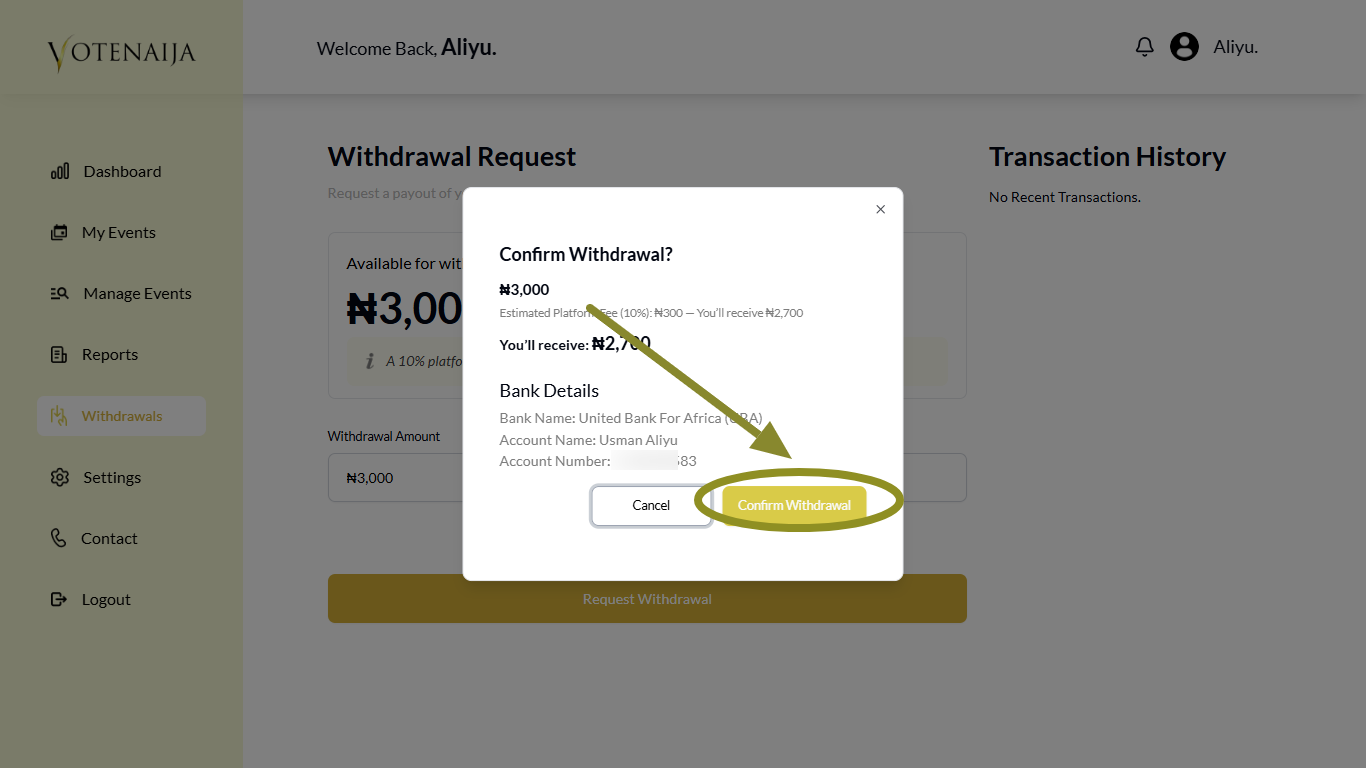
Click the Confirm Withdrawal button to move forward.
After that, your withdrawal will be processed. You will receive the money in your connected account shortly.
Keep in mind that VoteNaija takes a ten percent fee from each withdrawal. So if you withdraw five thousand, you will receive four thousand five hundred while the remaining five hundred goes to the platform.
Final Words
That is all you need to do.
Just remember that the minimum amount you can withdraw is three thousand. If your balance is not up to that, your withdrawal request will not go through.
So be patient, wait till your earnings add up, and then follow these steps when you are ready.
Once you confirm, the platform will process it, and your money will be on its way.
These VoteNaija guides are here to make things clearer and easier.
- Can I Still Add Contestants After the Event Starts? Here’s What to Know (on a PC)
- How to Avoid Auto-Publishing Before You Finish Setting Up Your Event (On Your PC)
- How to Create a New Event on VoteNaija (On PC)
- Understanding Your Dashboard: Votes, Earnings and Event Summary (On Your Computer)
- Difference Between “My Events” and “Manage Events” Tabs (OnYour PC)