

If you ever need to reach VoteNaija or want to stay updated with the latest posts and event announcements, there are official channels set up just for that.
You can access them quickly right from your phone, whether you’re using Instagram or email. Let’s show you how to use them and what you can expect from each one.
1. VoteNaija on Instagram
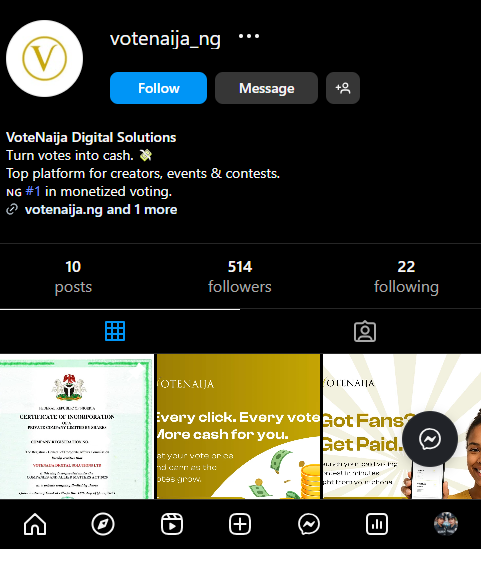
The official Instagram username is votenaija_ng.
Here is the direct link to visit the page: VoteNaija IG.
Once you get there, you’ll find regular posts about current contests, tips for organisers, event winner highlights, and new feature alerts.
These are usually shared as short image or video posts, making them easy to scroll through even on mobile.
You should follow the page so you don’t miss anything happening across the platform.
It also gives you a quick way to understand how others are running their events and what the community is up to.
2. VoteNaija Support Email
The official support email is: support@votenaija.ng.
You can use this email to contact the team if you have trouble with login, need help getting your event approved, or just want to ask a question.
They usually reply within a short time, especially when you explain clearly what the issue is.
Before You Go
Having these channels saved on your phone is always a smart move.
It means you are never more than a few taps away from updates or assistance whenever you need it.
Keep them close and use them whenever you want quick support or helpful tips from the team.
These VoteNaija guides are here to make things clearer and easier.
- When Can I Request a Withdrawal? Understanding Withdrawal Timing (On Your Smartphone)
- Which Bank Details Are Required to Withdraw Earnings? (On Your Smartphone)
- How to Update Your Organizer Profile on VoteNaija (On Your Smartphone)
- How to Add or Update Bank Details for Payouts (On Your Smartphone)
- When and Why to Contact the Support Team (On Your Smartphone)