

If you’re using VoteNaija on a computer, your dashboard is the place where everything happens. From tracking your performance to managing events, the dashboard gives you full control over your activities.
It might seem like a lot at first, but once you understand each part, it becomes simple and easy to use.
Your dashboard is only accessible to you after logging into your VoteNaija account.
Let’s break it down so you can make the most of it.
VoteNaija Dashboard Breakdown
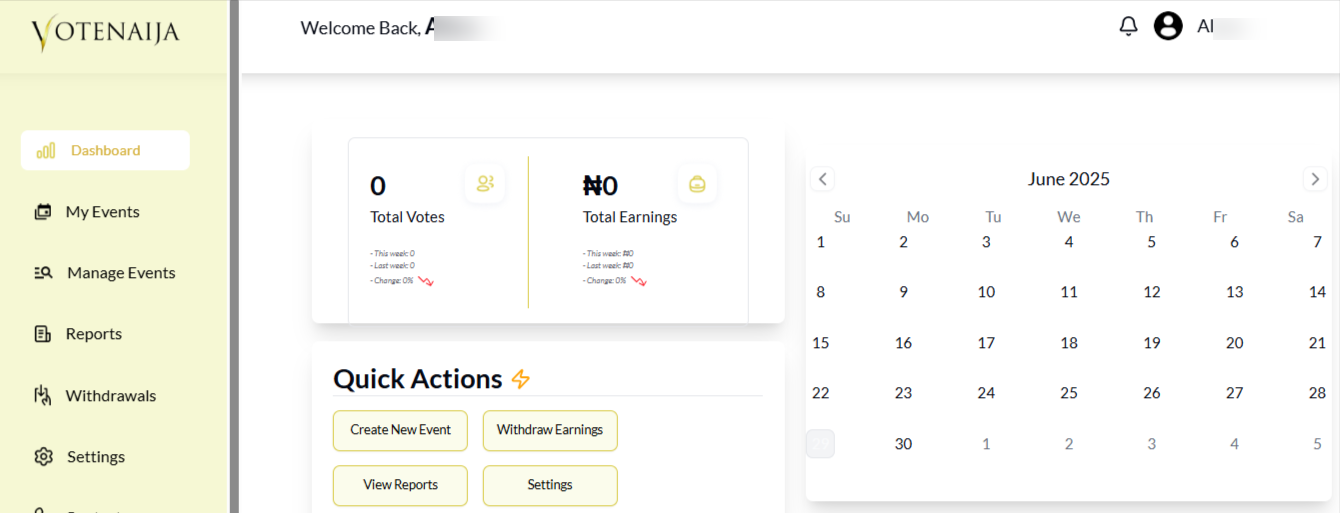
Your dashboard is divided into five key sections:
- Menu
- Total Votes and Earnings
- A Calendar
- Quick Actions
- Events Summary, where you can also add a new event
Let’s go through each of them.
Menu
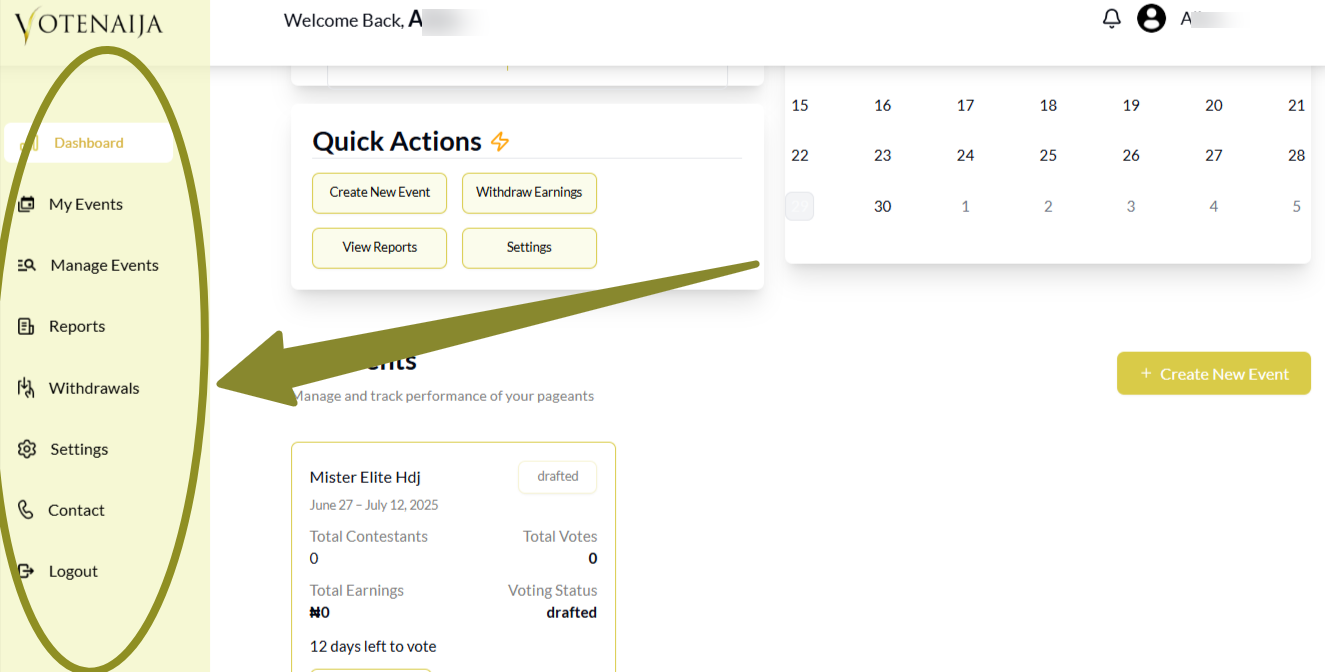
This is the navigation area that helps you move around your dashboard easily. It contains the following options:
- Dashboard: Your main dashboard homepage
- My Events: A list of all the events you have created
- Manage Events: Where you can update, edit or delete events
- Reports: For downloading reports related to your events
- Withdrawals: To request and manage your earnings
- Settings: To update your personal profile
- Contact: For reaching out to the VoteNaija support team
- Logout: To sign out of your account
Total Votes
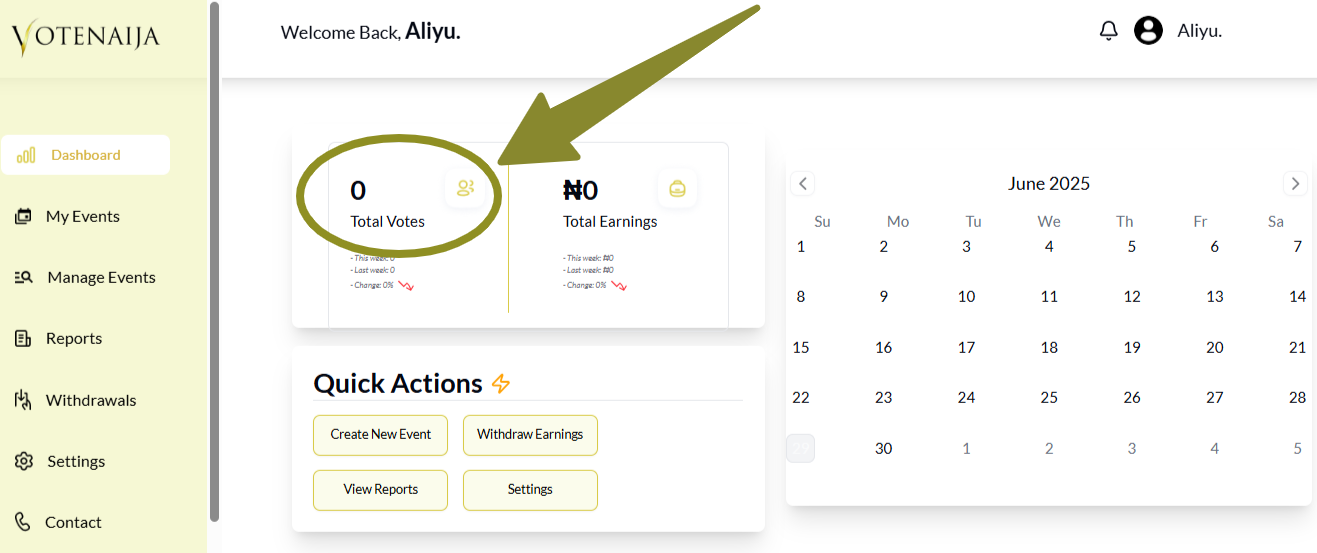
This section shows you the number of votes your events have received. It is broken down like this:
- This Week: Votes your events received this week
- Last Week: Votes from the previous seven days
- Change: A chart showing how your votes are increasing or decreasing over time
Total Earnings
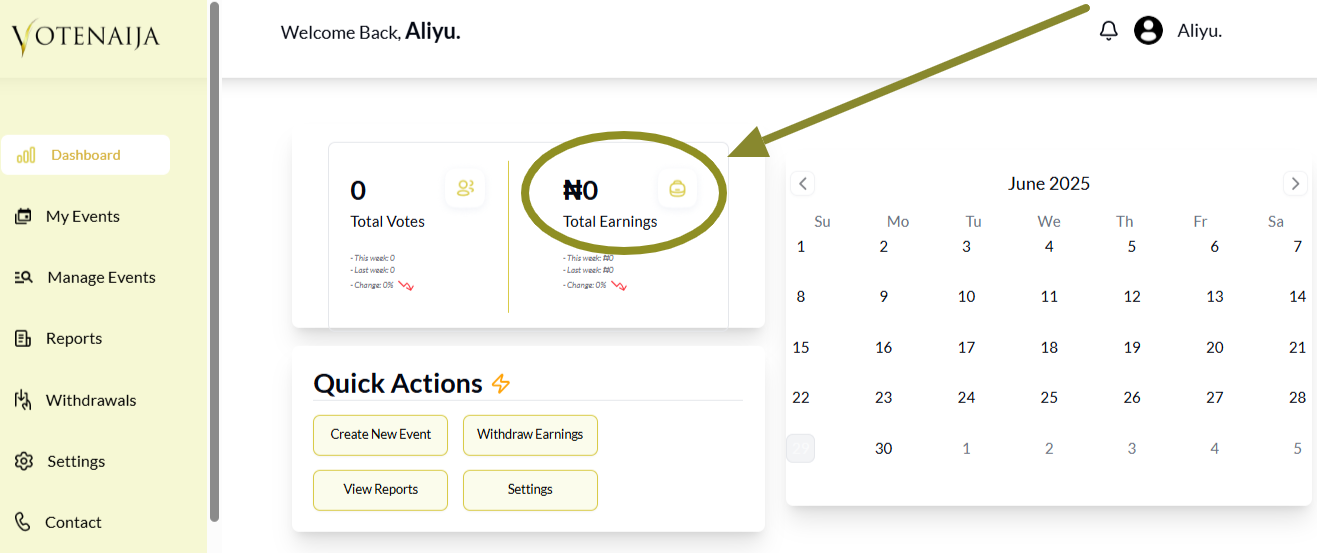
This shows how much money your events have earned so far. It includes:
- This Week: Your earnings for the current week
- Last Week: The amount earned in the previous week
- Change: A chart to help you see your earnings progress clearly
Calendar
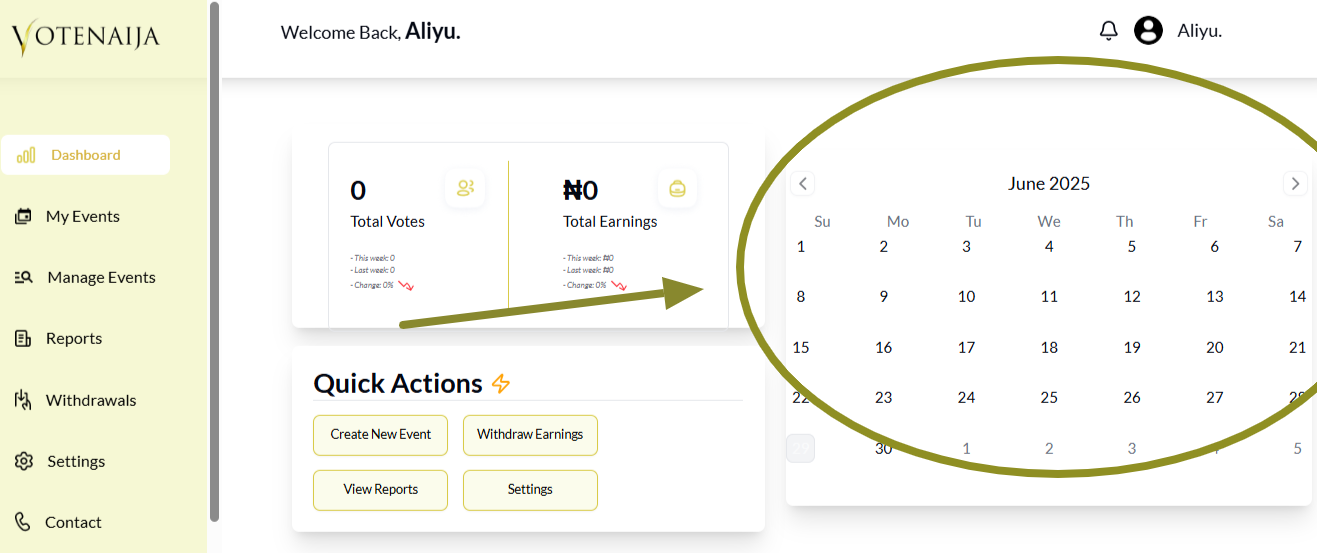
This calendar helps you view performance especially to keep track of your voting deadline. on specific dates. Simply select a date and the dashboard will adjust to show the stats for that day.
Quick Actions
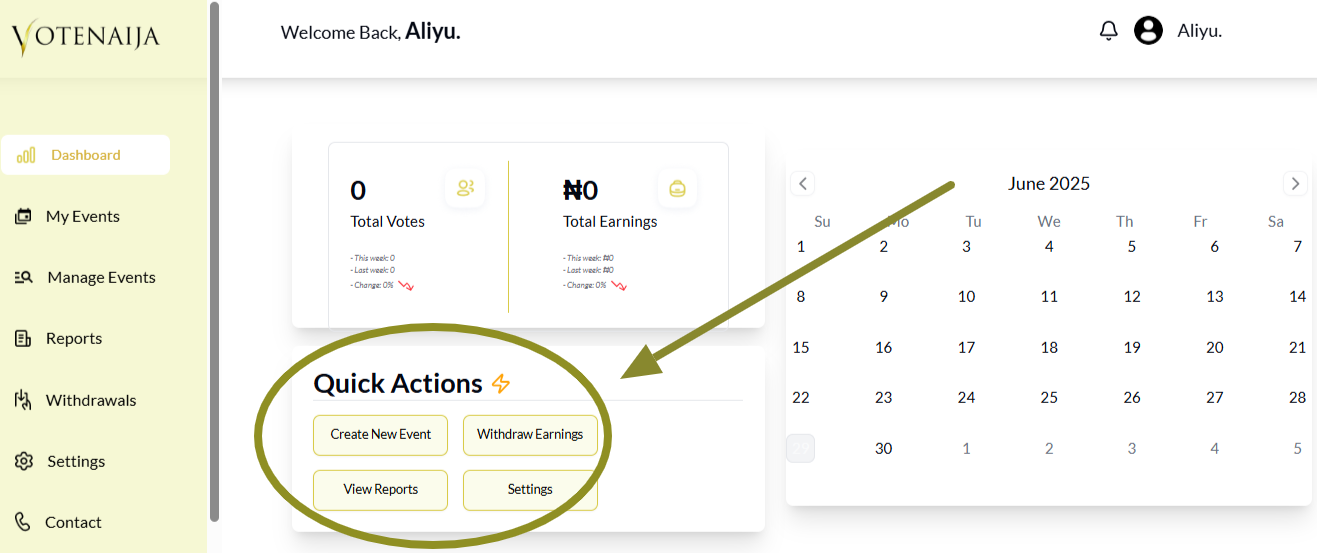
This section is built to help you take useful actions quickly without having to move around too much. Here, you will find:
- Create New Event: To start setting up a new event
- Withdraw Earnings: To access your funds
- View Reports: To go directly to your reports
- Settings: To update your profile or account preferences
My Events
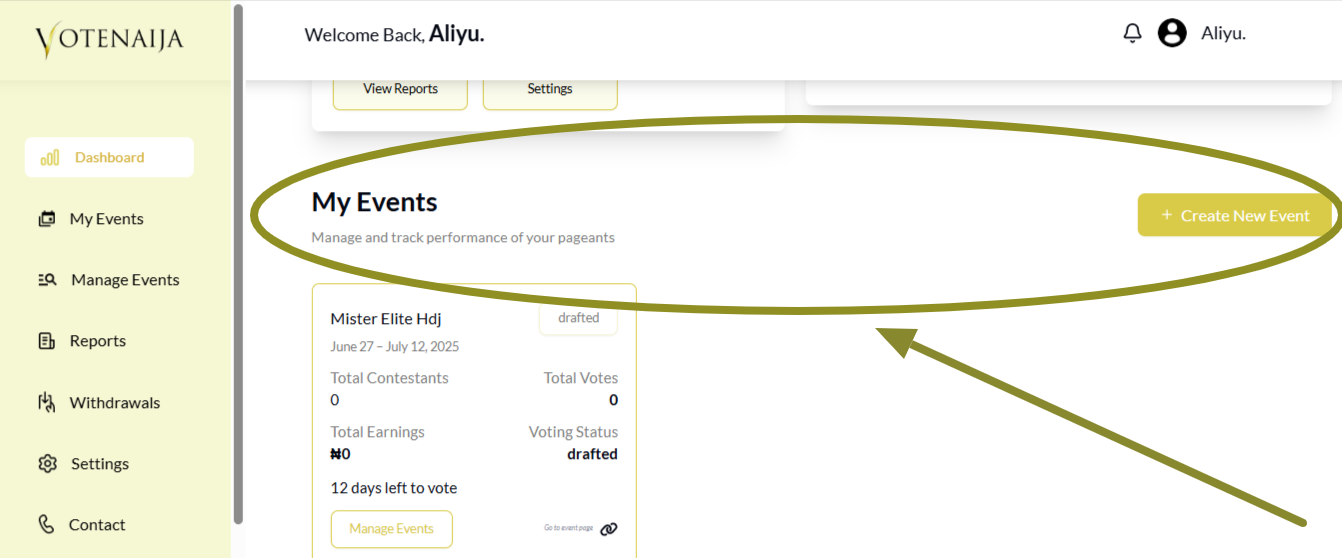
This area shows all the events you have created. You can see details about each one and manage them as needed.
There is also a button here that allows you to create a new event whenever you are ready.
Wrapping up
Now you understand what each part of your dashboard means and how to use it. From checking your votes and earnings to creating and managing events, everything you need is available in one place.
Spend some time getting familiar with it. The more you use it, the easier it gets. You are fully in control, so make your dashboard work for you.
What will you explore first?
Want to get even more out of VoteNaija? These guides can help.
- How to Create a New Event on VoteNaija (On PC)
- How to Edit or Update an Ongoing Event on a PC
- How to Edit Event Details While It’s Still in Draft Mode (On PC)
- Why You Can’t Edit an Event After It Goes Live ( And What to Do Instead) – on a PC
- How to Avoid Auto-Publishing Before You Finish Setting Up Your Event (On Your PC)