

If you have created an event on VoteNaija and it says ongoing, what exactly does that mean?
In this guide, you will learn what that status means, what it allows you to do, what it stops you from doing, and how to know when your event has entered that stage.
Let’s break it down in a simple way.
What Does It Mean?
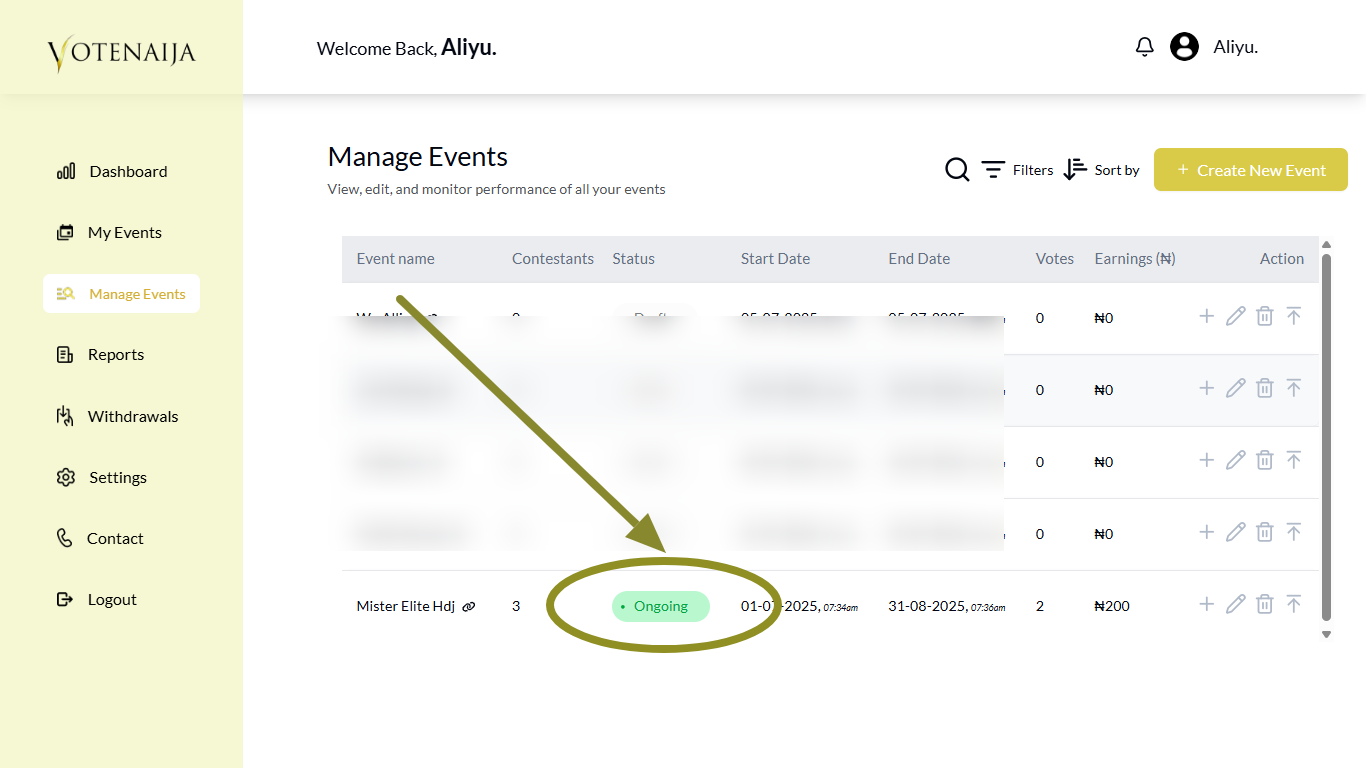
When you see ongoing written next to your event, it means your event has already started. It has passed the review stage, has been approved by the VoteNaija team, and is now live for public voting.
People can now view your event, see the contestants, and start voting. The ongoing status tells you that the event is already active and counting votes.
It also shows that you can no longer make major changes to your event. But it still allows a few updates, which we will explain next.
How Does It Affect What You Can Do on Your Events
Once an event is marked as ongoing, a few things become locked.
You can no longer remove any contestant from the event. This is to protect the votes that may have already been cast.
Also, some event details cannot be changed anymore. These include:
- The event name
- The vote cost
- The event link or slug
- The start date
These settings are locked to keep the event fair and transparent.
But some parts can still be changed. You can update the event banner, edit the description, extend the end date, or even add more contestants.
So while you still have some control, certain things must remain the same once the event has gone live.
How to Know Whether an Event Is in That Status
To check if your event is in the ongoing stage, go to My Events in your dashboard.
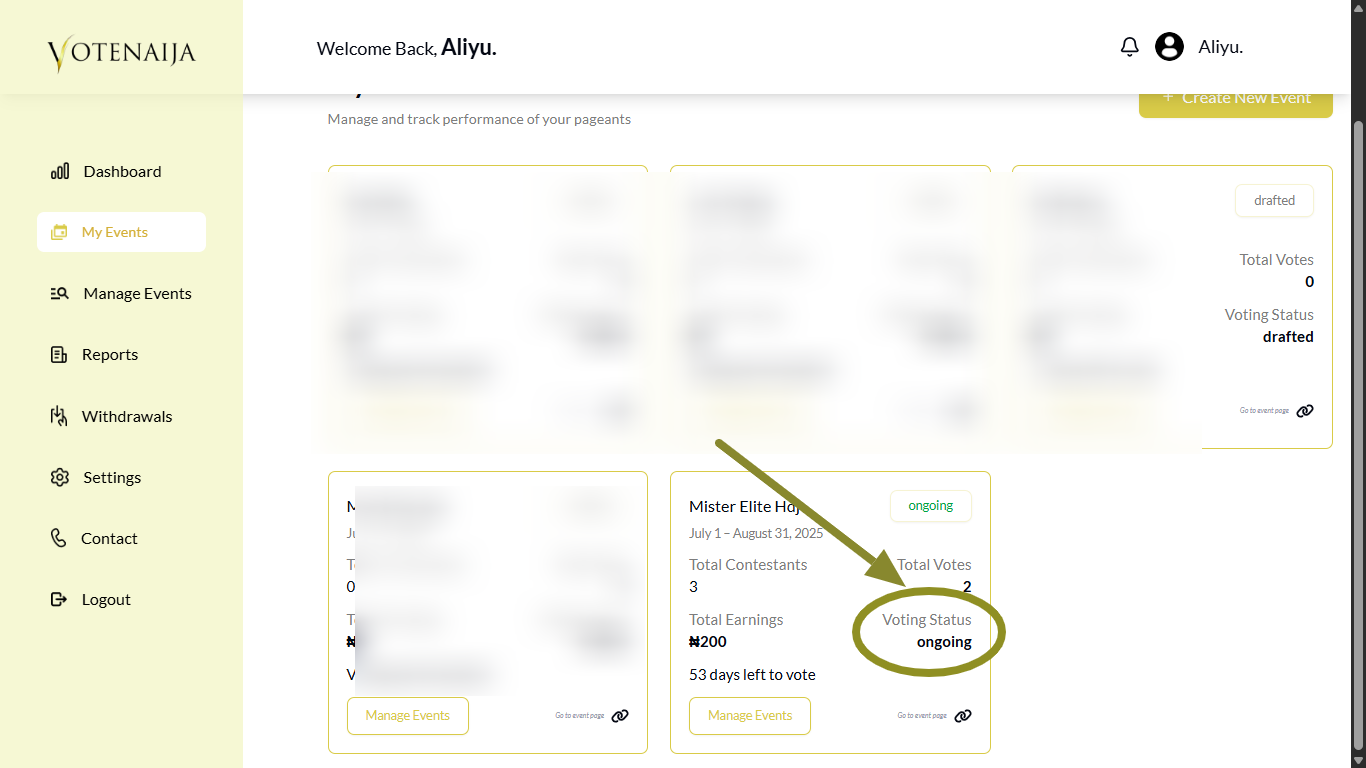
There, you will see a list of all your events. Each one is shown in its own box. You will find the status written clearly inside the box.
You can also go to the Manage Events section in your dashboard.
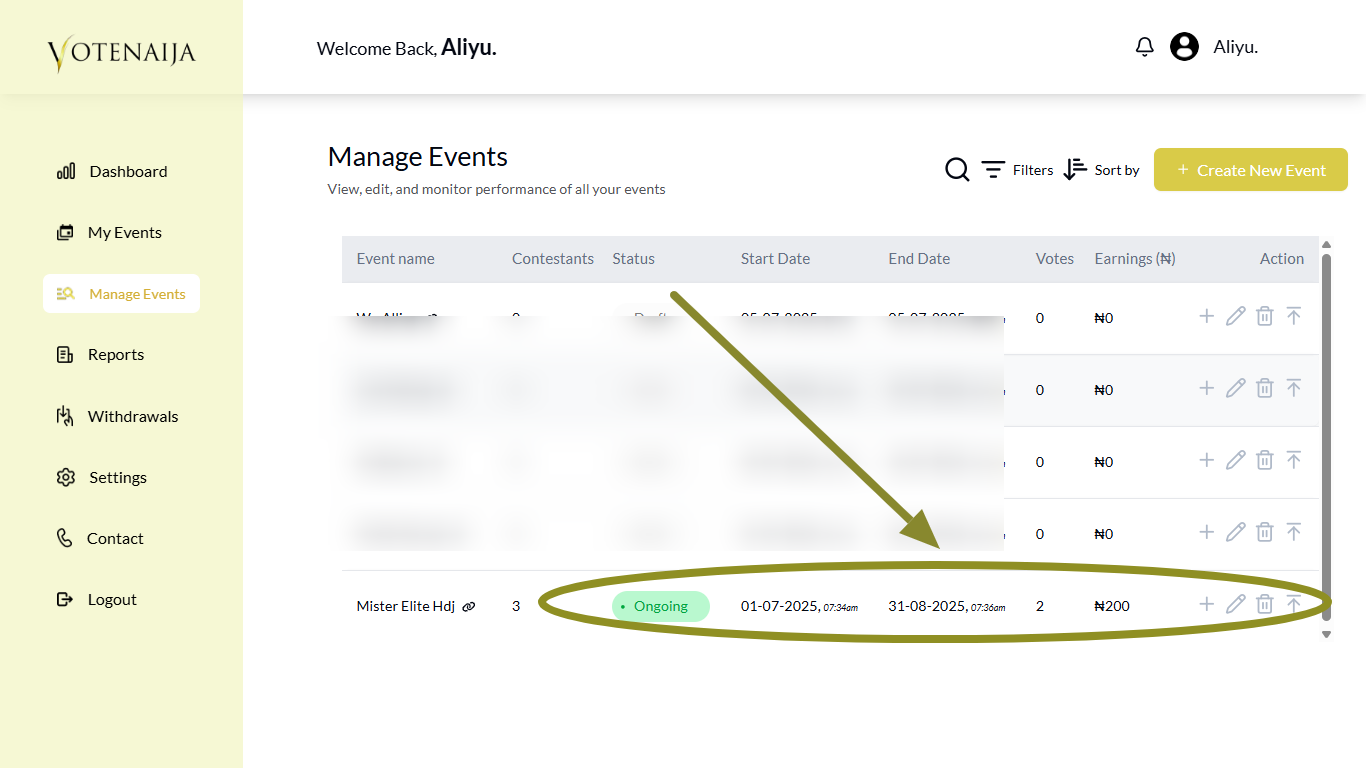
This page also shows the status of each event along with other details like the number of votes and earnings.
Wrapping Up
The ongoing status is a sign that your event is now live and open to the public. Votes are being counted, and the event is moving forward.
At this point, you cannot make changes to sensitive parts like the event name or vote price. But you still have room to update other details and keep the event running smoothly.
Always double check your event details before publishing. That way, when your event becomes ongoing, you will have nothing to worry about and can focus on helping your contestants get more votes.
Want to use VoteNaija like a pro? These guides can show you how.
- Understanding Your Dashboard: Votes, Earnings and Event Summary (On Your Computer)
- Difference Between “My Events” and “Manage Events” Tabs (OnYour PC)
- How to Track Event Performance from Your Dashboard (On a PC)
- How to Check Total Votes and Earnings for an Event (on a Computer)
- How to Print Your Event Report on VoteNaija (On Your PC)