

You tried to withdraw your earnings, but instead of seeing a success message, you saw something like this:
“It looks like your bank details aren’t set up yet. Before you can request a withdrawal, please update your Bank details in your account settings.”
If that message popped up, don’t panic. It just means one thing — your bank information is missing.
Let’s break it down and show you how to fix it in a few quick steps.
Why Can’t I Withdraw My Earnings
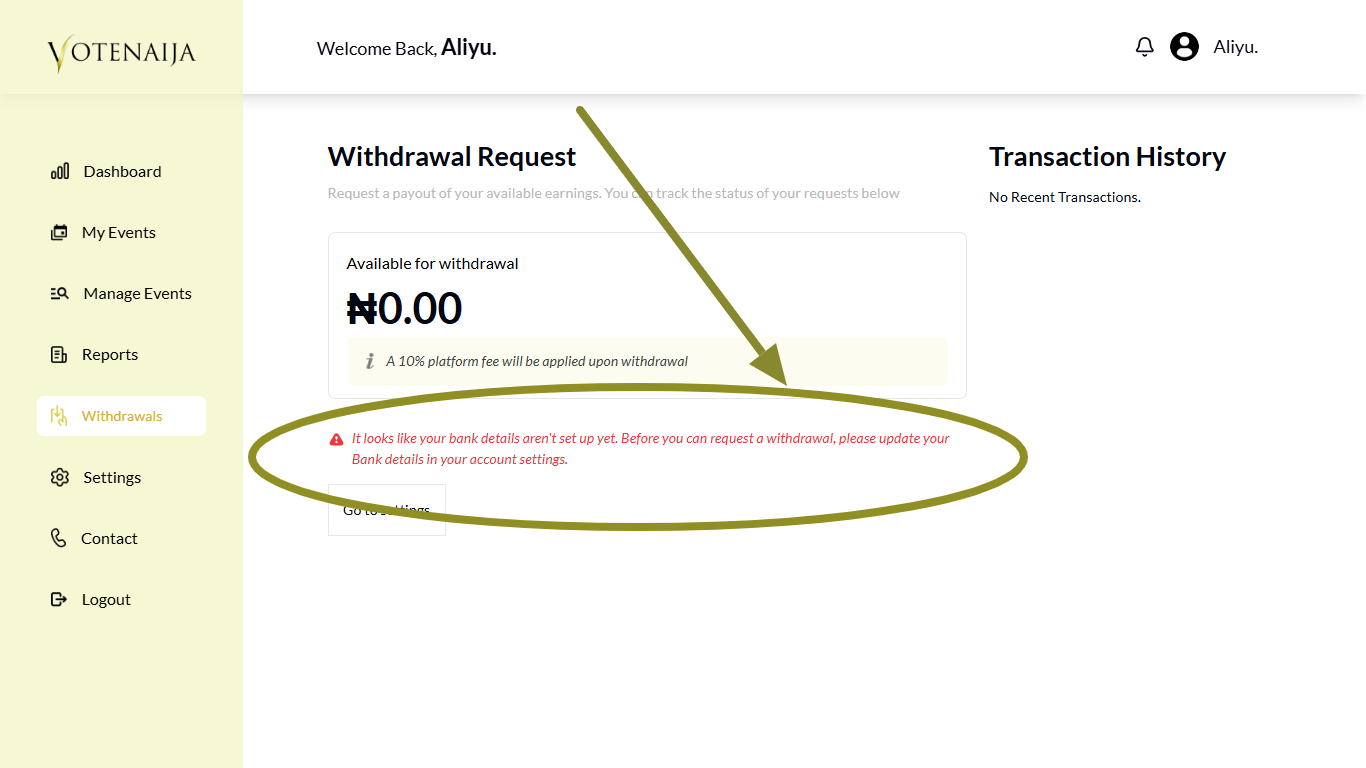
Before you can request any withdrawal, you must first set up your bank details.
The system needs your bank information so it knows where to send your money. If you skip this part during setup, you will not be able to withdraw your funds, and that message will show up.
It is one of the most common setup steps that users forget. But the good news is, it is very easy to fix.
How to Fix the Error in 5 Simple Steps
Step 1: Go to Your VoteNaija Dashboard
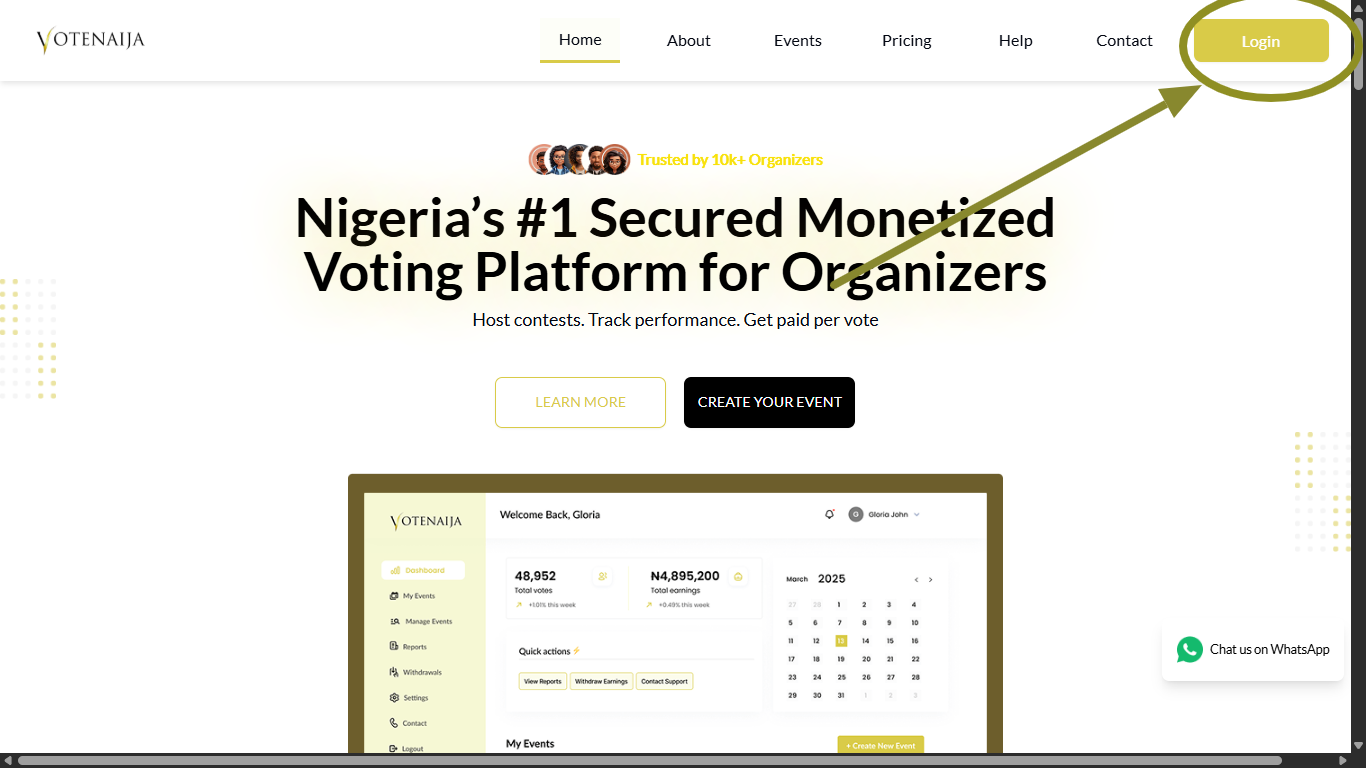
Visit the VoteNaija website and log in with your details.
Once you are logged in, you will land on your dashboard where you manage all your event and account settings.
Step 2: Go to Settings in the Menu
Look at the left side of the screen and click on Settings.
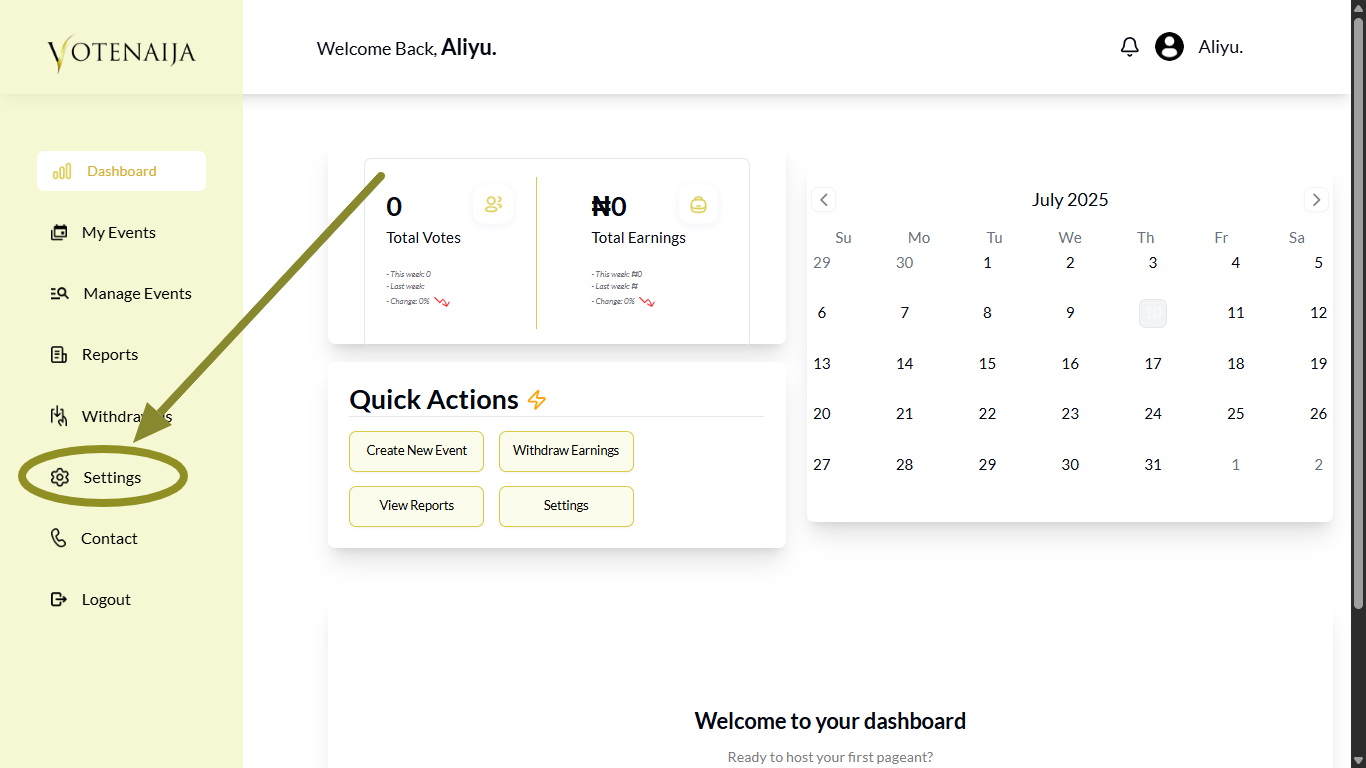
This is where you manage everything related to your personal profile, including your bank details.
Step 3: Go to Bank Details
Inside the Settings section, you will see multiple options.
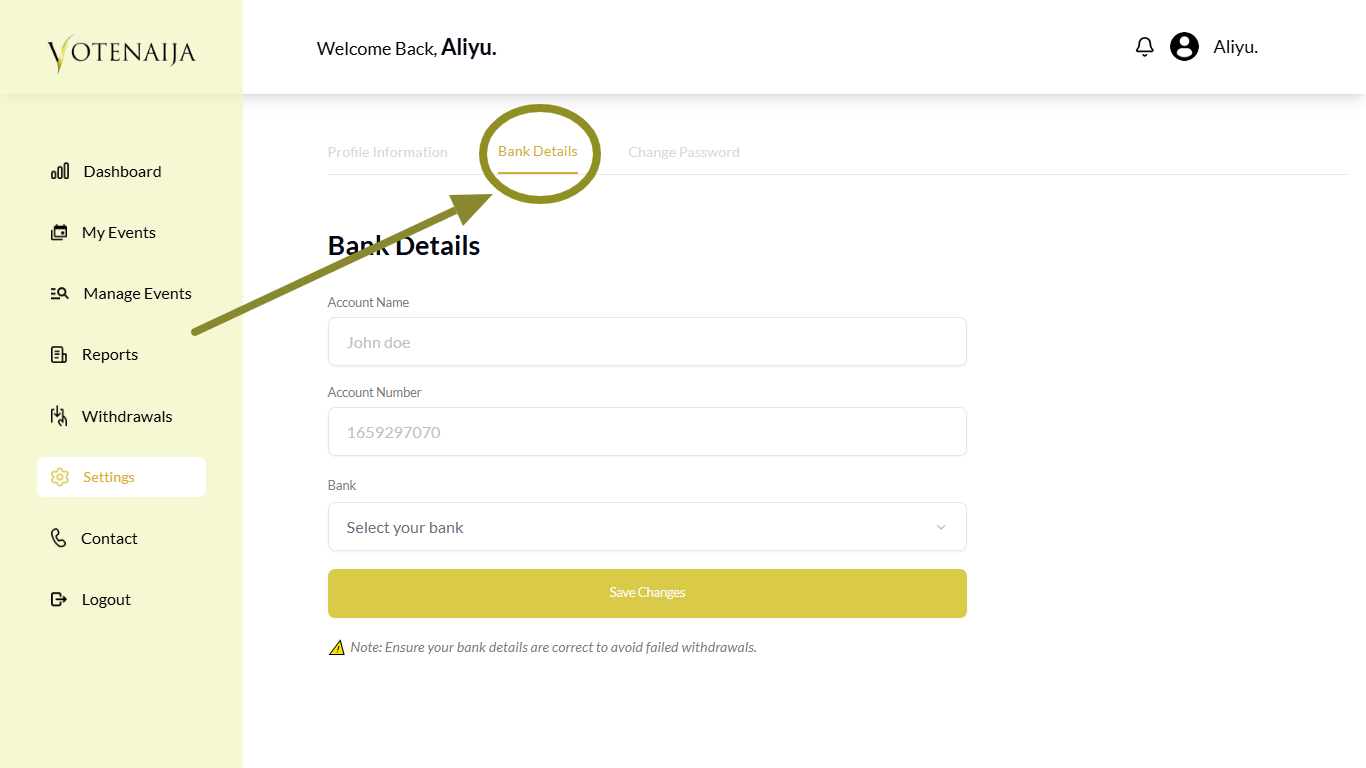
Click on Bank Details to open the part where you can provide your payment information.
Step 4: Enter Your Bank Information
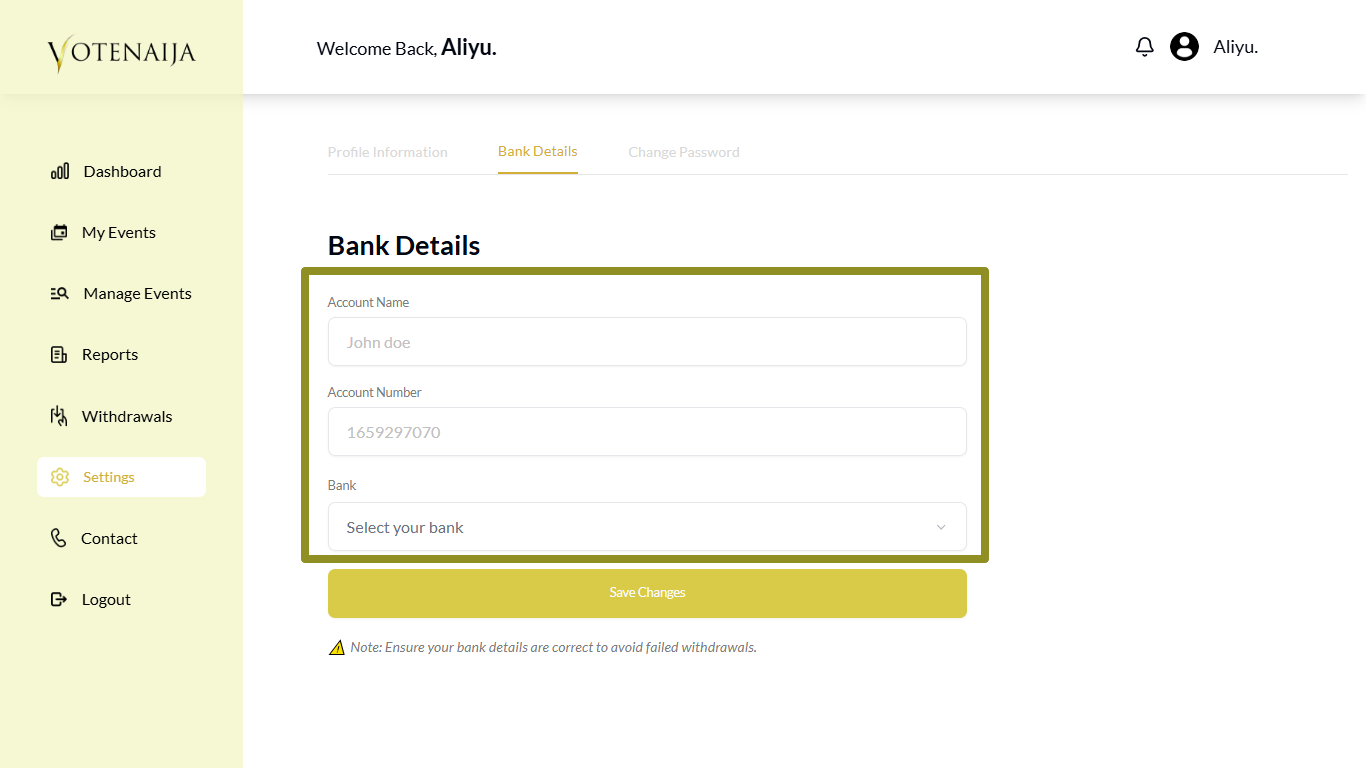
Now fill out the form by providing:
- Your account name
- Your account number
- Your bank (select it from the dropdown)
You can use regular banks or mobile wallet accounts like Opay and Moniepoint. Just make sure the name and number match correctly.
Double check your details before moving on. Wrong information can delay or block your payment.
Step 5: Click on Save Changes
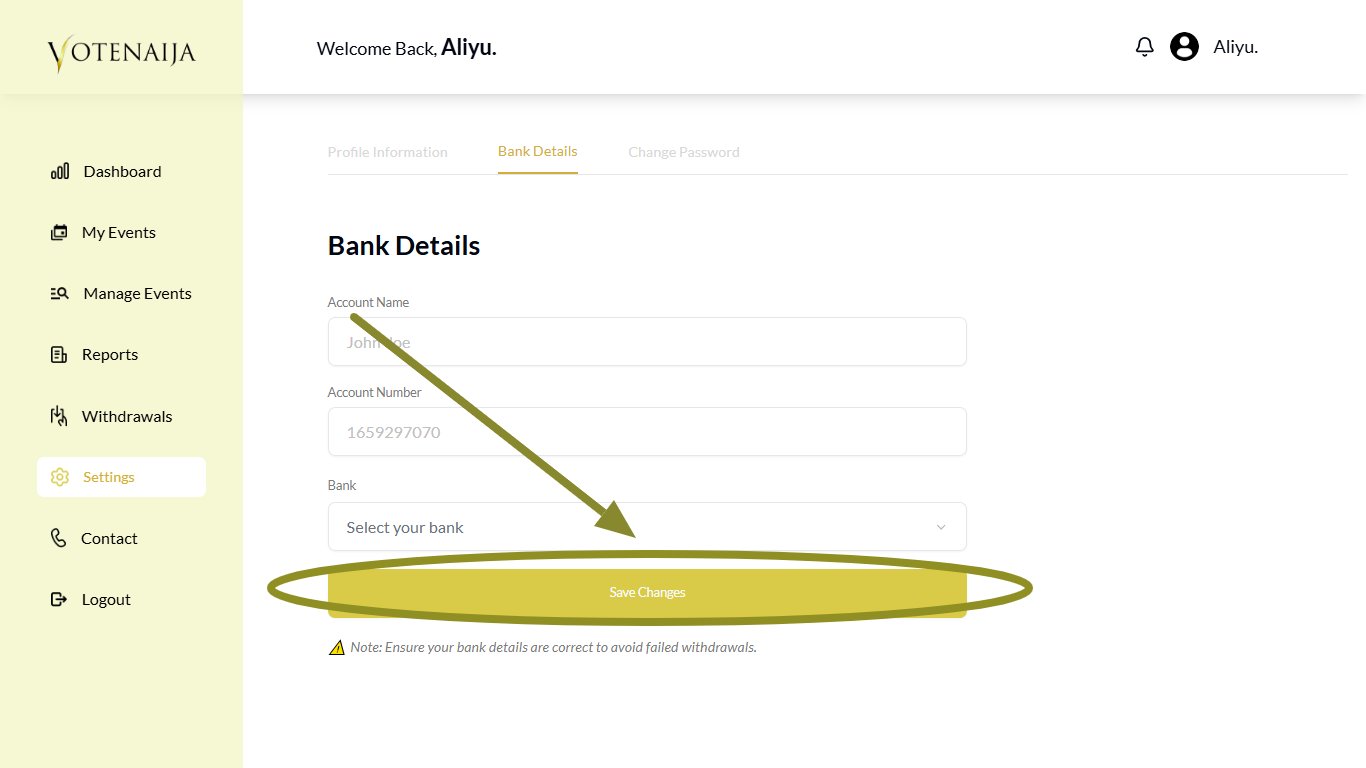
Once everything is filled in, click on Save Changes to confirm and store your bank details.
Your withdrawal system will now be ready. The next time you go to the withdrawal page, the error message will not appear again.
Final Words
That message is just the system telling you it has no bank account to send your money to.
To fix it, go to your settings, add your bank details once, and you are set.
You only need to do this one time. After that, every withdrawal you request will go smoothly and your money will get to you faster.
Everything you need to know is in these easy VoteNaija guides.