

You tried to withdraw your earnings but instead saw a message that said:
“It looks like your bank details aren’t set up yet. Before you can request a withdrawal, please update your Bank details in your account settings.”
If that popped up, no need to worry. It simply means your bank details have not been added to your account.
Let me walk you through what it means and how to fix it on your phone.
Why Can’t I Withdraw My Earnings
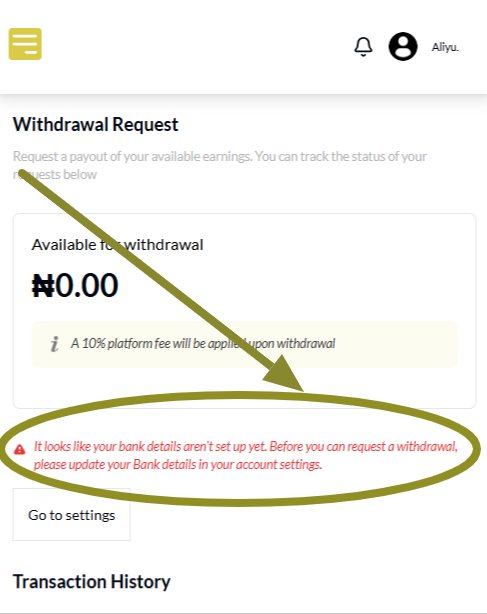
VoteNaija needs your bank details to send money to your account.
If you have not added that information, the system cannot process your withdrawal. That is why you are seeing the message above.
It is a common setup issue and nothing to stress about. You can fix it in just a few taps.
How to Fix the Error in Simple Steps
Step 1: Open the VoteNaija Website and Log In
Go to VoteNaija in your browser.
Tap the menu icon at the top of your screen, then scroll to the bottom of the menu and tap Login.
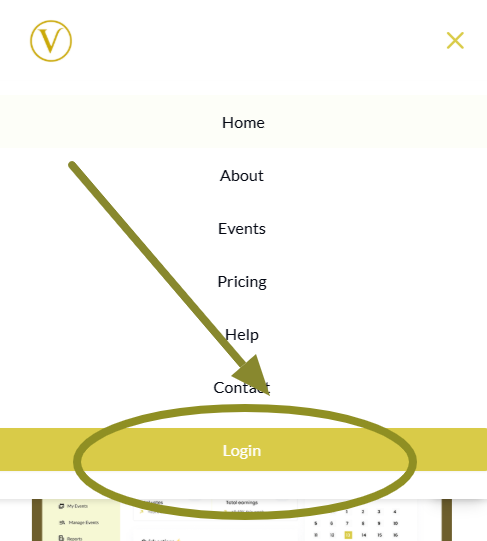
Enter your details and you will be taken to your dashboard.
Step 2: Tap Menu Again and Go to Settings
From the dashboard, tap the menu icon again.
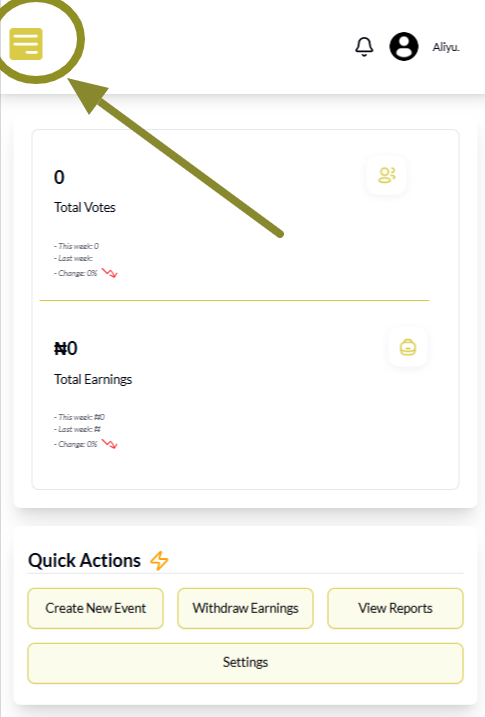
Scroll through the menu options and tap Settings. This is where you manage your profile.
Step 3: Tap Bank Details
On the Settings screen, you will see different options.
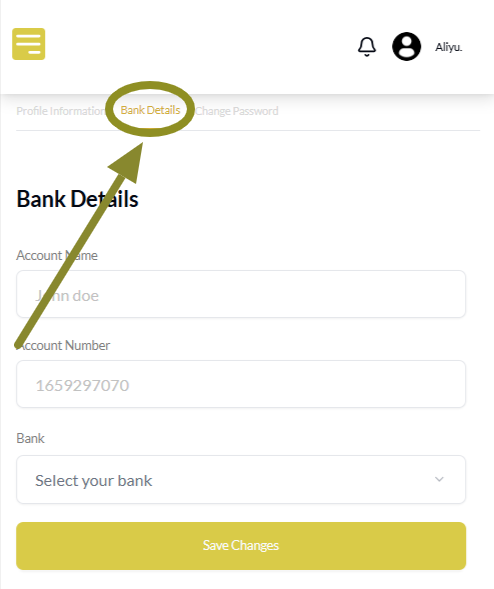
Tap Bank Details to open the page where you can add your account information.
Step 4: Enter Your Bank Information
Fill in your:
- Account name
- Account number
- Bank (select your bank from the dropdown)
You can use any commercial bank or wallet service like Opay or Moniepoint. Just make sure the details are correct and match your name.
Take a moment to double check. Wrong details will delay your payment.
Step 5: Tap Save Changes
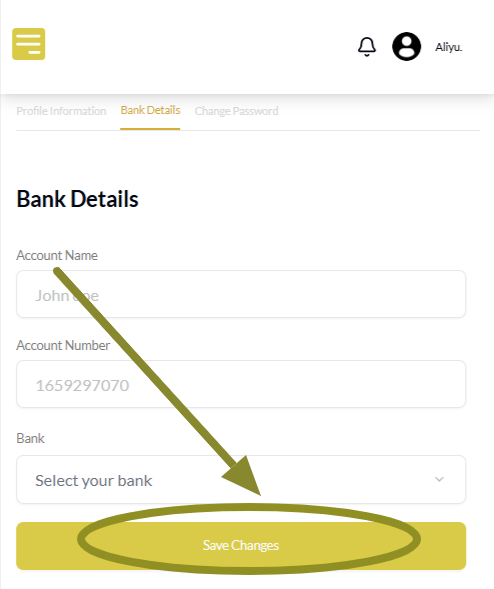
Once done, scroll down and tap the Save Changes button.
Your bank info will be saved and the system will now allow you to request withdrawals without any error.
Final Words
That error message only means your bank account is missing from your profile.
Now that you know how to fix it, you only need to do this once. After that, your withdrawal page will work properly and your money will reach you with no issues.
Always double check your bank details and make sure they are correct before saving. That way, you avoid delays and keep things smooth.
Find your way around faster using these VoteNaija guides.
- How to Create a New Event on VoteNaija (On Your Smartphone)
- How to Avoid Auto Publishing Before You Finish Setting Up Your Event on Your Phone
- Can I Still Add Contestants After the Event Starts? Here’s What to Know (on a Phone)
- Why You Can’t Edit an Event After It Goes Live (And What to Do Instead) – On a Phone
- How to Edit Event Details While It’s Still in Draft Mode (On Your Smartphone)